Hi @Leo
Did you have any solution about the ParseDisplayName issue?
See my attached picture above.
Thank you
Have a nice day
Sincerely
Thomas
Hi @Leo
Did you have any solution about the ParseDisplayName issue?
See my attached picture above.
Thank you
Have a nice day
Sincerely
Thomas
Is X a network drive? Does the server exist on the network?
Or is the path in/below a cloud storage folder like OneDrive?
Hi @Leo
It's a network drive and the server exist on the network as I can open files from it.
Issue occurs often when go up, back, forward in the tree, switching tabs or open files.
Only thing I can notice is that in the shortcut for the drives the X has red on it

But in the tree no red X
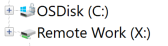
In explorer no red X either

So the path / server is working.
Have nice day
Sincerely
Thomas
It took me awhile to get the issue happening long enough that I could get to the Details. It reports ParseDisplayName, same as someone else reported... but also... path.cpp: 1532.
As of 13.15 I'm seeing this error with:
Operation: ParseDisplayName
Call site: path.hpp:1011
Still appearing on multple listviews that come into focus, and then go away.
Also note... .hpp is not a typo... previously .cpp for this error.
Which path does it say it’s trying to query? Does the path exist?
The listers that come into focus are valid folders that function as expected - they're just idle at the time. The error I believe is tied to the window where files are copying, as decribed previously.... where the error requester also shows. I think the bug is that it shows on listers where the copy operation isn't actually happening. Though the listers forced into focus may or may not show the same drive. And i think it's not that it can't query, its just that it's taking longer than DOpus likes.
The message that appears should tell you the path it's querying. What is the path?
it's a network share as described in detail previously
The main issue is that it shows in multiple listers that aren't actually associated with the copy that's ongoing, that triggers the error happening.
I was able to resolve this issue, but the bug still exists. As it turned out, there was a network switch between the two computers I was copying between. That switch was for some unknown reason not connecting above 100MB, even though all the connected devices, and it, are 1000MB devices. I replaced that switch and the issue has not happened since. But, there's the way perhaps to make the issue more likely to happen in testing.
Since some hardware issue was the root cause of an operation taking longer than expected, I don't really see how this example proves there's a bug ...
The bug if you look back thru is that it pops up the error message on multiple listviews that are unrelated to the operation.
Maybe you should have been more specific on "the bug", because only 3 messages in the above 30 of this thread are specifically talking about this multiple listers issue and it's not what the thread was about at the beginning (and not what it's mostly about).
I didn't think it necessary to start a new post on a similar topic. All my contribution to the topic discussed "the bug". In the future then I'll start a new topic even if related issue.