# Changing all lister layouts
**URL:** https://resource.dopus.com/t/changing-all-lister-layouts/39271
**Category:** Help & Support
**Created:** [September 7, 2021, 5:56am UTC](https://resource.dopus.com/t/changing-all-lister-layouts/39271 "2021-09-07T05:56:24Z")
**Posts on this page:** 2
**Page:** 1
### Author:  [@dc696969](https://resource.dopus.com/u/dc696969)
#### Post date: [September 7, 2021, 5:56am UTC](https://resource.dopus.com/t/changing-all-lister-layouts/39271/1 "2021-09-07T05:56:24Z")
Sorry for being dense - but can I have a simple description of how to change lister layouts that will apple to all currently open views.
By views, what I mean is, my standard Dopus window shows two listers side by side, with each side containing five or six tabs.
I want to replace the File Type column with the Extension (dirs) column - and for the change to be immediately replicated for all tabs on bothe sides.
Thanks
---
### Author:  [@Leo](https://resource.dopus.com/u/Leo)
#### Post date: [September 7, 2021, 1:24pm UTC](https://resource.dopus.com/t/changing-all-lister-layouts/39271/2 "2021-09-07T13:24:57Z")
Should be all you need:
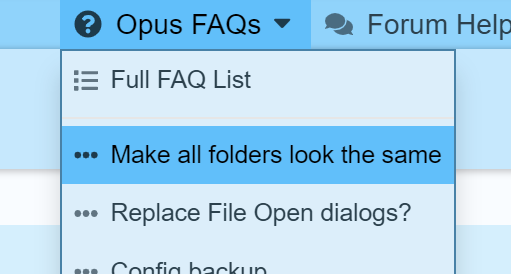
> [@Folder Formats: Quick Guide](https://resource.dopus.com/t/folder-formats-quick-guide/1313/1):
>
> This FAQ explains how to make Opus use the same format in all normal directories. There are two closely related FAQs which you may wish to read afterwards: [Folder Formats: Special Folders (Computer, Network, etc.)](https://resource.dopus.com/t/folder-formats-special-folders-computer-network-etc/1311/1)[Folder Formats: Detailed Guide](https://resource.dopus.com/t/folder-formats-detailed-guide/11718) T…