I'd rather make vertical lines with things the border element or a colored div. Easier to change if needed. Now that I think of it, I rarely use the IMG tag for anything but actual photos.
It probably isn't quicker these days, where computers are so fast they can update a page's layout almost instantly, but it's definitely still nicer. If you don't specify an image's size then the browser uses small placeholders for each image and the page jumps around as things load and the real image sizes become know. Specifying the size means the browser will reserve that space and fill the image in when it's loaded without having to move anything around.
For things like background images, which don't affect layout, I don't think there is any benefit to specifying a size (if you even can specify the size of such things). I'm just talking about IMG tags.
[quote="Zippo"]@John,
My HTML has never passed ANY validator ![/quote]
I guess this is nothing you should be proud of. Neither is your code valid nor is it semantic (which is a prerequisite for accessible sites).
Greetings,
Jan
Ahhh yes, but it does work .
It also puts the top of the vertical line in the proper place.
How can we make this better ?
Something similar to this was discussed long ago in another forum.
It is still being used in Essen, Deutschland.
See DigicamFotos.de .
I do not know what you mean by "semantic". 
Gruß,
Zippo
[quote="Zippo"]Ahhh yes, but it does work .
It also puts the top of the vertical line in the proper place.
How can we make this better ?[/quote]
Try this one:
[code]
No Tables #imageContainer { float: right; padding: 5px 7px; border-left: 2px solid #404040; text-align: center; margin: 0; } #imageContainer dd { margin: 5px 0 0 0; }- Caption
Insert Text Here
[/code] It should look quite similar to your piece of code (didn't test it, though), but it's valid and semantic. The CSS goes to an external stylesheet. Then the code is [b]much[/b] more compact than yours is, too...I guess there's no need to argue any more then... 
@admins: Sorry for having been off topic, I just had to answer. Maybe you could make a new thread out of this discussion.
Greetings,
Jan
Thankyou Jan,
I tried your code.
I worked for more than an hour and I must admit you have won.
Your code solves the problems of this better.
I thank you for a very valuable lesson.
Greetings Enigma,
David
Edit Note:
While thinking about and working with Enigma's code,
I remembered why I used an image tag to make that vertical line.
The original thumbnails were 160 x 120 , but I wanted them displayed at 120 x 90.
I didn't want to resize them as I used the same thumbnails on other pages at 160 x 120.
The answer was to use the image tag to specify the smaller size.
Also using the image tag for the vertical line size was meant to remind me
of the connection.
I didn't think of "winning" or "losing", but I'm pleased that you gave it a try. 
Greetings,
Jan
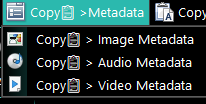
ALL Metadata
Retrieves all metadata of IMAGES, AUDIO, and VIDEO
Color, Dimensions, Resolution, Audio bitrate, Audio Code, Duration, Sample rate. Frame rate
New Button >>> Script Function >>> VBScript
Directory opus: 12 and above
Copy📋 > Image Metadata >

Both single and multiple
Example:
Filename: 01. LP.jpg
Color model: YCbCr
Dimensions: 1133 x 1700 x 24
Physical size: 15.7"" x 23.6""
Resolution: 72 dpi dpi x 72 dpi dpi
Filename: 02. LR.jpg
Color model: YCbCr
Dimensions: 901 x 1200 x 24
Physical size: 9.4"" x 12.5""
Resolution: 96 dpi dpi x 96 dpi dpi
Filename: 03. AD.jpg
Color model: YCbCr
Dimensions: 1376 x 1800 x 24
Physical size: 14.3"" x 18.8""
Resolution: 96 dpi dpi x 96 dpi dp
i!!!The same applies to Audio and Video.!!!
@script vbscript
Option Explicit
' OutputMode: "perfile" veya "grouped"
Const OutputMode = "perfile"    ' <-- "perfile" ya da "grouped"
' Helper: temiz string
Function SafeStr(v)
    On Error Resume Next
    If IsEmpty(v) Then
        SafeStr = ""
    Else
        SafeStr = CStr(v)
    End If
    If Err.Number <> 0 Then Err.Clear
    On Error GoTo 0
End Function
' Meta verileri al (her dosya için)
Function GetImageMeta(item)
    Dim meta, color, w, h, d, px, py, rx, ry, phys, res, out
    color = "": w = "": h = "": d = "": px = "": py = "": rx = "": ry = ""
    out = ""
    On Error Resume Next
    Set meta = item.metadata
    If Not meta Is Nothing Then
        color = SafeStr(meta.image.colormodel)
        If color = "" Then Err.Clear
        w = SafeStr(meta.image.picwidth)
        If w = "" Then w = SafeStr(meta.image.width)
        h = SafeStr(meta.image.picheight)
        If h = "" Then h = SafeStr(meta.image.height)
        d = SafeStr(meta.image_text.picdepth)
        If d = "" Then d = SafeStr(meta.image.picdepth)
        If InStr(d, " ") > 0 Then d = Split(d, " ")(0)
        px = SafeStr(meta.image.picphysx)
        py = SafeStr(meta.image.picphysy)
        If (px = "" Or py = "") Then
            phys = SafeStr(meta.image_text.physicalsize)
            If phys <> "" Then
                phys = Replace(phys, Chr(34), "")
                If InStr(phys, "x") > 0 Then
                    Dim pparts
                    pparts = Split(phys, "x")
                    px = Trim(pparts(0))
                    py = Trim(pparts(1))
                End If
            End If
        End If
        rx = SafeStr(meta.image.picresx)
        ry = SafeStr(meta.image.picresy)
        If (rx = "" Or ry = "") Then
            res = SafeStr(meta.image_text.resolution)
            If res <> "" Then
                res = Replace(res, " dpi", "")
                If InStr(res, "x") > 0 Then
                    Dim rparts
                    rparts = Split(res, "x")
                    rx = Trim(rparts(0))
                    ry = Trim(rparts(1))
                Else
                    rx = Trim(res)
                End If
            End If
        End If
    End If
    On Error GoTo 0
    ' Döndürülecek dizi benzeri string (pipe ile ayırıyorum, sonrasında split ile kullanılır)
    GetImageMeta = color & "|" & w & "|" & h & "|" & d & "|" & px & "|" & py & "|" & rx & "|" & ry
End Function
Function OnClick(ByRef clickData)
    Dim sel, item, count, i
    Set sel = clickData.func.sourcetab.selected_files
    If sel.count = 0 Then Exit Function
    count = sel.count
    If LCase(OutputMode) = "perfile" Then
        Dim result
        result = ""
        For Each item In sel
            Dim metaStr, parts
            metaStr = GetImageMeta(item)
            parts = Split(metaStr, "|")
            Dim color, w, h, d, px, py, rx, ry
            color = parts(0): w = parts(1): h = parts(2): d = parts(3)
            px = parts(4): py = parts(5): rx = parts(6): ry = parts(7)
            If color <> "" Or (w <> "" And h <> "") Or (px <> "" And py <> "") Or rx <> "" Then
                result = result & "Filename: " & item.name & vbCrLf
                If color <> "" Then result = result & "Color model: " & color & vbCrLf
                If w <> "" And h <> "" Then
                    If d <> "" Then
                        result = result & "Dimensions: " & w & " x " & h & " x " & d & vbCrLf
                    Else
                        result = result & "Dimensions: " & w & " x " & h & vbCrLf
                    End If
                End If
                If px <> "" And py <> "" Then result = result & "Physical size: " & px & Chr(34) & " x " & py & Chr(34) & vbCrLf
                If rx <> "" Or ry <> "" Then
                    If rx <> "" And ry <> "" Then
                        result = result & "Resolution: " & rx & " dpi x " & ry & " dpi" & vbCrLf
                    ElseIf rx <> "" Then
                        result = result & "Resolution: " & rx & " dpi" & vbCrLf
                    End If
                End If
                result = result & vbCrLf
            End If
        Next
        If result <> "" Then DOpus.SetClip result
    ElseIf LCase(OutputMode) = "grouped" Then
        ' Gruplanmış çıktı: her alan altında dosya: değer
        Dim outColor, outDim, outPhys, outRes
        outColor = "Color model:" & vbCrLf
        outDim = "Dimensions:" & vbCrLf
        outPhys = "Physical size:" & vbCrLf
        outRes = "Resolution:" & vbCrLf
        For Each item In sel
            Dim metaStr2, p2
            metaStr2 = GetImageMeta(item)
            p2 = Split(metaStr2, "|")
            Dim c2, ww, hh, dd, pxx, pyy, rxx, ryy
            c2 = p2(0): ww = p2(1): hh = p2(2): dd = p2(3)
            pxx = p2(4): pyy = p2(5): rxx = p2(6): ryy = p2(7)
            If c2 <> "" Then outColor = outColor & "  " & item.name & ": " & c2 & vbCrLf
            If ww <> "" And hh <> "" Then
                If dd <> "" Then
                    outDim = outDim & "  " & item.name & ": " & ww & " x " & hh & " x " & dd & vbCrLf
                Else
                    outDim = outDim & "  " & item.name & ": " & ww & " x " & hh & vbCrLf
                End If
            End If
            If pxx <> "" And pyy <> "" Then outPhys = outPhys & "  " & item.name & ": " & pxx & Chr(34) & " x " & pyy & Chr(34) & vbCrLf
            If rxx <> "" Or ryy <> "" Then
                If rxx <> "" And ryy <> "" Then
                    outRes = outRes & "  " & item.name & ": " & rxx & " dpi x " & ryy & " dpi" & vbCrLf
                ElseIf rxx <> "" Then
                    outRes = outRes & "  " & item.name & ": " & rxx & " dpi" & vbCrLf
                End If
            End If
        Next
        Dim finalOut
        finalOut = ""
        If Len(Trim(Replace(outColor, "Color model:", ""))) > 0 Then finalOut = finalOut & outColor & vbCrLf
        If Len(Trim(Replace(outDim, "Dimensions:", ""))) > 0 Then finalOut = finalOut & outDim & vbCrLf
        If Len(Trim(Replace(outPhys, "Physical size:", ""))) > 0 Then finalOut = finalOut & outPhys & vbCrLf
        If Len(Trim(Replace(outRes, "Resolution:", ""))) > 0 Then finalOut = finalOut & outRes & vbCrLf
        If finalOut <> "" Then DOpus.SetClip finalOut
    End If
End Function
Copy📋 > Audio Metadata >
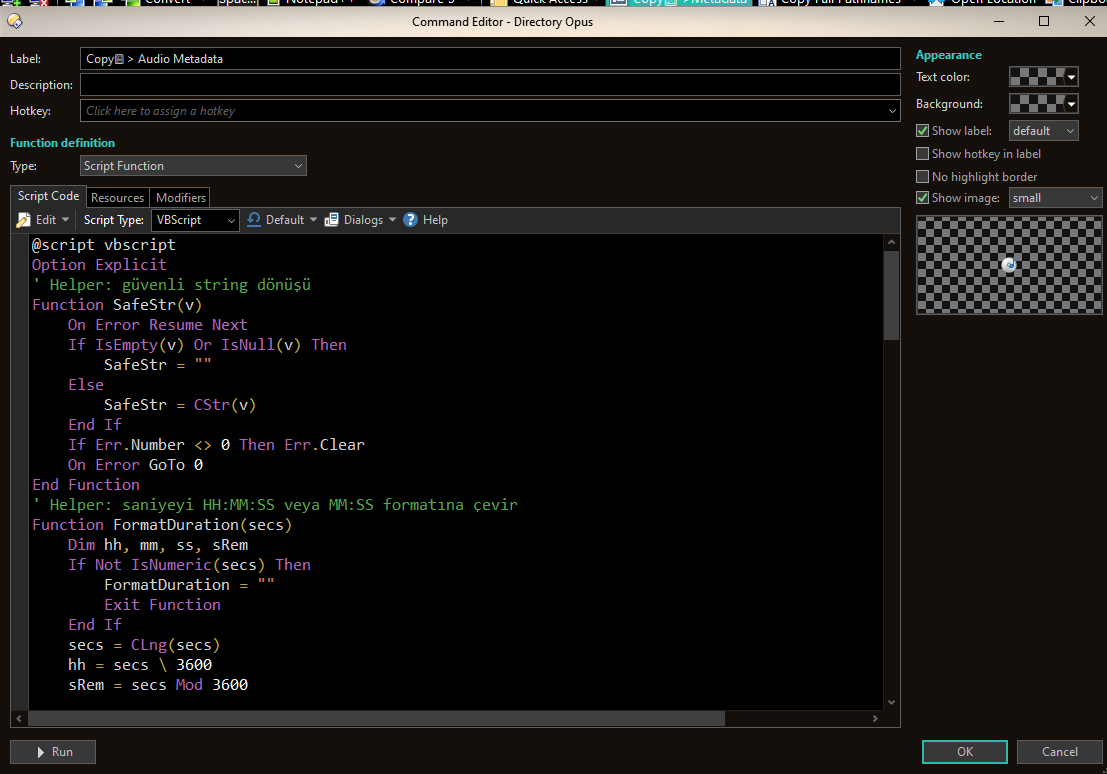
@script vbscript
Option Explicit
' Helper: güvenli string dönüşü
Function SafeStr(v)
    On Error Resume Next
    If IsEmpty(v) Or IsNull(v) Then
        SafeStr = ""
    Else
        SafeStr = CStr(v)
    End If
    If Err.Number <> 0 Then Err.Clear
    On Error GoTo 0
End Function
' Helper: saniyeyi HH:MM:SS veya MM:SS formatına çevir
Function FormatDuration(secs)
    Dim hh, mm, ss, sRem
    If Not IsNumeric(secs) Then
        FormatDuration = ""
        Exit Function
    End If
    secs = CLng(secs)
    hh = secs \ 3600
    sRem = secs Mod 3600
    mm = sRem \ 60
    ss = sRem Mod 60
    If hh > 0 Then
        FormatDuration = Right("0" & CStr(hh),2) & ":" & Right("0" & CStr(mm),2) & ":" & Right("0" & CStr(ss),2)
    Else
        FormatDuration = Right("0" & CStr(mm),2) & ":" & Right("0" & CStr(ss),2)
    End If
End Function
' Audio metadata için güvenli alma - birçok alternatif alan adı dener
Function GetAudioMeta(item)
    Dim md, b, c, secs, txtDur, srate
    b = "": c = "": secs = "": txtDur = "": srate = ""
    On Error Resume Next
    Set md = item.metadata
    If Not md Is Nothing Then
        b = SafeStr(md.audio_text.mp3bitrate)
        If b = "" Then b = SafeStr(md.audio_text.bitrate)
        If b = "" Then b = SafeStr(md.audio.bitrate)
        If Err.Number <> 0 Then Err.Clear
        c = SafeStr(md.audio.audiocodec)
        If c = "" Then c = SafeStr(md.audio_text.codec)
        If c = "" Then c = SafeStr(md.audio.codec)
        If Err.Number <> 0 Then Err.Clear
        secs = SafeStr(md.audio.mp3songlength)
        If secs = "" Then secs = SafeStr(md.audio.songlength)
        If secs = "" Then secs = SafeStr(md.audio.length)
        If secs = "" Then txtDur = SafeStr(md.audio_text.duration)
        If txtDur = "" Then txtDur = SafeStr(md.audio_text.length)
        If txtDur = "" Then txtDur = SafeStr(md.audio_text.songlength)
        If Err.Number <> 0 Then Err.Clear
        srate = SafeStr(md.audio_text.mp3samplerate)
        If srate = "" Then srate = SafeStr(md.audio_text.samplerate)
        If srate = "" Then srate = SafeStr(md.audio.audiosamplerate)
        If Err.Number <> 0 Then Err.Clear
    End If
    On Error GoTo 0
    Dim durOut
    durOut = ""
    If IsNumeric(secs) And secs <> "" Then
        durOut = FormatDuration(CLng(secs))
    ElseIf txtDur <> "" Then
        If InStr(txtDur, ":") > 0 Then
            Dim parts, pCount, totalSecs
            parts = Split(txtDur, ":")
            pCount = UBound(parts) - LBound(parts) + 1
            totalSecs = 0
            If pCount = 3 Then
                totalSecs = CLng(Trim(parts(0))) * 3600 + CLng(Trim(parts(1))) * 60 + CLng(Trim(parts(2)))
            ElseIf pCount = 2 Then
                totalSecs = CLng(Trim(parts(0))) * 60 + CLng(Trim(parts(1)))
            End If
            If totalSecs > 0 Then
                durOut = FormatDuration(totalSecs)
            Else
                durOut = txtDur
            End If
        Else
            durOut = txtDur
        End If
    End If
    GetAudioMeta = b & "|" & c & "|" & durOut & "|" & srate
End Function
' Main
Function OnClick(ByRef clickData)
    Dim sel, item, result, metaStr, parts
    Set sel = clickData.func.sourcetab.selected_files
    If sel.count = 0 Then Exit Function
    result = ""
    For Each item In sel
        metaStr = GetAudioMeta(item)
        parts = Split(metaStr, "|")
        Dim bitR, codecT, durT, sT
        bitR = parts(0): codecT = parts(1): durT = parts(2): sT = parts(3)
        If bitR = "" And codecT = "" And durT = "" And sT = "" Then
            ' skip
        Else
            result = result & "Filename: " & item.name & vbCrLf
            If bitR <> "" Then result = result & "Audio bit rate: " & bitR & vbCrLf
            If codecT <> "" Then result = result & "Audio codec: " & codecT & vbCrLf
            If durT <> "" Then result = result & "Duration: " & durT & vbCrLf
            If sT <> "" Then result = result & "Sample rate: " & sT & vbCrLf
            result = result & vbCrLf
        End If
    Next
    If result <> "" Then
        DOpus.SetClip result
    Else
        DOpus.Output "Hiçbir ses metadata'sı okunamadı."
    End If
End Function
Copy📋 > Video Metadata >
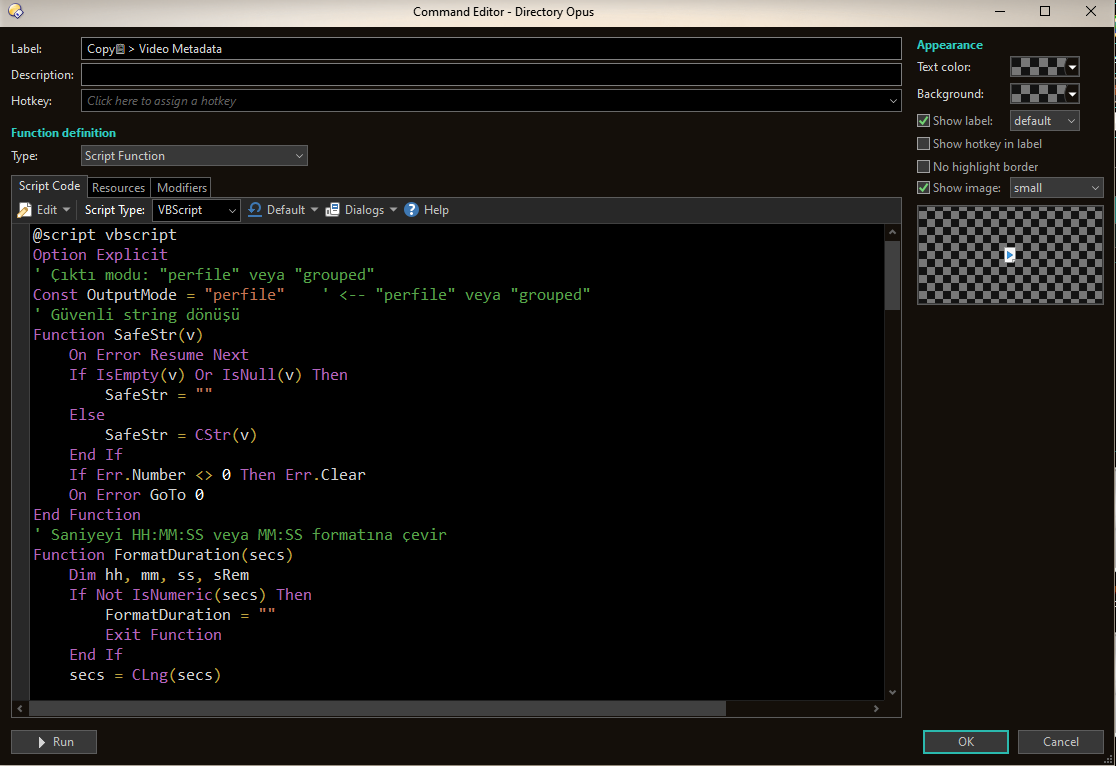
@script vbscript
Option Explicit
' Çıktı modu: "perfile" veya "grouped"
Const OutputMode = "perfile"    ' <-- "perfile" veya "grouped"
' Güvenli string dönüşü
Function SafeStr(v)
    On Error Resume Next
    If IsEmpty(v) Or IsNull(v) Then
        SafeStr = ""
    Else
        SafeStr = CStr(v)
    End If
    If Err.Number <> 0 Then Err.Clear
    On Error GoTo 0
End Function
' Saniyeyi HH:MM:SS veya MM:SS formatına çevir
Function FormatDuration(secs)
    Dim hh, mm, ss, sRem
    If Not IsNumeric(secs) Then
        FormatDuration = ""
        Exit Function
    End If
    secs = CLng(secs)
    hh = secs \ 3600
    sRem = secs Mod 3600
    mm = sRem \ 60
    ss = sRem Mod 60
    If hh > 0 Then
        FormatDuration = Right("0" & CStr(hh),2) & ":" & Right("0" & CStr(mm),2) & ":" & Right("0" & CStr(ss),2)
    Else
        FormatDuration = Right("0" & CStr(mm),2) & ":" & Right("0" & CStr(ss),2)
    End If
End Function
' Bir item (dosya) için video meta al, pipe ile ayrılmış string döndür
Function GetVideoMeta(item)
    Dim md, dimsText, w, h, durNum, durText, fr, srate
    dimsText = "": w = "": h = ""
    durNum = "": durText = ""
    fr = "": srate = ""
    On Error Resume Next
    Set md = item.metadata
    If Not md Is Nothing Then
        ' Dimensions: çeşitli alanları dene
        w = SafeStr(md.video.width)
        If w = "" Then w = SafeStr(md.video.picwidth)
        If w = "" Then w = SafeStr(md.video_text.width)
        h = SafeStr(md.video.height)
        If h = "" Then h = SafeStr(md.video.picheight)
        If h = "" Then h = SafeStr(md.video_text.height)
        If w <> "" And h <> "" Then
            dimsText = w & " x " & h
        Else
            dimsText = SafeStr(md.video_text.dimensions)
            If dimsText = "" Then
                ' bazen tek alanı "3840 x 2160" olarak verir
                dimsText = SafeStr(md.video.dimensions)
            End If
        End If
        ' Duration: numeric tercih, yoksa text alanları
        durNum = SafeStr(md.video.duration)
        If durNum = "" Then durNum = SafeStr(md.video.videolength)
        If durNum = "" Then durText = SafeStr(md.video_text.duration)
        If durText = "" Then durText = SafeStr(md.video_text.videolength)
        ' Frame rate
        fr = SafeStr(md.video.framerate)
        If fr = "" Then fr = SafeStr(md.video_text.framerate)
        If fr = "" Then fr = SafeStr(md.video.fps)
        ' Sample rate (audio inside video)
        srate = SafeStr(md.audio_text.mp3samplerate)
        If srate = "" Then srate = SafeStr(md.audio_text.samplerate)
        If srate = "" Then srate = SafeStr(md.audio.audiosamplerate)
    End If
    On Error GoTo 0
    ' Normalize duration: numeric -> format; else parse mm:ss/h:mm:ss
    Dim durOut
    durOut = ""
    If IsNumeric(durNum) And durNum <> "" Then
        durOut = FormatDuration(CLng(durNum))
    ElseIf durText <> "" Then
        If InStr(durText, ":") > 0 Then
            Dim parts, pCount, totalSecs
            parts = Split(durText, ":")
            pCount = UBound(parts) - LBound(parts) + 1
            totalSecs = 0
            If pCount = 3 Then
                totalSecs = CLng(Trim(parts(0))) * 3600 + CLng(Trim(parts(1))) * 60 + CLng(Trim(parts(2)))
            ElseIf pCount = 2 Then
                totalSecs = CLng(Trim(parts(0))) * 60 + CLng(Trim(parts(1)))
            End If
            If totalSecs > 0 Then durOut = FormatDuration(totalSecs) Else durOut = durText
        Else
            durOut = durText
        End If
    End If
    GetVideoMeta = dimsText & "|" & durOut & "|" & fr & "|" & srate
End Function
' Main
Function OnClick(ByRef clickData)
    Dim sel, item
    Set sel = clickData.func.sourcetab.selected_files
    If sel.count = 0 Then Exit Function
    If LCase(OutputMode) = "perfile" Then
        Dim result, metaStr, parts
        result = ""
        For Each item In sel
            metaStr = GetVideoMeta(item)
            parts = Split(metaStr, "|")
            Dim dimsT, durT, frT, sT
            dimsT = parts(0): durT = parts(1): frT = parts(2): sT = parts(3)
            If dimsT = "" And durT = "" And frT = "" And sT = "" Then
                ' skip empty
            Else
                result = result & "Filename: " & item.name & vbCrLf
                If dimsT <> "" Then result = result & "Dimensions: " & dimsT & vbCrLf
                If durT <> "" Then result = result & "Duration: " & durT & vbCrLf
                If frT <> "" Then result = result & "Frame rate: " & frT & vbCrLf
                If sT <> "" Then result = result & "Sample rate: " & sT & vbCrLf
                result = result & vbCrLf
            End If
        Next
        If result <> "" Then DOpus.SetClip result
    ElseIf LCase(OutputMode) = "grouped" Then
        Dim outDims, outDur, outFr, outS, metaStr2, p2
        outDims = "Dimensions:" & vbCrLf
        outDur = "Duration:" & vbCrLf
        outFr = "Frame rate:" & vbCrLf
        outS = "Sample rate:" & vbCrLf
        For Each item In sel
            metaStr2 = GetVideoMeta(item)
            p2 = Split(metaStr2, "|")
            Dim d2, du2, f2, s2
            d2 = p2(0): du2 = p2(1): f2 = p2(2): s2 = p2(3)
            If d2 <> "" Then outDims = outDims & "  " & item.name & ": " & d2 & vbCrLf
            If du2 <> "" Then outDur = outDur & "  " & item.name & ": " & du2 & vbCrLf
            If f2 <> "" Then outFr = outFr & "  " & item.name & ": " & f2 & vbCrLf
            If s2 <> "" Then outS = outS & "  " & item.name & ": " & s2 & vbCrLf
        Next
        Dim finalOut
        finalOut = ""
        If Len(Trim(Replace(outDims, "Dimensions:", ""))) > 0 Then finalOut = finalOut & outDims & vbCrLf
        If Len(Trim(Replace(outDur, "Duration:", ""))) > 0 Then finalOut = finalOut & outDur & vbCrLf
        If Len(Trim(Replace(outFr, "Frame rate:", ""))) > 0 Then finalOut = finalOut & outFr & vbCrLf
        If Len(Trim(Replace(outS, "Sample rate:", ""))) > 0 Then finalOut = finalOut & outS & vbCrLf
        If finalOut <> "" Then DOpus.SetClip finalOut
    End If
End Function
I don't remember this thread at all .
A few different ways to do this have been added in the almost 20 years since this thread. 