# Divider/Line after X number of files in list
**URL:** https://resource.dopus.com/t/divider-line-after-x-number-of-files-in-list/43812
**Category:** Help & Support
**Created:** [March 1, 2023, 2:33pm UTC](https://resource.dopus.com/t/divider-line-after-x-number-of-files-in-list/43812 "2023-03-01T14:33:53Z")
**Posts on this page:** 8
**Page:** 1
### Author:  [@f7sheq](https://resource.dopus.com/u/f7sheq)
#### Post date: [March 1, 2023, 2:33pm UTC](https://resource.dopus.com/t/divider-line-after-x-number-of-files-in-list/43812/1 "2023-03-01T14:33:53Z")
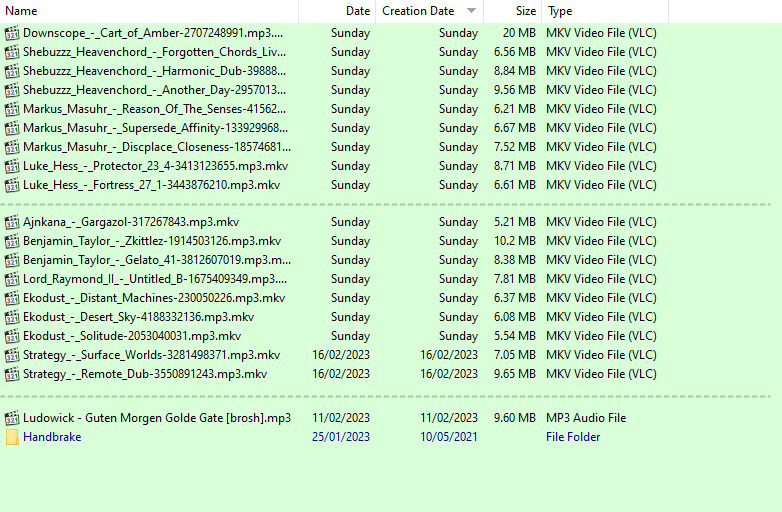
Various websites I use only allow X amount of files to be uploaded at one time. Is it possible to add a small spacing/dashed line after X number of files in a specific folder?
Here is a sketch of what I mean:
---
### Author:  [@Leo](https://resource.dopus.com/u/Leo)
#### Post date: [March 1, 2023, 2:37pm UTC](https://resource.dopus.com/t/divider-line-after-x-number-of-files-in-list/43812/2 "2023-03-01T14:37:34Z")
I don't think it's currently possible (other than every 100 files, if you group by the Index column), but we have something planned that would enable that with an arbitrary number per group.
---
### Author:  [@lxp](https://resource.dopus.com/u/lxp)
#### Post date: [March 2, 2023, 6:56pm UTC](https://resource.dopus.com/t/divider-line-after-x-number-of-files-in-list/43812/5 "2023-03-02T18:56:17Z")
If your goal is to quickly select a certain number of files, I can recommend **SelectNext**.
> [@SelectNext (Select the next n items)](https://resource.dopus.com/t/selectnext-select-the-next-n-items/43827):
>
> SelectNext selects a number of items (files and folders) that come after the current selection. It works like Select NEXT, but can select more than one item. I often use it when I want to launch several .url files but need to be gentle with web serve…
---
### Author:  [@f7sheq](https://resource.dopus.com/u/f7sheq)
#### Post date: [January 22, 2024, 6:30am UTC](https://resource.dopus.com/t/divider-line-after-x-number-of-files-in-list/43812/7 "2024-01-22T06:30:15Z")
any indication when this will be added, many thanks!
---
### Author:  [@Leo](https://resource.dopus.com/u/Leo)
#### Post date: [January 22, 2024, 6:54am UTC](https://resource.dopus.com/t/divider-line-after-x-number-of-files-in-list/43812/8 "2024-01-22T06:54:54Z")
It can be done in Opus 13 using Evaluatior Groups.
`return ((value+9)/10) + "";`
(The ` + “”` may not be needed now. Haven’t had a chance to check since I made the screenshot.)
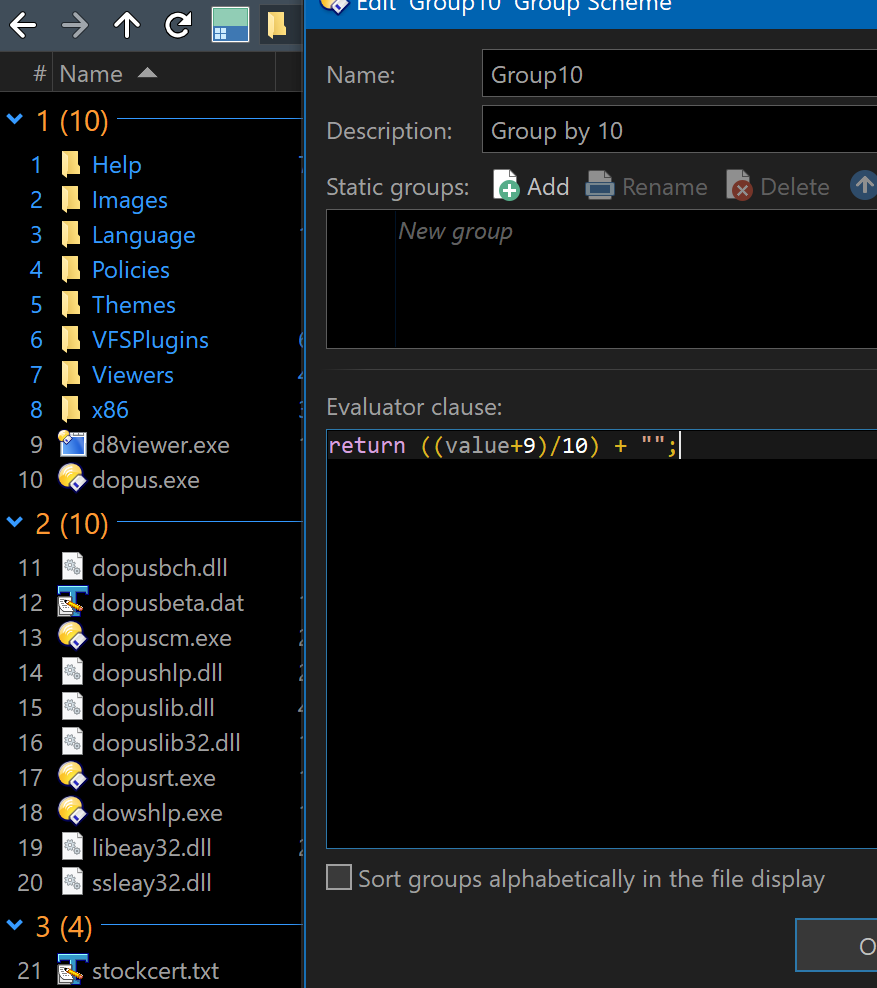
Edit: The group should be applied to the General \> Index columns.
To set it up, go to Preferences / File Display Columns / Evaluator Groups.
---
### Author:  [@lxp](https://resource.dopus.com/u/lxp)
#### Post date: [January 22, 2024, 8:24am UTC](https://resource.dopus.com/t/divider-line-after-x-number-of-files-in-list/43812/9 "2024-01-22T08:24:03Z")
> [@Leo](#):
>
> The ` + “”` may not be needed now.
The eval clause can be as short as
```plaintext
(value+9)/10
```
---
### Author:  [@f7sheq](https://resource.dopus.com/u/f7sheq)
#### Post date: [January 23, 2024, 9:36am UTC](https://resource.dopus.com/t/divider-line-after-x-number-of-files-in-list/43812/10 "2024-01-23T09:36:04Z")
> [@Leo](#):
>
> `return ((value+9)/10) + "";`
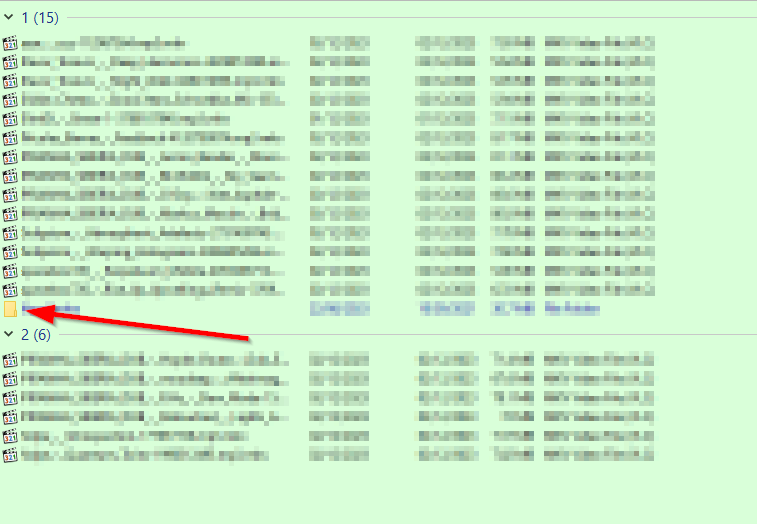
Thankyou, I have managed to get this setup. Is there anyway for it to not include sub folders in the grouping?
---
### Author:  [@lxp](https://resource.dopus.com/u/lxp)
#### Post date: [January 23, 2024, 10:54am UTC](https://resource.dopus.com/t/divider-line-after-x-number-of-files-in-list/43812/11 "2024-01-23T10:54:58Z")
You could hide them with a filter or assign them to an extra group, e.g.:
```plaintext
is_dir ? 9999 : (value+9)/10
```