# DO12 showing the ~ (tilde)
**URL:** https://resource.dopus.com/t/do12-showing-the-tilde/29381
**Category:** Help & Support
**Created:** [July 18, 2018, 2:29am UTC](https://resource.dopus.com/t/do12-showing-the-tilde/29381 "2018-07-18T02:29:48Z")
**Posts on this page:** 4
**Page:** 1
### Author:  [@abuck](https://resource.dopus.com/u/abuck)
#### Post date: [July 18, 2018, 2:29am UTC](https://resource.dopus.com/t/do12-showing-the-tilde/29381/1 "2018-07-18T02:29:48Z")
My DO12 has started to show the tilde as part of the filename which is very annoying. I tried to re-install it but after a while, the tild re-appear. I looked at this topic [DO10 showing the "~" (tilde) in file column](https://resource.dopus.com/t/do10-showing-the-tilde-in-file-column/11308) which is quite old and mention a pirated version might have this issue, however, I'm using a legit version, not sure what's going on?
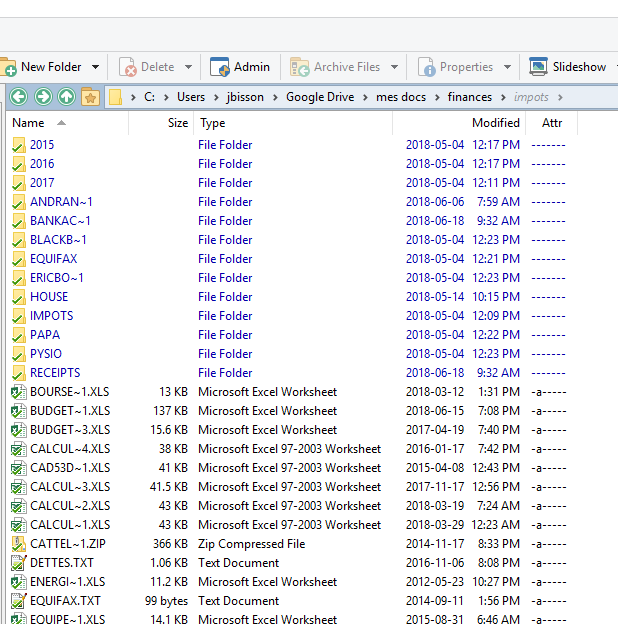
thanks
---
### Author:  [@Leo](https://resource.dopus.com/u/Leo)
#### Post date: [July 18, 2018, 2:46am UTC](https://resource.dopus.com/t/do12-showing-the-tilde/29381/2 "2018-07-18T02:46:02Z")
I recommend:
- Do a config backup (Settings \> Backup & Restore).
- Uninstall Opus (this will wipe the config, which is what the backup is for). Reboot if prompted to at the end.
- Make sure the `C:\Program Files\GPSoftware\Directory Opus` folder is completely removed. Delete anything left-over if there is anything still there.
- Download the installer [from our website](https://www.gpsoft.com.au/DScripts/download.asp). Don't get it from any third party.
- Run the installer.
- Optionally, restore the config backup. (You might want to do that later in case the problem is caused by something in the config, although it shouldn't normally be.)
Avoid installing anything else that modifies the Opus Program Files folder, or tries to modify or block part of the program, etc.
If you still get problems even then, [check the digital signatures](https://resource.dopus.com/t/how-to-check-for-a-corrupted-installer-or-main-program/8660) on the exe and dll files below Program Files to see if something is modifying them. (e.g. A virus could cause that, or a disk error. That said, a random modification would not normally cause this symptom.)
---
### Author:  [@abuck](https://resource.dopus.com/u/abuck)
#### Post date: [July 20, 2018, 6:01pm UTC](https://resource.dopus.com/t/do12-showing-the-tilde/29381/3 "2018-07-20T18:01:54Z")
thanks, however, I'm still experiencing the same issue here after uninstalling and réinstalling everything. very very annoying ☹
here's what the digital signature look like, nothing has altered it:
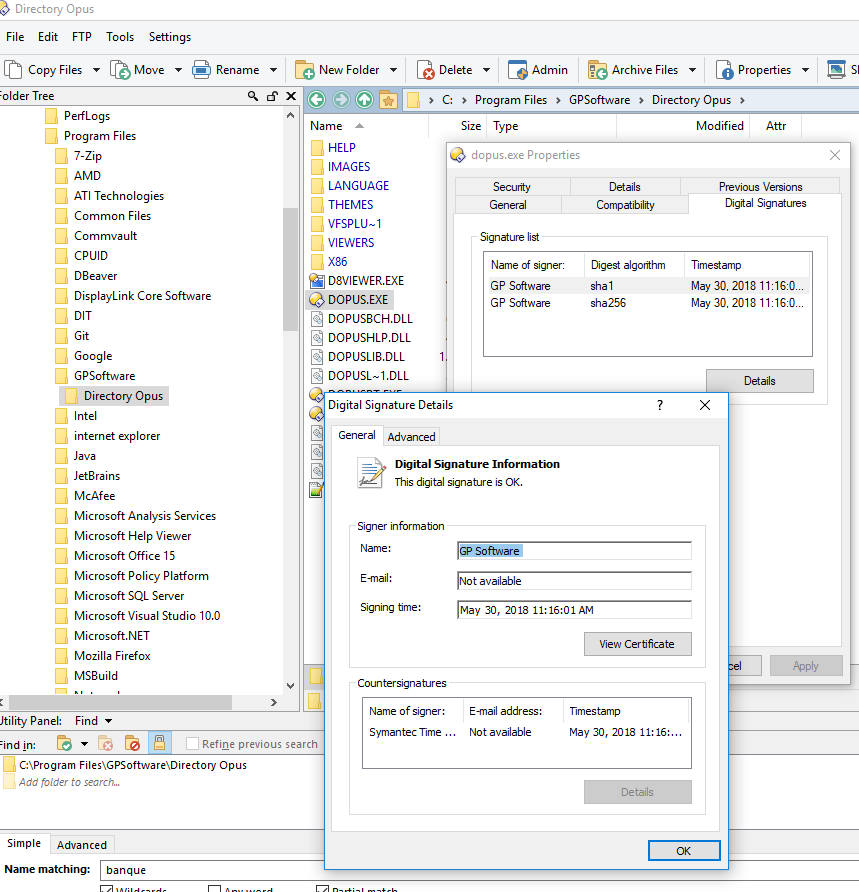
everything was working fine ☹
---
### Author:  [@Leo](https://resource.dopus.com/u/Leo)
#### Post date: [July 20, 2018, 6:57pm UTC](https://resource.dopus.com/t/do12-showing-the-tilde/29381/4 "2018-07-20T18:57:58Z")
What does **Help \> Licence Manager** display as the certificate status / certificate type?
e.g. With your Opus 12 Pro certificate installed, you should see:
- Certificate status: Valid Program Certificate installed...
- Certificate details, Type: Normal
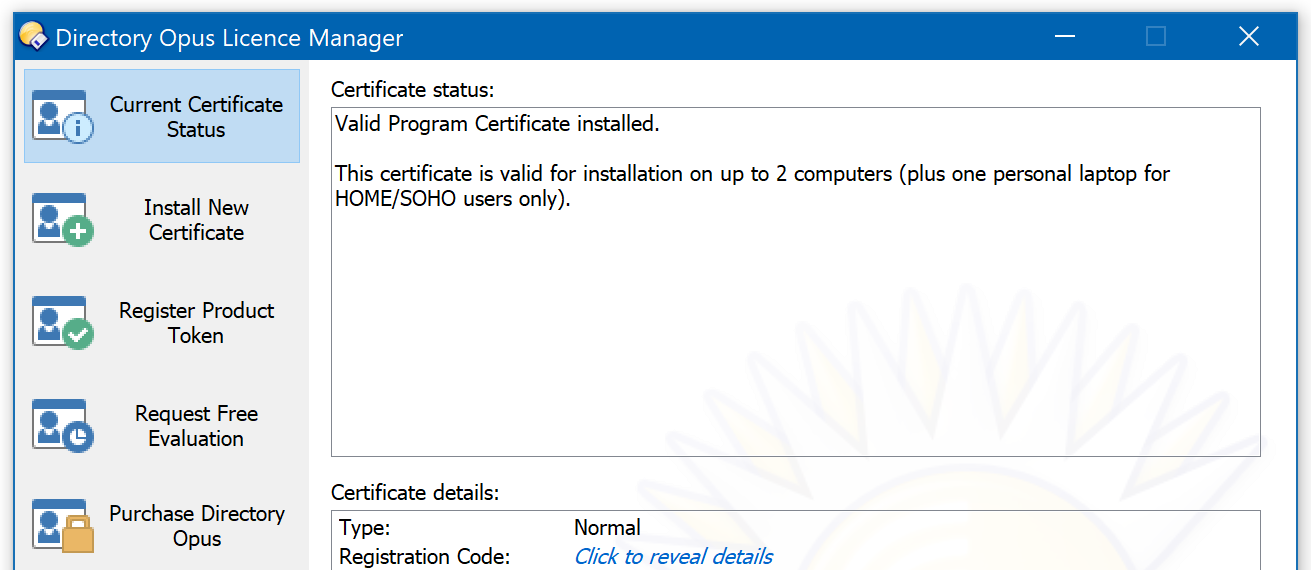
If you see something else there, click **Install New Certificate** on the left and feed it your Opus 12 Pro cert. If needed, or with old cert files and unsure which is the current one, you can use [this page](https://www.gpsoft.com.au/DScripts/lostcode.asp) to get your current cert emailed to you.