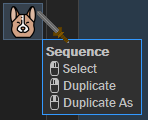
I don't want it to leave the original file as is.
If there is no conflict then it will always add a 1 to the end. If there is a conflict (already existing) it will find the largest number then continue adding one number starting from there.
The script is good as is, except I find myself always adding the 1 after the fact, because the sequence ends up inconsistent. I know the file without a number is probably the original, but I don't have proof of that, so I'm always adding the 1 anyway. My request is for the script to do this for me; one less step.
But what I'm really after is the ability to select sequence.
New button:
DuplicateNumber.dcf (4.8 KB)
Looking into your Select Sequence.
SelectSequence.dcf (3.0 KB)
Be careful if you use it with expanded folders: it relies on a Select command built with a regexp to match the files. It means every file visible in the source tab will be selected (if it matches the regexp).
EDIT:
Source code:
function OnClick(clickData)
{
	var cmd = clickData.func.command;
	var fsu = DOpus.FSUtil;
	cmd.deselect = false; // Prevent automatic deselection
	// --------------------------------------------------------
	cmd.RunCommand("Set VIEW=Details");
	var SelectCmd = DOpus.Create.Command();
	// --------------------------------------------------------
	//DOpus.Output("Selected items in " + clickData.func.sourcetab.path + ":");
	if (clickData.func.sourcetab.selected.count == 0)
	{
		DOpus.Output("No selection. Aborting.");
	}

	var allTargetNames = DOpus.Create.Map();
	for (var e = new Enumerator(clickData.func.sourcetab.selected); !e.atEnd(); e.moveNext())
	{
		var item = e.item();

		//dout("item name : " + item.name_stem_m);
		var bareName = item.name_stem_m;

		// If the file name format is not already "some name " followed by a number, it needs renaming in that form.
		var regex = new RegExp(" ([0-9]+)$", "g");
		var match = regex.exec(item.name_stem_m);
		if (match)
			bareName = item.name_stem_m.replace(regex, "");

		//dout("BARE NAME = >" + bareName + "<");
		var myCmd = 'Select "' + bareName + ' [0-9]+' + item.ext_m + '" REGEXP';
		//dout("CMD=>" + myCmd + "<");

		SelectCmd.AddLine(myCmd);
	}

	SelectCmd.Run();
}

function dout(msg, error, time) {
	if (error == undefined) error = false;
	if (time == undefined) time = true;
	DOpus.output(msg, error, time);
}
1 Like
YESSSSSSSSSSSSSSSSSSSSSSSSS
So MUCH HAPPY
Think I will combine these two into a three button, and post it in the buttons section. I'm sure multiple people will be interested in this gem.
The desire for the duplicate button was for it to rename the selected file, if it didn't have a number, not duplicate it.
I wouldn't bet on that. It looks like something quite specific to your use case. But if it's already useful for you, good enough !
1 Like
Fine, I'll leave it be then.
Got my happy pup three button sequencer.
Thanks for the help. 
1 Like
Hey, I'm wanting to do some variations of this on some buttons.
I won't ask for a script for every kind, but I remember there is an 'execute script' argument somewhere but I can't find it. Do you know what the argument is?
Here's an example:
execute script= ?
Go TABCOLOR 228,213,122
Go TABNAME "[SEL]Sequence"
This works for script that add commands (script-addins), not for script buttons.
When doing a script addins, you are adding a command that you give a name (MyCustomCommand), and by doing that, you are then able to call that command as if it were an Opus command.
I'll try and transform these script buttons into script addins so you can call them in different buttons.
Here is the script addin:
AsunderSpecials.opusscriptinstall (2.0 KB)
It adds 2 commands:
DuplicateNumberedSelectSequence
Once installed, you'll be able to use those two commands in buttons (in Standard Commands mode) instead of using the script buttons.
1 Like
Oh ok.
That's amazing, thanks for doing that.
Now I can select sequence, or select the invert, or bookmark, or pin to top, or filter.
The only thing I can't do is find (Drill into subfolders). The Find Here RECURSE doesn't seem to support scripts.