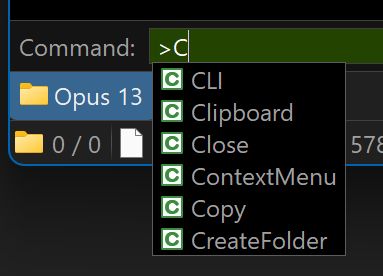
I don't know if it's normal behavior but look...
<C -> first item is selected
<CL -> second item selected
<CLI -> third item selected
I don't know if it's normal behavior but look...
<C -> first item is selected
<CL -> second item selected
<CLI -> third item selected
Weird, doesn't behave like that for me. It doesn't auto-select the first match, and if I select it manually by pushing down the selection stays on CLI no matter what else I type.
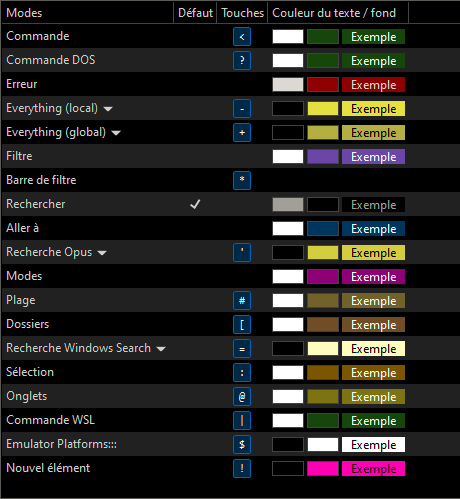
Which mode/script is your < key hooked up to?
The built-in > command mode works OK for me, but also looks different.
I worked out why it looked different: I don't have any user commands with descriptions, so my pop-up doesn't have the second column.
On your system, does it still happen if you move the mouse to the corner of the screen before typing? I'm not sure but wonder if the mouse being over the pop-up is making it highlight things. (They aren't the things under the mouse, but that might be a separate issue.)
I use now built-in > key.
Disable all scripts commands.
Look
Are the similar popups in other places also selecting items for you?
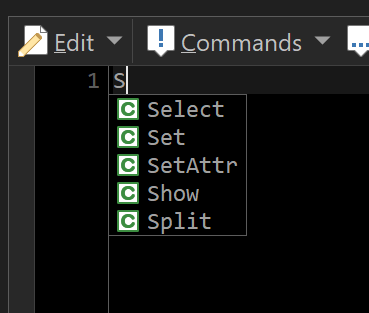
For example, in the button editor, if you type a letter does it select anything in the popup list, or leave everything unselected:
FWIW, FAYT command field is like this here:
Same thing
Ah, you have to have Preferences / Miscellaneous / Advanced: [Behaviour] autoselect_suggestions turned on.
Ok, I see it now. Thanks.