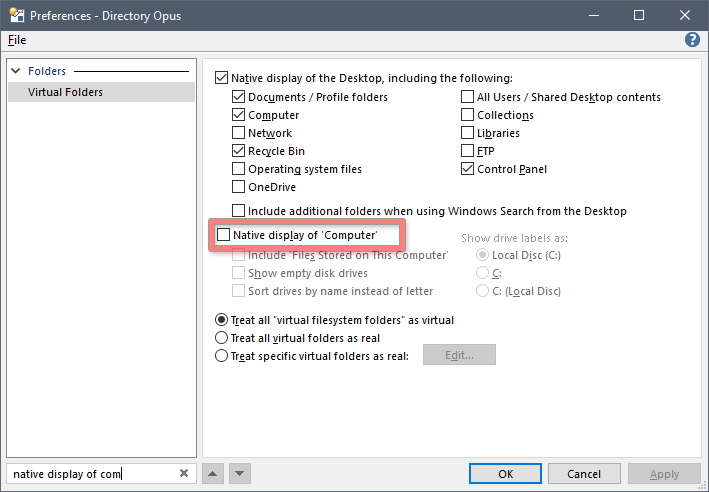
This PC uses Explorer-wrapped view by default instead of Opus-native view. You can toggle that in Preferences / Folders / Virtual Folders. That should make your Opus-specific context menus available there (at the expense of different visual style of This PC).
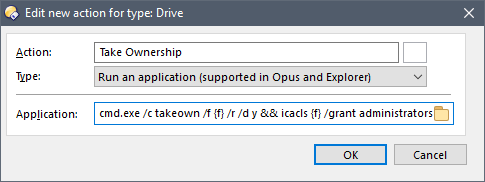
Alternatively, you could be able to add your command as "Run an application...." (which is available both in Opus and Explorer) instead of "Run an Opus function" (which is not available in Explorer), something like this:
I guess similar situation applies to the File Tree (which I don't use so I don't know).