# Filter option for Megapixel size of images ("width" x "height")
**URL:** https://resource.dopus.com/t/filter-option-for-megapixel-size-of-images-width-x-height/60663
**Category:** Help & Support
**Tags:** feature-request
**Created:** [October 9, 2026, 6:33pm UTC](https://resource.dopus.com/t/filter-option-for-megapixel-size-of-images-width-x-height/60663 "2026-10-09T18:33:55Z")
**Posts on this page:** 3
**Page:** 1
### Author:  [@lister\_user](https://resource.dopus.com/u/lister_user)
#### Post date: [October 9, 2026, 6:33pm UTC](https://resource.dopus.com/t/filter-option-for-megapixel-size-of-images-width-x-height/60663/1 "2026-10-09T18:33:55Z")
Hello,
I know that I can filter images in DO for width and height.
However, I am currently missing a filter for "megapixel" (so basically width x height).
Is there a way to add that to the list of things I can filter for?
Currently images with odd aspect ratios end on one end of the list for width or height though the required megapixel size is okay.
Many thanks in advance.
---
### Author:  [@Leo](https://resource.dopus.com/u/Leo)
#### Post date: [October 9, 2026, 7:21pm UTC](https://resource.dopus.com/t/filter-option-for-megapixel-size-of-images-width-x-height/60663/2 "2026-10-09T19:21:27Z")
Do you have the Image Size columns here?🙂
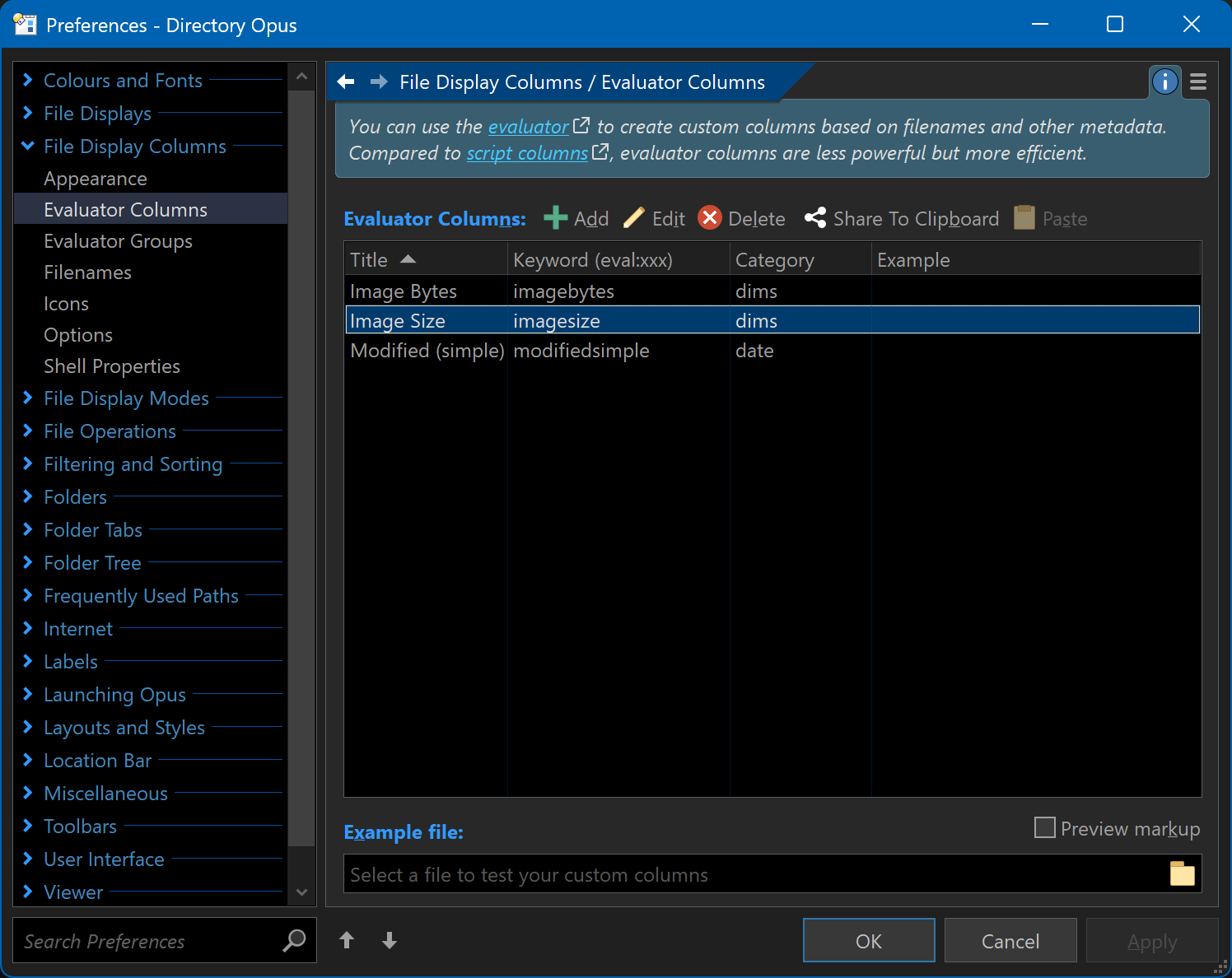
That should do what you want, if I've understood correctly.
---
### Author:  [@lister\_user](https://resource.dopus.com/u/lister_user)
#### Post date: [October 12, 2026, 7:01am UTC](https://resource.dopus.com/t/filter-option-for-megapixel-size-of-images-width-x-height/60663/3 "2026-10-12T07:01:14Z")
@Leo: Hm, no, I only see the "Image Bytes" option.
How can I add the "Image Size" option there?
When I click on "Add" it requires "Elevator-Code" which I do not know...?
Thanks