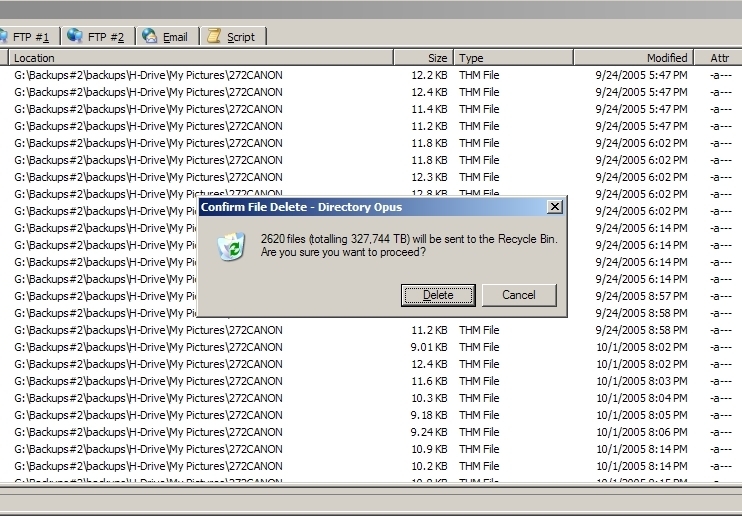
If you use the Find Panel (Tools -> Find Panel) instead of the separate Find window, does the same thing happen?
Using the Find Panel will show the results in the current lister window (the one which the Find Panel is attached to), via the Find Results file collection.
If the confirmation message still shows the huge number when doing it that way, what size is shown in the status bar if you select-all in the Find Results?
Using the Find Panel works correctly. Still selects the proper number of files (2,620) but this time says 26.1MB.
Question is....is it just cosmetic or will it do lots more damage?
I will hold off on deleting just in case the DOpus authors what me to test something else.
[quote="leo"]Definitely looks wrong.
If you use the Find Panel (Tools -> Find Panel) instead of the separate Find window, does the same thing happen?
Using the Find Panel will show the results in the current lister window (the one which the Find Panel is attached to), via the Find Results file collection.
If the confirmation message still shows the huge number when doing it that way, what size is shown in the status bar if you select-all in the Find Results?[/quote]