# Folder Formats and Toolbar Position Limitations
**URL:** https://resource.dopus.com/t/folder-formats-and-toolbar-position-limitations/24423
**Category:** Help & Support
**Created:** [December 17, 2016, 5:27am UTC](https://resource.dopus.com/t/folder-formats-and-toolbar-position-limitations/24423 "2016-12-17T05:27:43Z")
**Posts on this page:** 3
**Page:** 1
### Author:  [@Chuck](https://resource.dopus.com/u/Chuck)
#### Post date: [December 17, 2016, 5:27am UTC](https://resource.dopus.com/t/folder-formats-and-toolbar-position-limitations/24423/1 "2016-12-17T05:27:43Z")
I have a few task-specific toolbars that open one of two ways:
1. Toggle button on other toolbar that is always open. As an example a button with the following command would open at the bottom of the lister
```auto
Toolbar "images" STATE=bottom LINE=0 toggle
```
The user can change the "LINE=" number to adjust the toolbar's position relative to the "STATE" when the user has multiple toolbars open in the given location.
1. Tied to a specific folder's format:
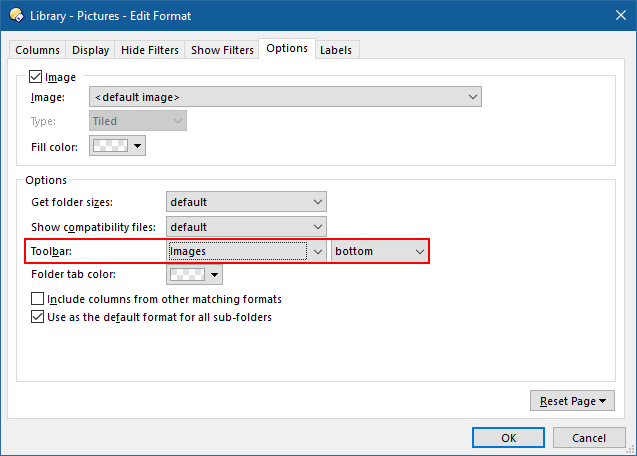
Unfortunately, tying a toolbar to a folder format does not offer the option to adjust the toolbar's position relative to other toolbars open in the given position. There is no "LINE=" equivalent for Folder Formats to my knowledge.
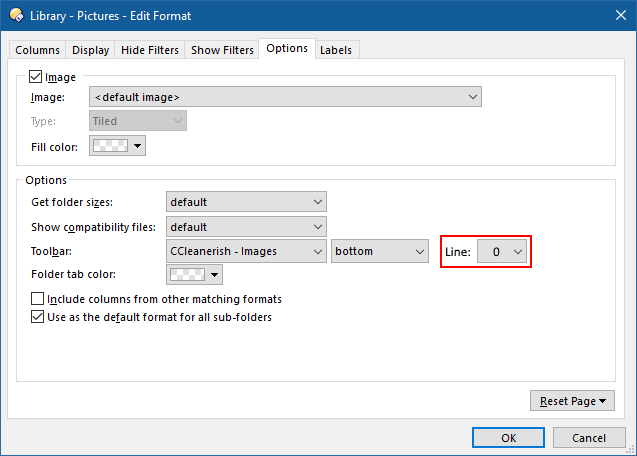
This lack of line control with Folder Formats may cause aesthetic layout problems. It does for me. If there is a way already available to correct this, please advise. Otherwise, request adding a "LINE" parameter to the Folder Formats options:
---
### Author:  [@Leo](https://resource.dopus.com/u/Leo)
#### Post date: [December 17, 2016, 9:48am UTC](https://resource.dopus.com/t/folder-formats-and-toolbar-position-limitations/24423/2 "2016-12-17T09:48:55Z")
Try saving a Toolbar Set via the Settings menu, then specify the set in the folder format. I think that should work.
---
### Author:  [@Chuck](https://resource.dopus.com/u/Chuck)
#### Post date: [December 17, 2016, 2:09pm UTC](https://resource.dopus.com/t/folder-formats-and-toolbar-position-limitations/24423/3 "2016-12-17T14:09:13Z")
That worked. Thanks Leo!