# How to create a lister style with always details view mood?
**URL:** https://resource.dopus.com/t/how-to-create-a-lister-style-with-always-details-view-mood/27945
**Category:** Help & Support
**Created:** [February 7, 2018, 2:26pm UTC](https://resource.dopus.com/t/how-to-create-a-lister-style-with-always-details-view-mood/27945 "2018-02-07T14:26:33Z")
**Posts on this page:** 6
**Page:** 1
### Author:  [@khalidhosain](https://resource.dopus.com/u/khalidhosain)
#### Post date: [February 7, 2018, 2:26pm UTC](https://resource.dopus.com/t/how-to-create-a-lister-style-with-always-details-view-mood/27945/1 "2018-02-07T14:26:33Z")
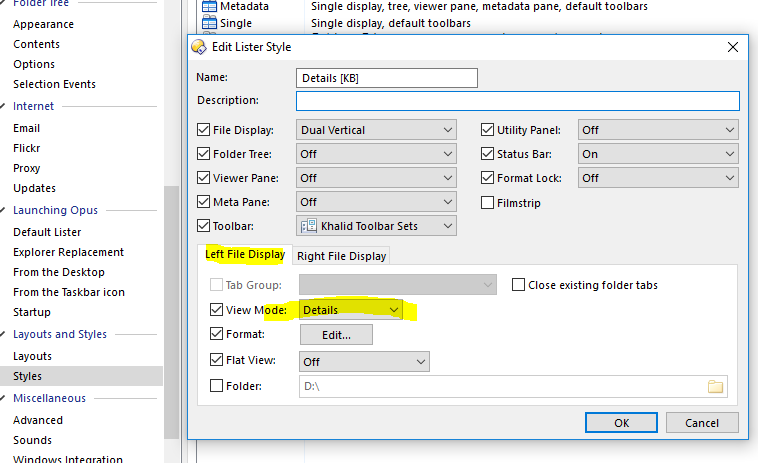
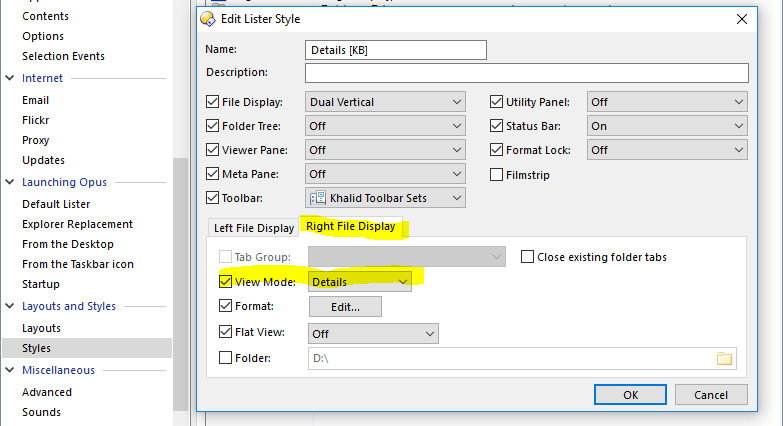
I create a lister style like the screen shot below. I want directory opus always show in details view mood in every where. but when i restart my pc and open directory opus the folder view have change sometime. I don't understand why? and when I drag a folder to folder tab bar to open the folder in a new tab then also the view mood change. I want to create a lister style that show always in details view every where every time. thanks for help.
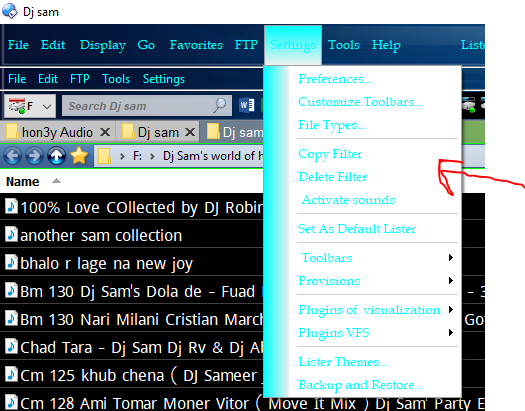
and how to change the menu color? in my screen shot that is white, I want to change it another color.
---
### Author:  [@Leo](https://resource.dopus.com/u/Leo)
#### Post date: [February 7, 2018, 8:17pm UTC](https://resource.dopus.com/t/how-to-create-a-lister-style-with-always-details-view-mood/27945/2 "2018-02-07T20:17:03Z")
> [@khalidhosain](#):
>
> I want directory opus always show in details view mood
By the way, It's "mode" not "mood". The wrong word might confuse people.
Styles are not what you want if you want to change the defaults. Instead, please see this FAQ:
> [@Folder Formats: Quick Guide](https://resource.dopus.com/t/folder-formats-quick-guide/1313):
>
> This FAQ explains how to make Opus use the same format in all normal directories. There are two closely related FAQs which you may wish to read afterwards: [Folder Formats: Special Folders (Computer, Network, etc.)](https://resource.dopus.com/t/folder-formats-special-folders-computer-network-etc/1311/1)[Folder Formats: Detailed Guide](https://resource.dopus.com/t/folder-formats-detailed-guide/11718) T…
> [@khalidhosain](#):
>
> and how to change the menu color?
Turn off **Preferences / Toolbars / Appearance / Use Office 2003-style for toolbars** if you want to change menu background colors.
Also, please:
> [@Ask one question per thread](https://resource.dopus.com/t/ask-one-question-per-thread/5444):
>
> In general, please ask only one question per thread, unless your questions are closely related. Similarly, if your question is answered and you then have a new, unrelated question, please post it in a new thread and do not add it to your existing th…
---
### Author:  [@khalidhosain](https://resource.dopus.com/u/khalidhosain)
#### Post date: [February 8, 2018, 2:08am UTC](https://resource.dopus.com/t/how-to-create-a-lister-style-with-always-details-view-mood/27945/3 "2018-02-08T02:08:28Z")
first of all Thank you so much dear Leo for give me the right direction. now my problem is solve. then i am SORRY for use wrong word 'mood' & ask 2 question in 1 post. because i don't know the rule. Finally i want to share the link from FAQs where i found my answer for those people who have the same problem. Your answer is here: [Folder Formats: Quick Guide [Opus 10 & 11]](https://resource.dopus.com/t/folder-formats-quick-guide-opus-10-11/26907)
---
### Author:  [@Leo](https://resource.dopus.com/u/Leo)
#### Post date: [February 8, 2018, 2:14am UTC](https://resource.dopus.com/t/how-to-create-a-lister-style-with-always-details-view-mood/27945/4 "2018-02-08T02:14:05Z")
That guide is the old one for Opus 10 & 11. If you're using Opus 12, you want the one I linked to.
---
### Author:  [@khalidhosain](https://resource.dopus.com/u/khalidhosain)
#### Post date: [February 8, 2018, 2:15am UTC](https://resource.dopus.com/t/how-to-create-a-lister-style-with-always-details-view-mood/27945/5 "2018-02-08T02:15:22Z")
I use opus 11 dear Leo
---
### Author:  [@Leo](https://resource.dopus.com/u/Leo)
#### Post date: [February 8, 2018, 2:52am UTC](https://resource.dopus.com/t/how-to-create-a-lister-style-with-always-details-view-mood/27945/6 "2018-02-08T02:52:07Z")
Please link your account in that case, as it will indicate your Opus version next to your posts, which helps us tailor our answers to the version you are using (and you can't be using an evaluation copy of such an old version).