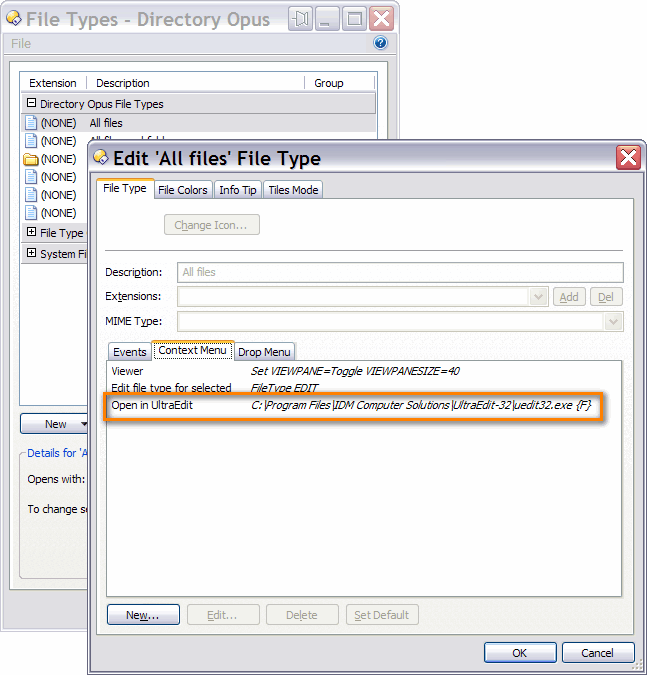
Do you mean the File menu (at the top-left of the window, next to the Edit menu) or the context menu that appears when you right-click on a file?
The reference manual comes with Opus. See the Help menu or just push F1.
Tutorials are in the Tutorials part of this forum. For button editing you should check out the Toolbars 1 (video tutorial) and Getting to know Directory Opus (tutorial and introduction) posts for an overview and some of the other tutorials, like Clipboard Popup Toolbar for step-by-step guides to doing particular things.
Christiaan,
Many thanks. The FILE Context version is what I needed and your solution worked perfectly.
Clearly OPUS 9 has some depth, I need to explore it much more.