I am not sure what this means.
Explorer doesn't have a checkbox to turn on confirmations before move operations. AFIAK it's not possible in Explorer via any method, while it is possible in Opus.
I am not sure what this means.
Explorer doesn't have a checkbox to turn on confirmations before move operations. AFIAK it's not possible in Explorer via any method, while it is possible in Opus.
Windows Explorer AND "DragDropConfirm" resolve the problem to confirm all Copy/Move :
https://www.thewindowsclub.com/configure-prevent-drag-drop-move-windows"
I will like Dopus offer the same protections.
How it is easily possible in Opus ?
I want to receive a message either there is already an idem file name or not ..
Before the move, I want to view the name of the folder where i want to move the file,
to see if I mistake or not ... before the GO ...
@lxp : your solution didn't give the name of the folder where the file will be copy/moved,
so I can't verify if I mistake ... see the image in my post.
I repeat that I research a procedure to easily control the actions before click OK :
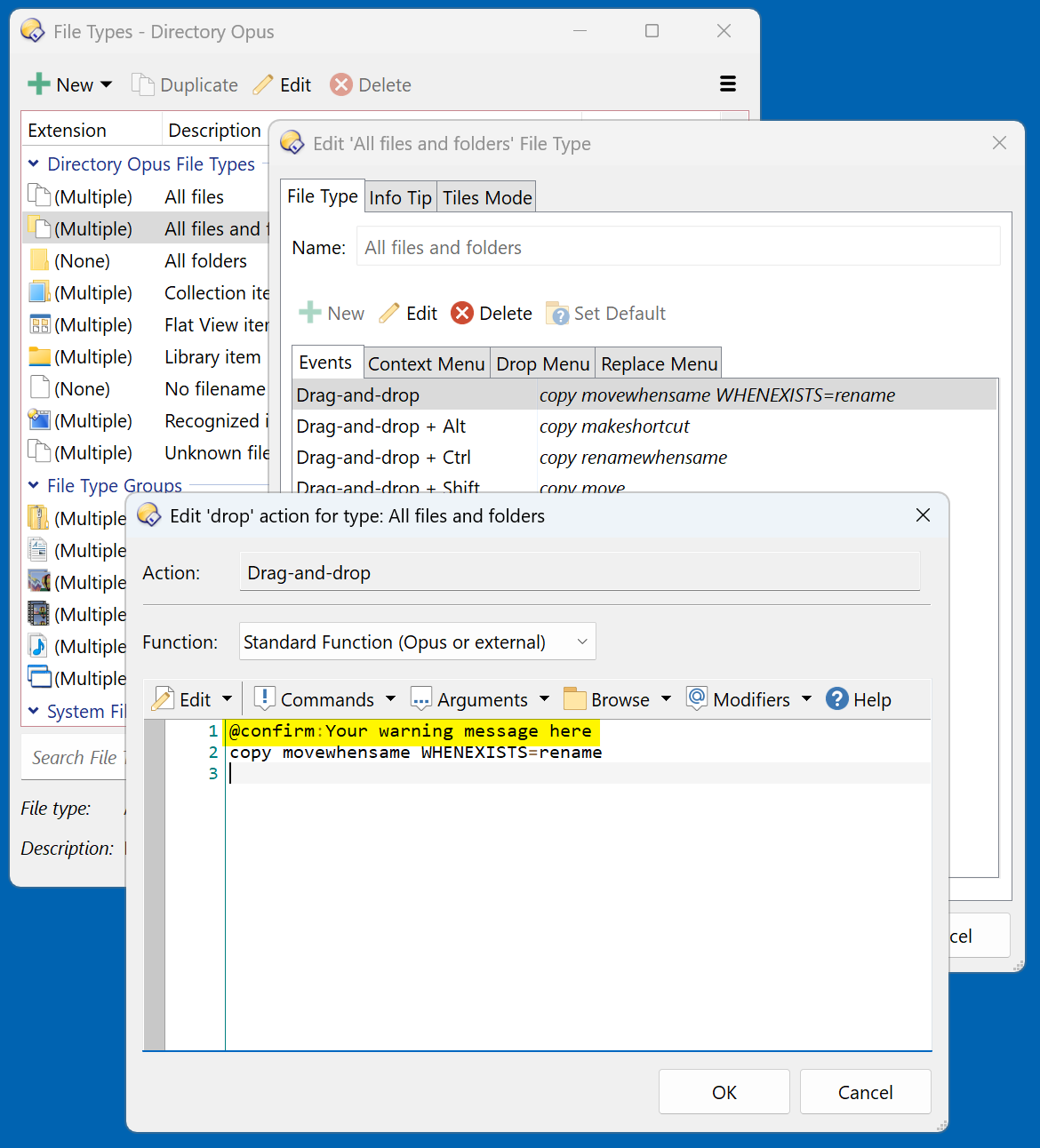
Modify the menu like this:
=return "@confirm:You are going to " + (Left(source, 2) == Left(dest, 2) ? "MOVE" : "COPY") + " " + selfiles + " files to " + dest
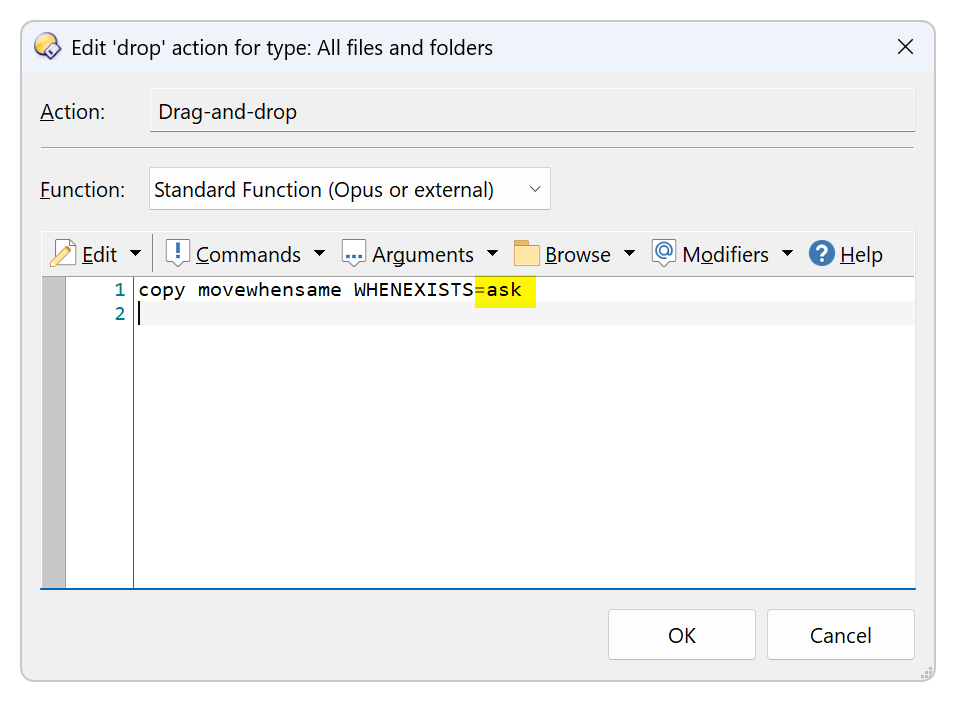
Copy MOVEWHENSAME WHENEXISTS=ask
@lxp : Hello, thank but your test :
(Left(source, 2) == Left(dest, 2) ?
always gives a result that produces "MOVE",
never "COPY", because the folders are always differents.
Sometimes I just want to "MOVE", but when I click "Ctrl" button, I want to have a "COPY" action.
Can we copy the "Hover tooltips" that display information when you hover over a file or folder and move it?
If so, we would test this result, and display "MOVE" or "COPY"
A solution Would be to have "DragDropConfirm" in "directory opus ....
Have a good day ...
When I want to MOVE, file or folder, from 'C:' to 'I:' drives, the test :
=return "@confirm:You are going to " + (Left(source, 2) == Left(dest, 2) ? "MOVE" : "COPY")
give "COPY" result cause the paths are differents, so is it a good test to obtain a good action ?
Drag and drop from C to I will not move, it will copy.
No. Like I said
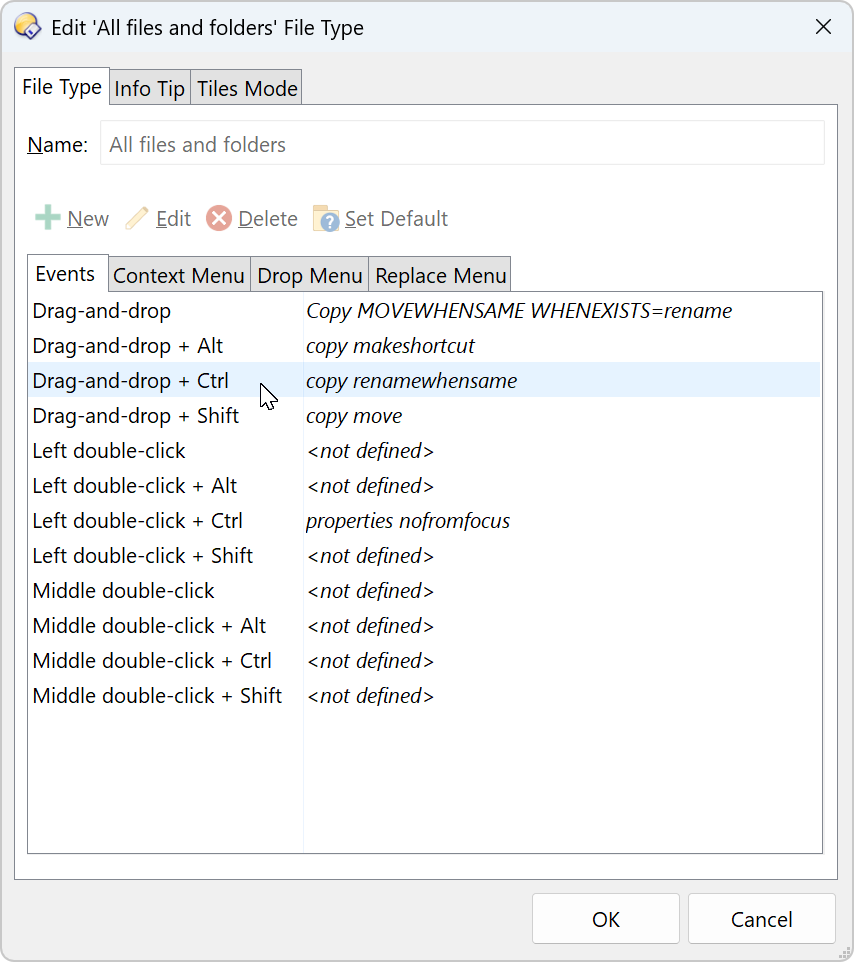
I'd remove MOVEWHENSAME from the command and solely use Shift to move files.
@PassThePeas : Drag and drop from C to I will MOVE .... with Shift Key
Then change the sentence in the command you put in the shift+DnD command.
In the end, it seems you knew the answer to your question.
I tested but when I change the sentence in the command in the shift+DnD command,
for have a MOVE and a confirmation windows who show me the destiny path, the tooltip hover the mouse show always COPY and not MOVE ... grrr ...
The info tips seem to be hardcoded and don't reflect the menu's commands. That's a valid concern - and a topic for a different thread.