# Integrity Check Failure; Windows unable to read some files
**URL:** https://resource.dopus.com/t/integrity-check-failure-windows-unable-to-read-some-files/43051
**Category:** Help & Support
**Created:** [December 6, 2022, 9:24am UTC](https://resource.dopus.com/t/integrity-check-failure-windows-unable-to-read-some-files/43051 "2022-12-06T09:24:53Z")
**Posts on this page:** 14
**Page:** 1
### Author:  [@Bob](https://resource.dopus.com/u/Bob)
#### Post date: [December 6, 2022, 9:24am UTC](https://resource.dopus.com/t/integrity-check-failure-windows-unable-to-read-some-files/43051/1 "2022-12-06T09:24:53Z")
I get strange error messages.
eg:- 'Program error (0xC000005) occurred in thread 'dopus\_function at address
0x00007FFDB805899D.'
etc etc.
What on earth is going on.
Please help
---
### Author:  [@Leo](https://resource.dopus.com/u/Leo)
#### Post date: [December 6, 2022, 9:30am UTC](https://resource.dopus.com/t/integrity-check-failure-windows-unable-to-read-some-files/43051/2 "2022-12-06T09:30:59Z")
Which action triggers the crash? For example, right clicking a file or changing folders.
Are there any crash logs created? [Automatic crash logs (for bug reports)](https://resource.dopus.com/t/automatic-crash-logs-for-bug-reports/8861)
---
### Author:  [@Bob](https://resource.dopus.com/u/Bob)
#### Post date: [December 8, 2022, 9:06am UTC](https://resource.dopus.com/t/integrity-check-failure-windows-unable-to-read-some-files/43051/3 "2022-12-08T09:06:06Z")
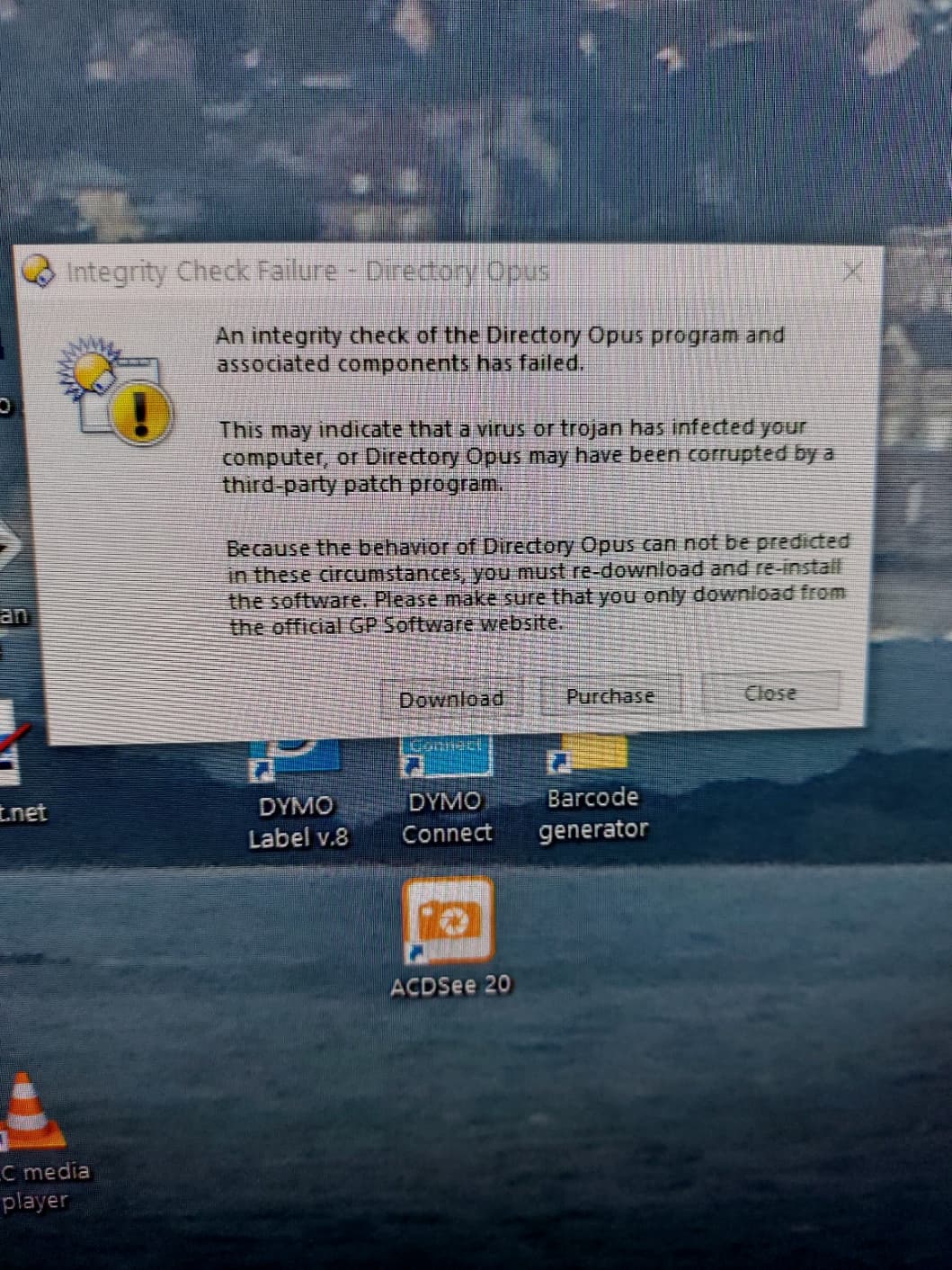
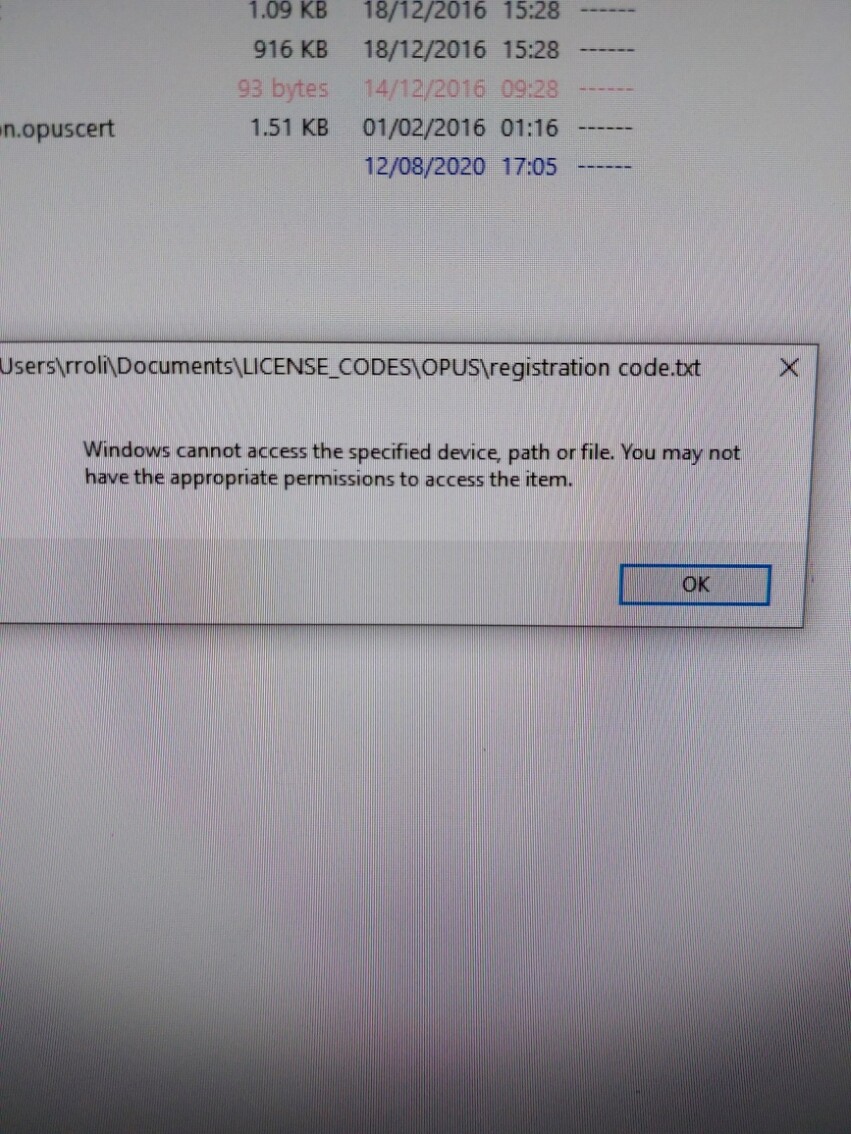
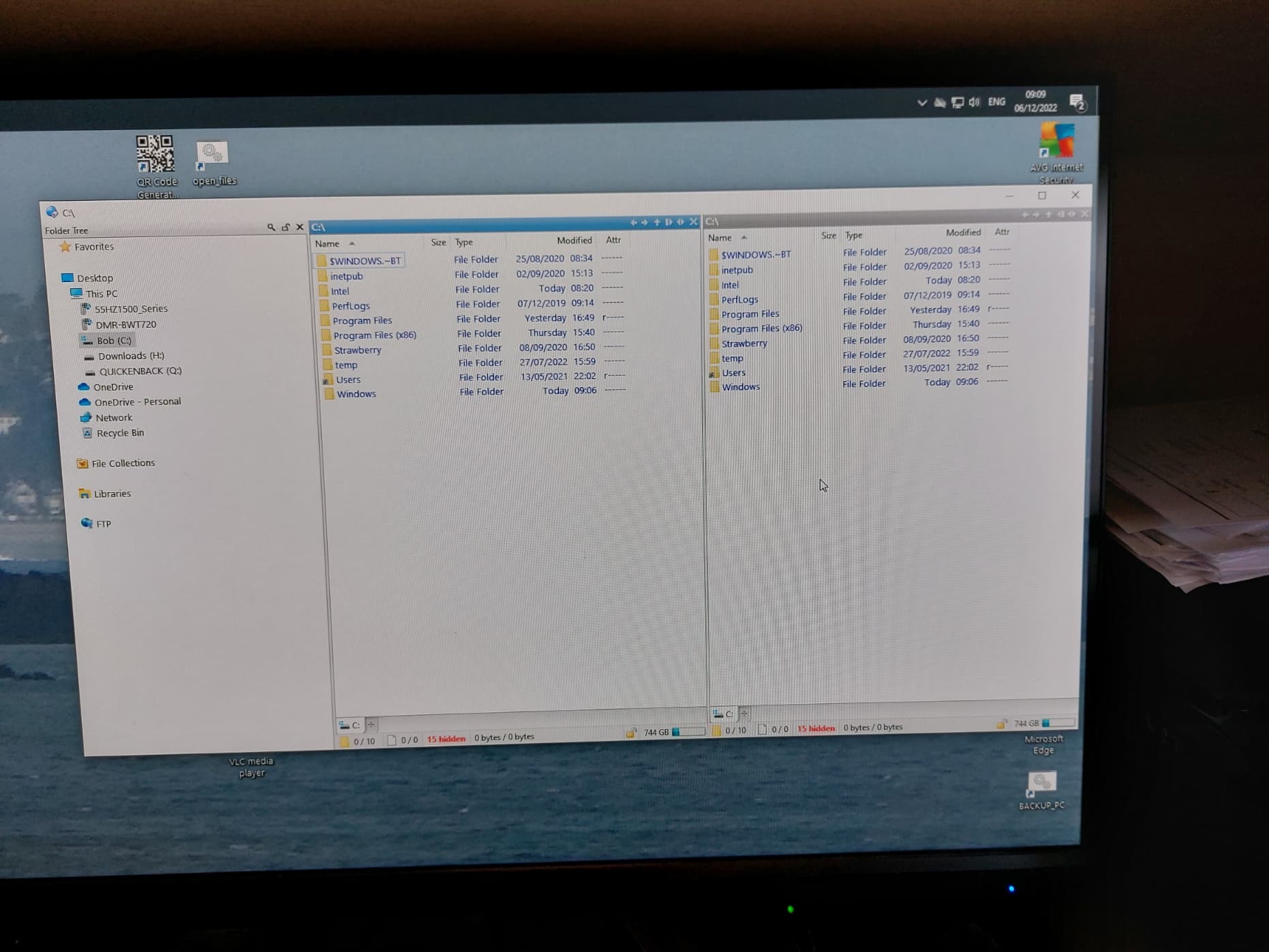
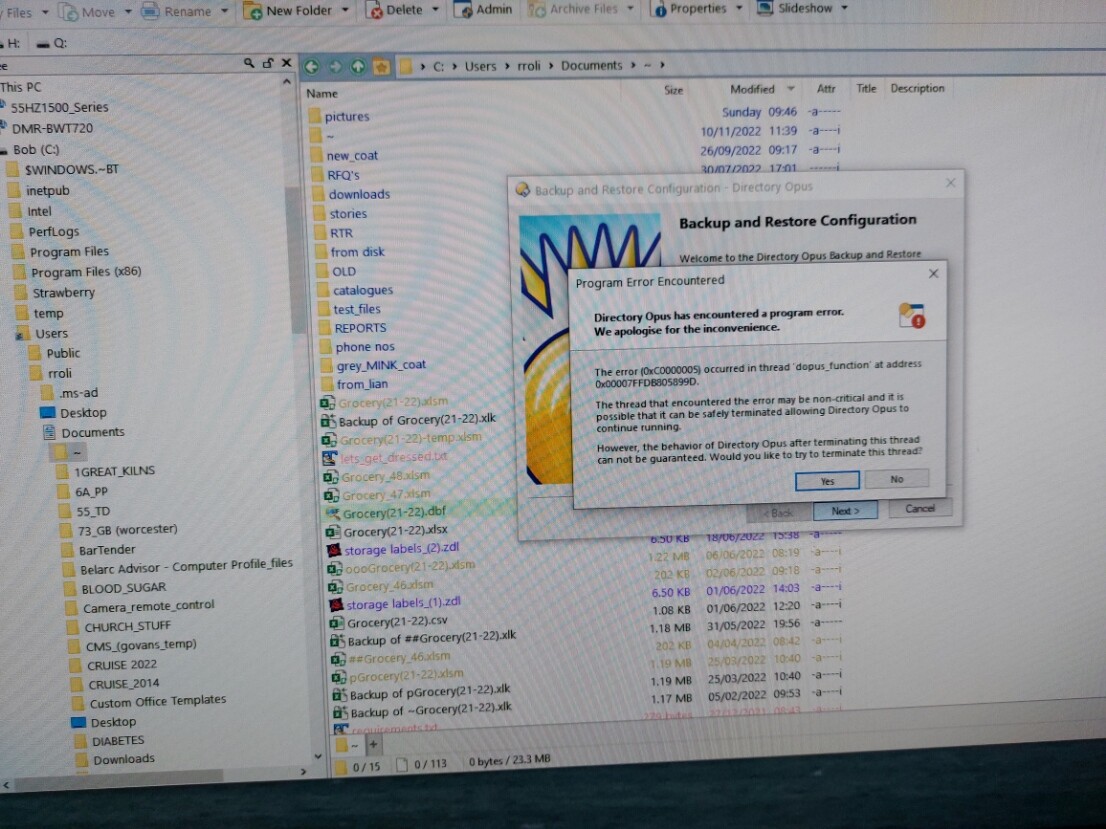
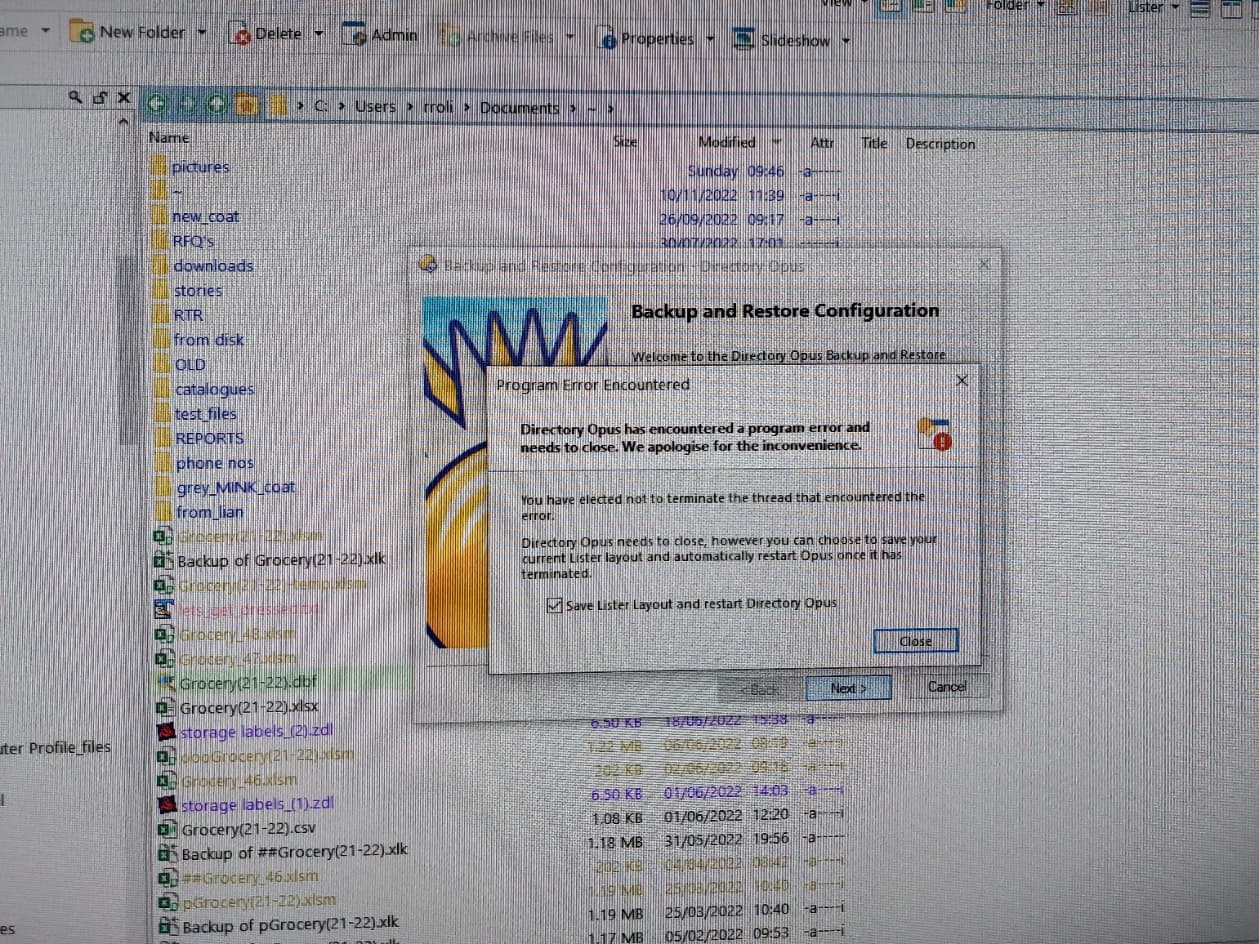
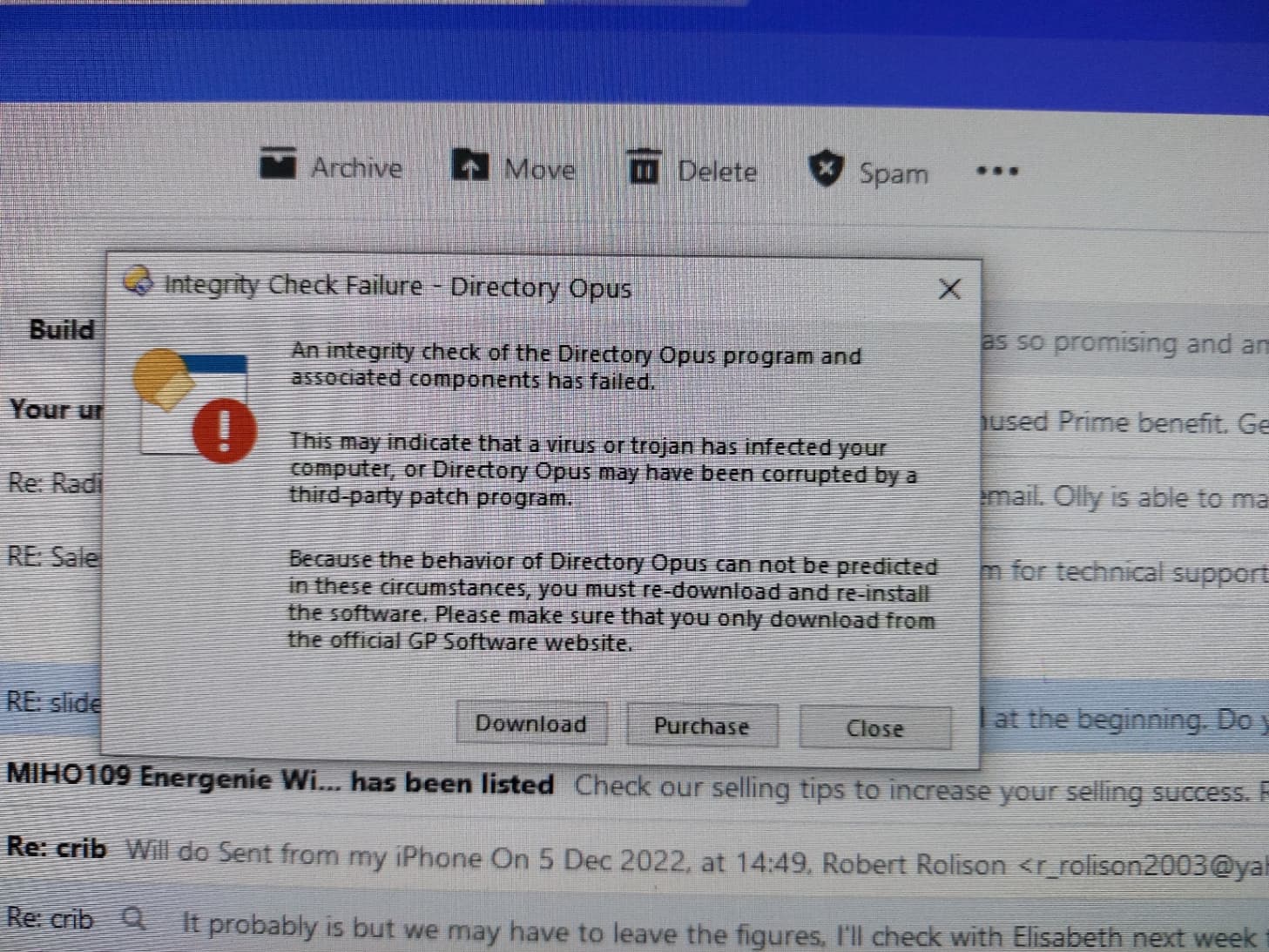
Hope these can help you help identify my problem.
Thanks
Bob
---
### Author:  [@Leo](https://resource.dopus.com/u/Leo)
#### Post date: [December 8, 2022, 11:59am UTC](https://resource.dopus.com/t/integrity-check-failure-windows-unable-to-read-some-files/43051/4 "2022-12-08T11:59:33Z")
### Integrity check errors:
The Opus install has been corrupted by something. Could be malware, antirivurs, or a failing system drive.
Try reinstalling Opus:
- (Use **Settings \> Backup & Restore** in Opus to backup your config, if desired.)
- Uninstall Opus via the usual **Settings \> Apps** in Windows.
- Reboot.
- Reinstall Opus.
- (Restore the config backup via the same menu that made it, if desired.)
If the problem still happens, check the files are not being corrupted:
- [How to check for a corrupted installer or main program](https://resource.dopus.com/t/how-to-check-for-a-corrupted-installer-or-main-program/8660)
If the files are being corrupted, something is seriously wrong at a deeper level in the system, outside of Opus.
### "Windows cannot access the specified device":
If Windows is unable to open a text file, and showing that error, it suggests either a problem with the drive itself or some software is blocking the file from being read. This could be antivirus going wrong, or it could be malware.
### "Program Error Encountered":
I would not worry about this error until the others are resolved, as it is likely a symptom of the deeper problems which are causing the other errors.
If the other errors are fixed and it still happens, we can investigate it in detail.
---
### Author:  [@Bob](https://resource.dopus.com/u/Bob)
#### Post date: [December 15, 2022, 12:40pm UTC](https://resource.dopus.com/t/integrity-check-failure-windows-unable-to-read-some-files/43051/5 "2022-12-15T12:40:18Z")
Hi,
I have re-installed OPUS several times, and it still crashes. There doesn't seem to be anything to make it happen.
Often it will work reasonably ok for a few hours, then crashes.
Any further assistance to help me sort this out will be gratefully appreciated.
thanks
Bob
---
### Author:  [@Leo](https://resource.dopus.com/u/Leo)
#### Post date: [December 15, 2022, 12:45pm UTC](https://resource.dopus.com/t/integrity-check-failure-windows-unable-to-read-some-files/43051/6 "2022-12-15T12:45:07Z")
If you've tested the installer (as per above) and are still getting "integrity check" errors then something is wrong with your system, possibly malware or a failing drive.
If it's a different kind of error, please tell us the details.
---
### Author:  [@Bob](https://resource.dopus.com/u/Bob)
#### Post date: [December 20, 2022, 11:22am UTC](https://resource.dopus.com/t/integrity-check-failure-windows-unable-to-read-some-files/43051/7 "2022-12-20T11:22:23Z")
I have re-installed Opus several times. Sometimes it works ok for almost a whole day, other times much less.
My security checked reports that there are no problems with my system.
I really don't know what to do next.
Please help
Many thanks
Bob Rolison
---
### Author:  [@Leo](https://resource.dopus.com/u/Leo)
#### Post date: [December 20, 2022, 11:25am UTC](https://resource.dopus.com/t/integrity-check-failure-windows-unable-to-read-some-files/43051/8 "2022-12-20T11:25:15Z")
> [@Bob](#):
>
> My security checked reports that there are no problems with my system.
Do you mean you checked the digital signatures (as in [How to check for a corrupted installer or main program](https://resource.dopus.com/t/how-to-check-for-a-corrupted-installer-or-main-program/8660)) or something else?
If you uninstall Opus, is there anything left in the `C:\Program Files\GPSoftware` directory afterwards?
---
### Author:  [@evernessince](https://resource.dopus.com/u/evernessince)
#### Post date: [December 21, 2022, 5:37am UTC](https://resource.dopus.com/t/integrity-check-failure-windows-unable-to-read-some-files/43051/9 "2022-12-21T05:37:48Z")
Some things you might want to check in this instance:
- Windows event viewer. If you look for around the time the error occurred windows might have logged something.
- SMART info of the drive you have DOPUS installed on. This can tell you whether the drive may be the root of the issue. You can use a program like Crystal disk info to check
- Run MemTest. This will ensure that your system memory is not the cause of the issue.
- Install and run maleware bytes. This is a good compliment to windows defender that does a good job on picking up what defender does not.
Explaining under what conditions you get this issue would be very helpful to Leo. Is it only in directory opus that you get these errors or can you reproduce them in explorer?
---
### Author:  [@Bob](https://resource.dopus.com/u/Bob)
#### Post date: [December 30, 2022, 5:02pm UTC](https://resource.dopus.com/t/integrity-check-failure-windows-unable-to-read-some-files/43051/10 "2022-12-30T17:02:49Z")
Hi,
Checked the digital signatures, all ok,
Checked HDD no problems
Memory checked all ok.
When uninstalled the folder ' `C:\Program Files\GPSoftware` doesn't exist.
File explorer works perfectly.
Dosplus often fails when I double click a txt, of docx file. xlsm files are ( strangely!) ok.
I get an error message:-
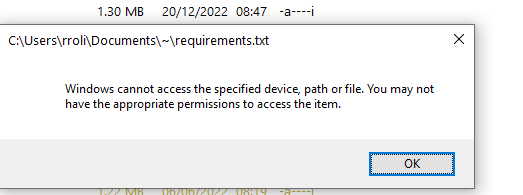
I am at loss to know what to do next.
Hope you can help further.
Thanks
Bob
---
### Author:  [@lxp](https://resource.dopus.com/u/lxp)
#### Post date: [December 30, 2022, 6:09pm UTC](https://resource.dopus.com/t/integrity-check-failure-windows-unable-to-read-some-files/43051/11 "2022-12-30T18:09:28Z")
How old is your Windows installation? When was the last clean setup?
Maybe the file ownership got corrupted. You can regain ownership by running this in an **admin** command prompt:
```
takeown /f C:\Users\rroli\*.* /r /d y
icacls C:\Users\rroli\*.* /grant administrators:F /t
```
You can run this where ever you feel it is needed, but **never** run it on system directories!
Some background info:
> **[How to Take Ownership of Files and Folders in Windows](https://www.howtogeek.com/301768/how-to-take-ownership-of-files-and-folders-in-windows/)**
>
> If you've ever been denied access to a file or folder in Windows, chances are you need to take ownership of them with your user account.
> [@Feature: "Take Ownership" of a file or folder?](https://resource.dopus.com/t/feature-take-ownership-of-a-file-or-folder/14276):
>
> New item for the wishlist: Take Ownership In Win7, permissions can get messed up, so that it sometimes becomes hard to delete a file or folder, requiring the user to take ownership of the file, even if he is already admin with UAC disabled. At pres…
---
### Author:  [@Leo](https://resource.dopus.com/u/Leo)
#### Post date: [December 30, 2022, 8:18pm UTC](https://resource.dopus.com/t/integrity-check-failure-windows-unable-to-read-some-files/43051/12 "2022-12-30T20:18:06Z")
> [@Bob](#):
>
> Dosplus often fails when I double click a txt
Are the integrity check errors still happening? Or are those solved now?
It would be best to solve one thing at a time. If the integrity check errors are still happening, something is either interfering with Opus (could be security software, for example) or there's an issue like hardware going wrong or a corrupt Windows install.
On the other hand, if those are no longer happening but you have other questions, please start a new thread for the other things.
---
### Author:  [@Bob](https://resource.dopus.com/u/Bob)
#### Post date: [January 2, 2023, 3:05pm UTC](https://resource.dopus.com/t/integrity-check-failure-windows-unable-to-read-some-files/43051/13 "2023-01-02T15:05:05Z")
Hi,
I am still having problems.
I also downloaded the program from you site, and after installation, I can't get it to work.
Do you have any further thoughts please.
Thanks
Bob
PS Happy New Year
---
### Author:  [@Leo](https://resource.dopus.com/u/Leo)
#### Post date: [January 2, 2023, 3:13pm UTC](https://resource.dopus.com/t/integrity-check-failure-windows-unable-to-read-some-files/43051/14 "2023-01-02T15:13:16Z")
> [@Bob](#):
>
> I am still having problems.
> I also downloaded the program from you site, and after installation, I can't get it to work.
Which problems are you still seeing?
Can't get it to work in what sense?