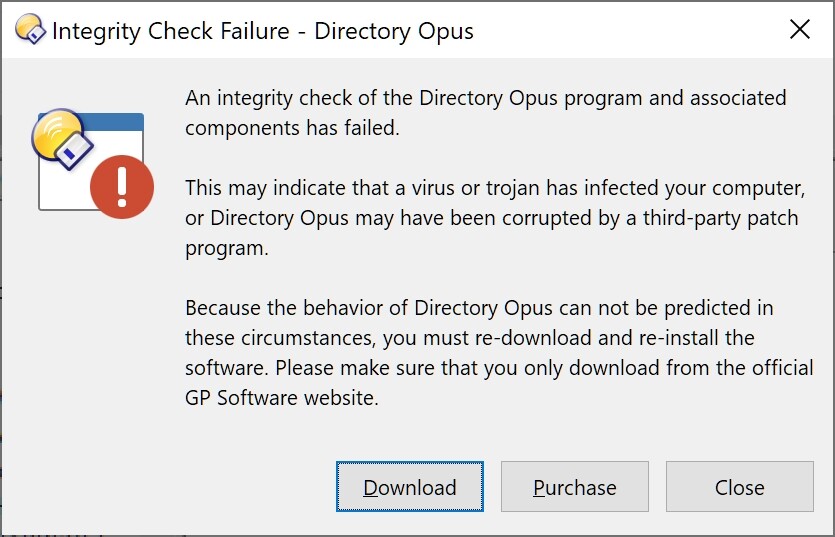
I keep getting a message that Dopus has failed an integrity test or the like, and still, I can open and use Dopus. When I go to the download site suggested, I find no free downloads, just commercial options.
Not sure if I have the latest registration. I have the code (new in April, I think), but cannot find anything else.
Sorry that I am a bit ferblunget (Yiddish for confused), but I have had my computer being weird for a few days, have tried a lot of software, and solved a lot of problems. Win Defender reports no problems, even after a Quick Scan. Boy do I wish your app worked with Linux. I would switch in a New York minute.
Leo, I was able to download the newest version (in spite of the trend in websites NOT to show what you can click on; you have to keep a keen eye on your cursor; not a Dopus issue).
I The error message is a long one, and it disappears before you can read it (another "improvement" of websites). However, it is one that is probably well known to you: the integrity check that failed. I checked another post and saw your answer of checking digital certificates, which I did one a few of the more important files. All well. I then run SFC and if found faults and repaired them. I just looked at the log file, but it is like a black wall to me (don't know what to look for to see what repairs were done).
As I think I mentioned, I have had plenty of strange things happening the last two days, so I suspect Windows, which is hopefully repaired now. Did not get the "integrity" message when Dopus started up this time.
Unless you advice differently, I will update Dopus to the newest update on top of my existing version. Hopefully, all will be well from now on.
I checked all exe and dll files in the Dopus C:\ directory. All okay. Then, I uninstalled Dopus, and reinstalled the newest version, added the Feb 2026 certificate and reloaded settings (that I had saved). And now, just a minute ago, I got the error message again. So, after repaird Windows 10 and new, fresh version of Dopus, this message keep coming. I can still use Dopus. I will run Hitman and see what comes up.
Several security scans later, and no viruses discovered, today, I was transferring a large file between HDDs, and the Error message about Integrity check failed came up and closed Dopus. 2 hours of transfer down the drain. Do the developers know anything about this issue? Can anyone help?
The message doesn't appear randomly. It's indicating that something has modified the Opus executables/DLLs.
Make sure there's nothing in the Opus program files folder that wasn't put there by our installer, and re-check the signatures on all the exe and DLL files under it.
From what you've said above, it sounds like you've been seeing other strange things on the same PC, which could also mean there's an issue with the OS or hardware.
All digital signatures seem to be okay. libeay32.dll and ssleay32.dll have two signatures, both from 2018; all others are from March 18, 2026.
Strange thing: when I copy the date from Details window, I get: ?Wednesday, ?March ?18, ?2026 3:13:58 PM (note the question marks). Perhaps it is only some code page thing.
I would appreciate getting some information on logs that I could copy and send to you to try to see what really happens. Windows Events (which sub)? Dopus log file? Anything else.
Oh, one extra file in the current Dopus proram directory: dopuscm.exe.
Extra-file compared to what? That file exists in my installation directory.
Copying that date puts in the clipboard an UTF character ([U+200E]) before the different tokens of the date. Some editors might not interpret it well and replace it with a ?. Other editors might ignore it.
Using Notepad++, if you copy that in an "ANSI" file, you'll get the ?, but if you copy it in an UTF8 file, you won't see nothing (as this is a non printable character). All in all, that's not the root cause of your issue.
Okay, Jon. You must have the latest version of Dopus ... what are the dates of your signatures? When I receive your response (tomorrrow – I am going to bed early tonight), I will install Dopus again on top of what i have, which is 13.22 x 64, build 9428, 3/19/2026 6:15:48 AM.
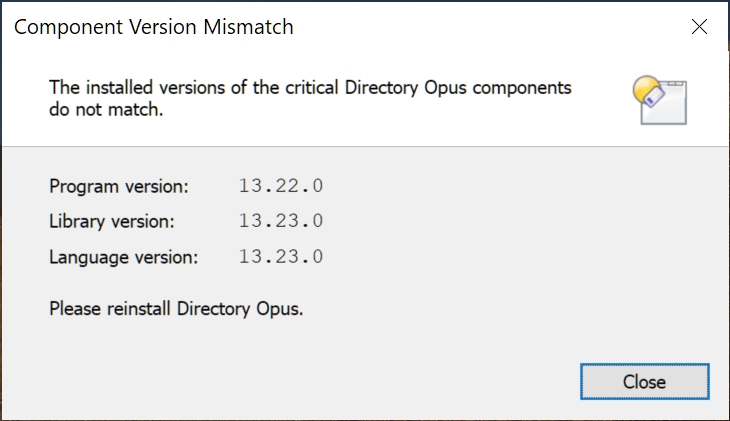
Jon, I did not go to bed. I discovered that there was a new version (13.23), and I installed it. Got an error message (hopefully attached here). Tried to install again, but was told I had the latest version. In dopus.exe, I now have this signature date: Wednesday, May 13, 2026 4:34:31 AM. Please advise. Hans L