Granular Font Control Arrives in Directory Opus: A Refined Experience for Multilingual Users
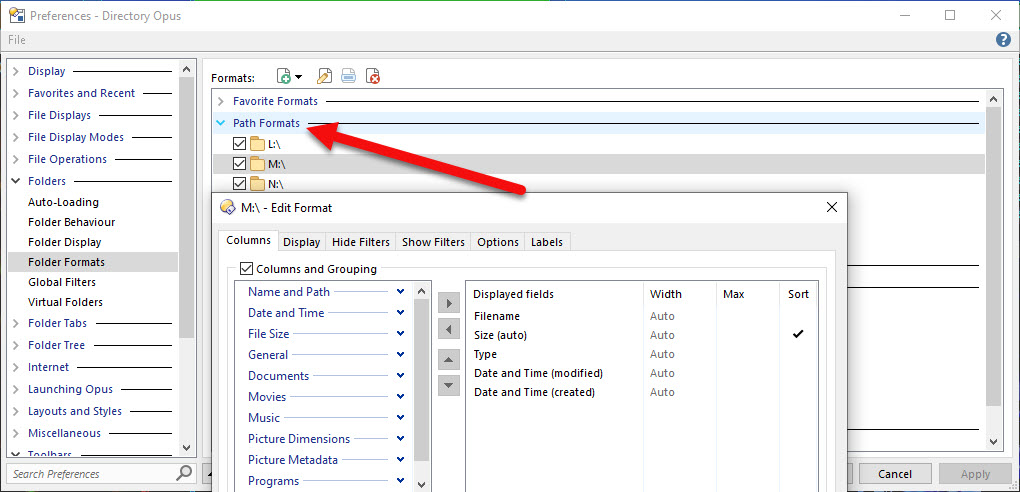
Following a sustained period of development, the Directory Opus team has implemented a long-requested feature that enables users to assign specific fonts to path formats. This update addresses a critical need within the user base, particularly for those working with multilingual data. The addition of this functionality marks a significant improvement in file display customization, and our gratitude is extended to the developers, notably @Leo and @Jon , for their contributions.
This enhancement, while highly beneficial, also presents an opportunity for further refinement. The current implementation allows for a global font assignment within a specified path format. However, an additional level of granularity would be invaluable for users with diverse content within a single directory.
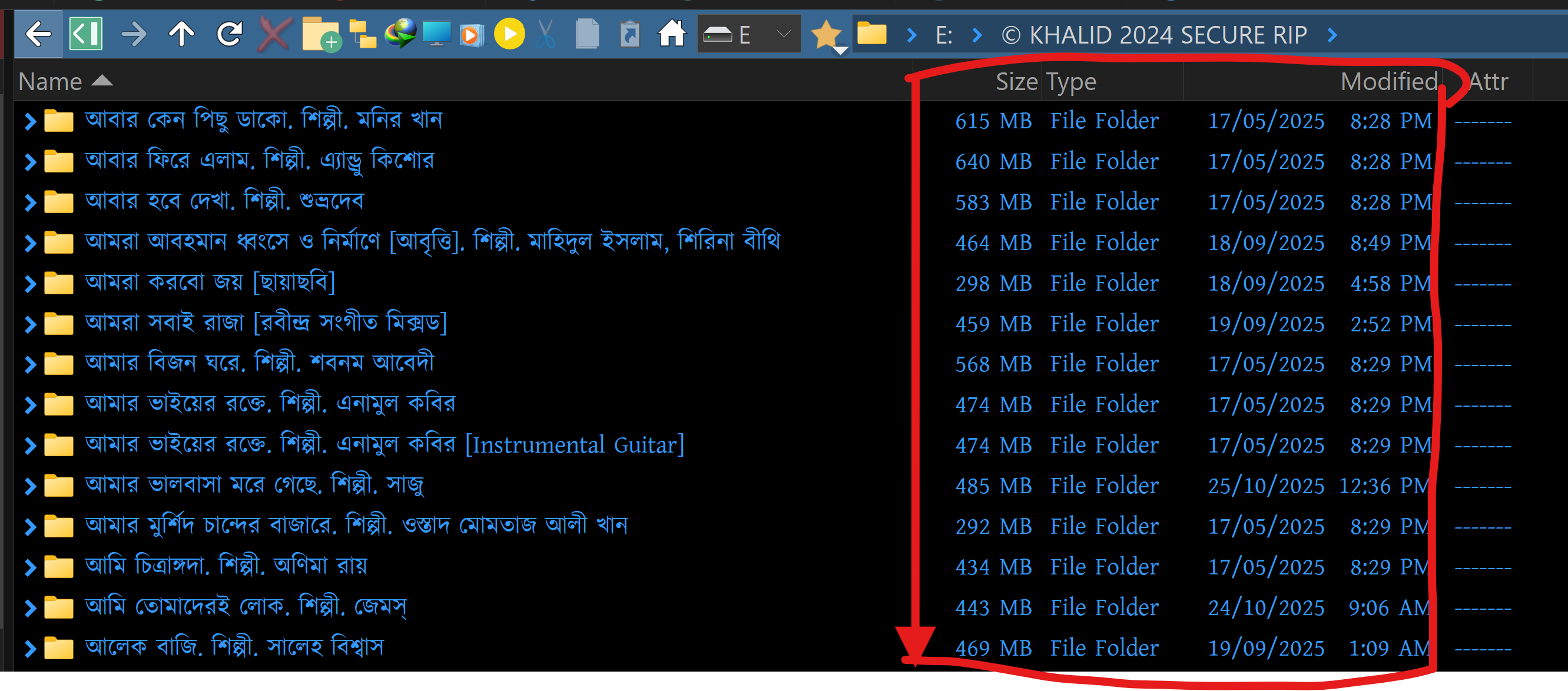
A compelling use case for this advanced control involves the display of Unicode characters, such as the Bengali script. As illustrated by the user's workflow, a folder may contain both English and Bengali text, with the Bengali characters appearing exclusively in the "Name" column. With the current feature, applying a Unicode Bengali font to the entire path format results in that font being used across all columns, including those displaying standard English text like "Size," "Type," and "Modified".
To optimize the visual experience and maintain clarity, the ability to control font assignments on a per-column basis is requested. This would allow users to assign a Unicode Bengali font specifically to the "Name" column while retaining the default English font for other columns. Such a feature would ensure that each column displays its content using the most appropriate typeface, significantly enhancing readability and aesthetic coherence for users working with multiple languages.
We respectfully request that the development team consider adding this per-column font control to the feature roadmap. This would be a powerful extension of the recently introduced functionality and would further solidify Directory Opus as a best-in-class tool for managing multilingual content.
We appreciate the ongoing commitment to user-driven development and look forward to the continued evolution of Directory Opus.
Because I need to assign any Unicode Bengali Font for that column where I use the Bengali Text. As you can see in this photo I need the Unicode Bengali Font Assing only for the name columns only. and the other column like Size; type; modified column needs the default English font because I have no Bengali text on that columns (Size; type; modified).