# Simple Windows 10 Dark Theme
**URL:** https://resource.dopus.com/t/simple-windows-10-dark-theme/30055
**Category:** Themes
**Created:** [October 4, 2018, 12:23pm UTC](https://resource.dopus.com/t/simple-windows-10-dark-theme/30055 "2018-10-04T12:23:01Z")
**Posts on this page:** 20
**Page:** 1
### Author:  [@tnaseem](https://resource.dopus.com/u/tnaseem)
#### Post date: [October 4, 2018, 12:23pm UTC](https://resource.dopus.com/t/simple-windows-10-dark-theme/30055/1 "2018-10-04T12:23:01Z")
I decided to have a stab at creating my own Dark theme to match my Windows 10 Dark Mode. Not perfect, but thought I'd share in case anyone else would like it. Probably missed a few settings, so feel free to let me know, or play with it yourself.
(Yes, as you can tell from the screenshot, I use an ultrawide monitor, hence the layout of the window!)
I also applied this tweak in Windows to adjust the colour of inactive windows (made them darker):
[Change color of inactive title bars in Windows 10](https://winaero.com/blog/change-color-of-inactive-title-bars-in-windows-10/)
FYI, I did this with the current beta release (12.9.4) so I could change the breadcrumb path field, etc.
Hope someone finds this useful!

[Windows 10 Dark Mode.dlt](https://resource.dopus.com/uploads/default/original/3X/5/0/50b83e509da56d381d79f60db57cb07c460e379c.dlt) (720.7 KB)
---
### Author:  [@Surfrat77](https://resource.dopus.com/u/Surfrat77)
#### Post date: [October 4, 2018, 12:28pm UTC](https://resource.dopus.com/t/simple-windows-10-dark-theme/30055/2 "2018-10-04T12:28:59Z")
Nice...
---
### Author:  [@Skauber](https://resource.dopus.com/u/Skauber)
#### Post date: [October 4, 2018, 5:21pm UTC](https://resource.dopus.com/t/simple-windows-10-dark-theme/30055/3 "2018-10-04T17:21:45Z")
Great theme! One issue in mine, which I see is not an issue in your screenshot. The very top line, title bar where you also find the windows buttons for minimize, maximize and the X for close, on my installation this one is still light. In your screenshot I see that title bar is also dark. Yes, my Windows 10 is set to dark theme with dark accent colours and all that. Where do I change the global colour of the title bar?
---
### Author:  [@tnaseem](https://resource.dopus.com/u/tnaseem)
#### Post date: [October 5, 2018, 12:26am UTC](https://resource.dopus.com/t/simple-windows-10-dark-theme/30055/4 "2018-10-05T00:26:57Z")
I think I know what you mean. If it was like me, it's the **inactive** title bar colour that you're seeing, not the active one, which you can change in Windows Settings.
In the link in my post there's a blog post about how to change the inactive window title bar. It's a bit of a roundabout way of doing things, as the setting in Windows changes the active title bar, then you have to go into the registry to copy the value across to a new setting.
The blog post is from the Winaero tweaker app site, which (as I later found out!) actually does this easily for you (under 'Appearance / Inactive Title Bars Color') which might be easier!
Take a look and see if that's what you're experiencing.
Oh, and thanks to you both for the compliments on the theme. Not done this before and in my hour of procrastination just kept messing with it! 🙂
FYI, the Windows title bar colours I used where:
Active Title Bar: #1C1E21
Inactive Title Bar: #373E43
---
### Author:  [@Skauber](https://resource.dopus.com/u/Skauber)
#### Post date: [October 5, 2018, 4:53am UTC](https://resource.dopus.com/t/simple-windows-10-dark-theme/30055/5 "2018-10-05T04:53:22Z")
Thanks! That pointed me in the correct direction! 🙂
I set my active to : ff767676
and inactive to : ff484a4c
Which is a dark grey inactive and a medium grey for active.
For those who wants to make a custom inactive color as well, this is where you find the registry DWORD: Computer\HKEY\_CURRENT\_USER\Software\Microsoft\Windows\DWM
Just follow the link to the guide in the OP. 🙂
---
### Author:  [@Karuta](https://resource.dopus.com/u/Karuta)
#### Post date: [October 7, 2018, 12:06am UTC](https://resource.dopus.com/t/simple-windows-10-dark-theme/30055/6 "2018-10-07T00:06:22Z")
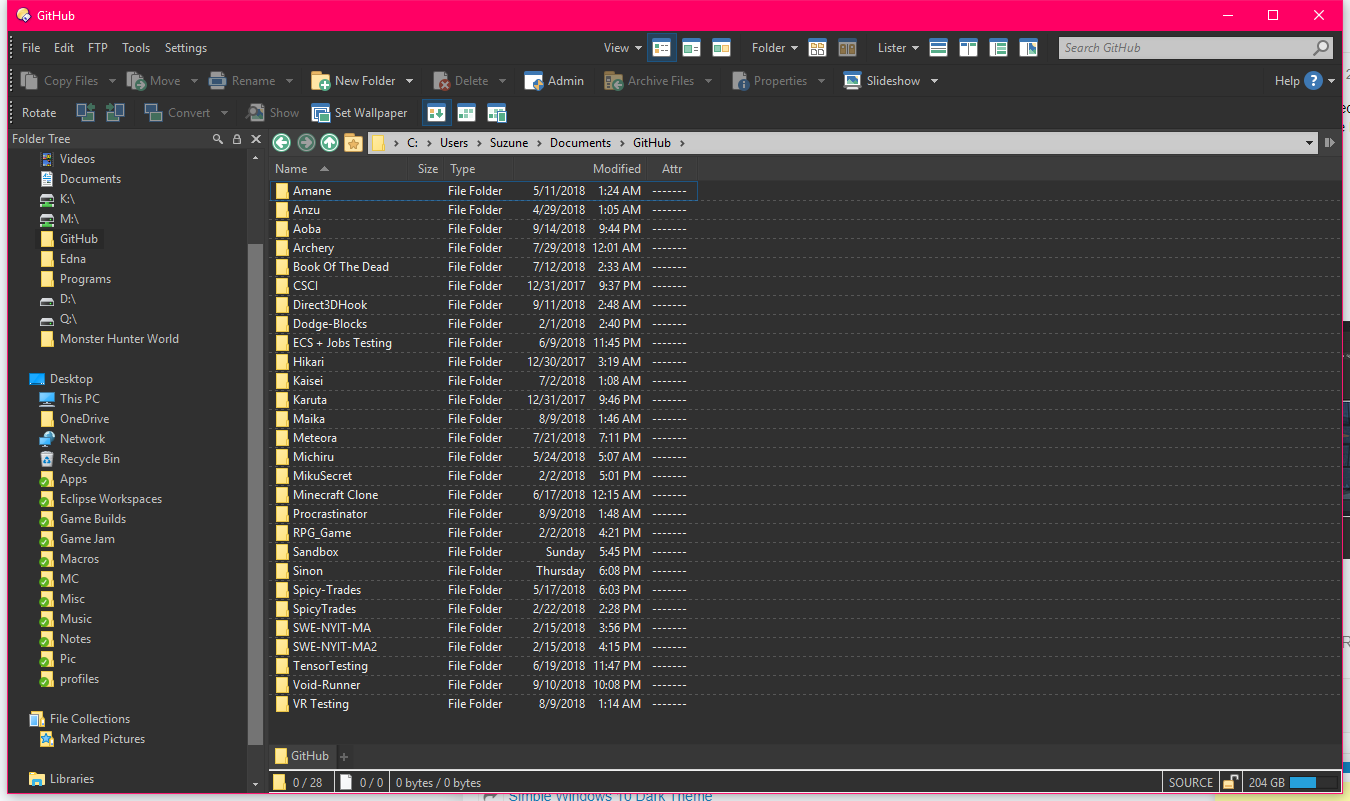
how did you get your Lister to use alternating colors like that? Mine looks like this:
---
### Author:  [@Leo](https://resource.dopus.com/u/Leo)
#### Post date: [October 7, 2018, 12:39am UTC](https://resource.dopus.com/t/simple-windows-10-dark-theme/30055/7 "2018-10-07T00:39:23Z")
Select the bottom/solid option in the drop-down list of grid line styles:

---
### Author:  [@tnaseem](https://resource.dopus.com/u/tnaseem)
#### Post date: [October 7, 2018, 12:53am UTC](https://resource.dopus.com/t/simple-windows-10-dark-theme/30055/8 "2018-10-07T00:53:05Z")
i was just going to post a screenshot myself 🙂
Further to Leo's answer, I've set the colour to (70, 70, 70). I thought the theme would pick this setting up, unless I did something wrong when I exported it?
---
### Author:  [@Karuta](https://resource.dopus.com/u/Karuta)
#### Post date: [October 7, 2018, 6:25am UTC](https://resource.dopus.com/t/simple-windows-10-dark-theme/30055/9 "2018-10-07T06:25:30Z")
cool, thanks, looks amazing now 🙂
---
### Author:  [@rbaer](https://resource.dopus.com/u/rbaer)
#### Post date: [October 18, 2018, 1:33pm UTC](https://resource.dopus.com/t/simple-windows-10-dark-theme/30055/10 "2018-10-18T13:33:15Z")
Dark theme looks great, but I can't get the breadcrumb path and the nav arrows to the left of it to change to the darker background. I'm using 12.10. Any suggestions appreciated! Great job!
---
### Author:  [@Leo](https://resource.dopus.com/u/Leo)
#### Post date: [October 18, 2018, 1:42pm UTC](https://resource.dopus.com/t/simple-windows-10-dark-theme/30055/11 "2018-10-18T13:42:59Z")
Prefs / Colors & Fonts / Toolbar & Menu Defaults. Under there are two colors for the path fields.
---
### Author:  [@rbaer](https://resource.dopus.com/u/rbaer)
#### Post date: [October 18, 2018, 2:09pm UTC](https://resource.dopus.com/t/simple-windows-10-dark-theme/30055/12 "2018-10-18T14:09:51Z")
Close - File Display Border Source was causing the issue. Thanks!
---
### Author:  [@ced64k](https://resource.dopus.com/u/ced64k)
#### Post date: [November 12, 2018, 10:35am UTC](https://resource.dopus.com/t/simple-windows-10-dark-theme/30055/14 "2018-11-12T10:35:33Z")
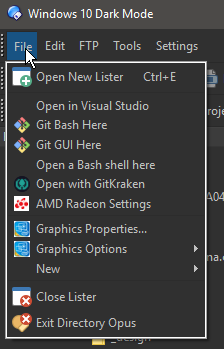
Hi, since v12.10 I have this gray border around all menus. How can I change that? Thanks 🙂
---
### Author:  [@Leo](https://resource.dopus.com/u/Leo)
#### Post date: [November 12, 2018, 10:59am UTC](https://resource.dopus.com/t/simple-windows-10-dark-theme/30055/15 "2018-11-12T10:59:53Z")
There are menu frame colors in Preferences / Display / Colors / Tookbar & Menu Defaults.
---
### Author:  [@DocFallingApart](https://resource.dopus.com/u/DocFallingApart)
#### Post date: [December 27, 2018, 12:22am UTC](https://resource.dopus.com/t/simple-windows-10-dark-theme/30055/16 "2018-12-27T00:22:23Z")
Thank you so much for sharing this. This is exactly the theme I was looking for.
---
### Author:  [@DocFallingApart](https://resource.dopus.com/u/DocFallingApart)
#### Post date: [December 27, 2018, 1:50am UTC](https://resource.dopus.com/t/simple-windows-10-dark-theme/30055/17 "2018-12-27T01:50:36Z")
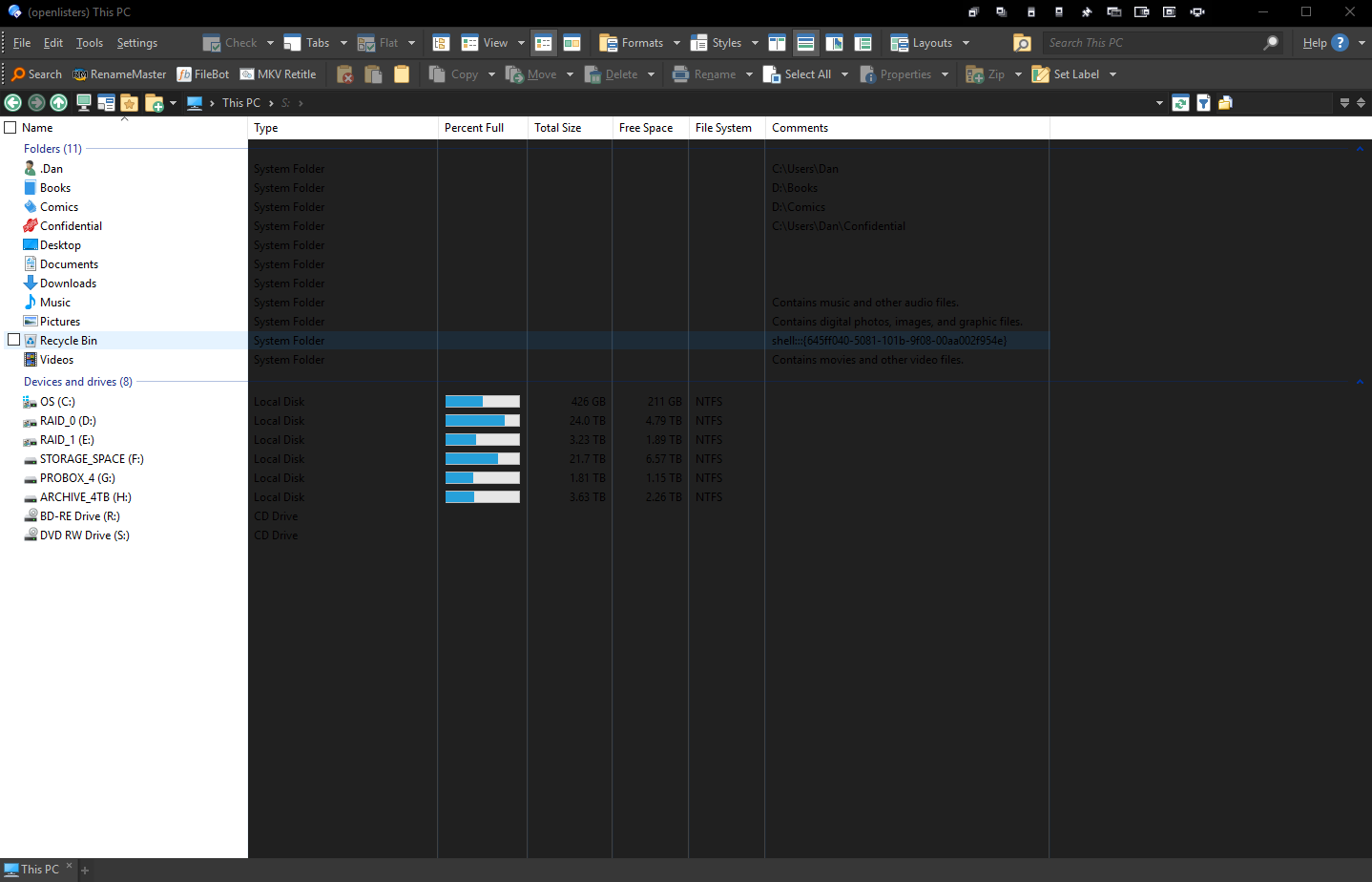
Any idea how I can fix my This PC folder?
---
### Author:  [@Leo](https://resource.dopus.com/u/Leo)
#### Post date: [December 27, 2018, 4:43am UTC](https://resource.dopus.com/t/simple-windows-10-dark-theme/30055/18 "2018-12-27T04:43:10Z")
> [@DocFallingApart](#):
>
> Any idea how I can fix my This PC folder?
Turn on **Preferences / Folders / Virtual Folders / Native display of 'Computer'**
---
### Author:  [@DocFallingApart](https://resource.dopus.com/u/DocFallingApart)
#### Post date: [December 27, 2018, 7:19am UTC](https://resource.dopus.com/t/simple-windows-10-dark-theme/30055/19 "2018-12-27T07:19:50Z")
Thanks Leo. That works but I do miss having my virtual folders displayed. Also am I correct that theme colors being applied to things like the Preferences page and the bottom status bar of the picture viewer aren't supported at this time? Or am I just missing another setting somewhere?
---
### Author:  [@DobrRk](https://resource.dopus.com/u/DobrRk)
#### Post date: [February 5, 2019, 12:47pm UTC](https://resource.dopus.com/t/simple-windows-10-dark-theme/30055/20 "2019-02-05T12:47:33Z")
Can whom will interesting. I used this decision [https://www.reddit.com/r/Windows10/comments/3tehm8/get\_proper\_black\_title\_bars\_in\_windows\_10\_and/](https://www.reddit.com/r/Windows10/comments/3tehm8/get_proper_black_title_bars_in_windows_10_and/)
---
### Author:  [@prop](https://resource.dopus.com/u/prop)
#### Post date: [February 15, 2019, 10:04am UTC](https://resource.dopus.com/t/simple-windows-10-dark-theme/30055/21 "2019-02-15T10:04:25Z")
Thanks to the theme, I finally settled.
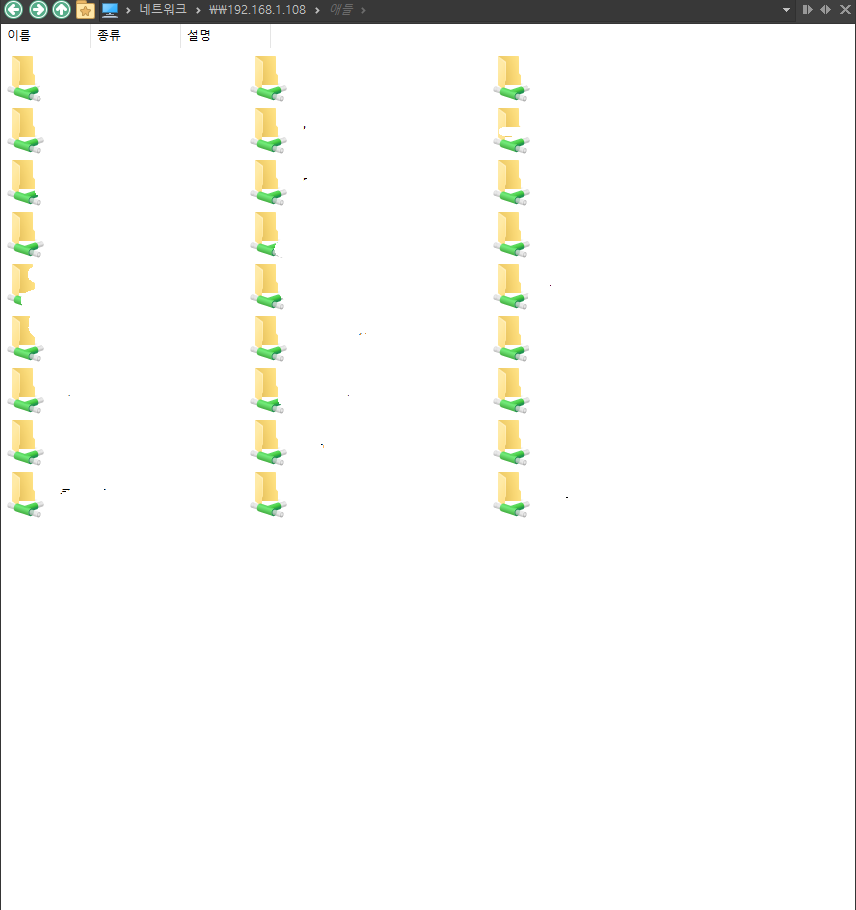
However, there are some problems. smb connection is not a dark theme.
Of course, when you go inside a folder, it turns into a dark theme.
[Next page](https://resource.dopus.com/t/simple-windows-10-dark-theme/30055.md?page=2)