# Strange effect when browsing images in a collection
**URL:** https://resource.dopus.com/t/strange-effect-when-browsing-images-in-a-collection/47067
**Category:** Help & Support
**Created:** [November 20, 2023, 4:47pm UTC](https://resource.dopus.com/t/strange-effect-when-browsing-images-in-a-collection/47067 "2023-11-20T16:47:35Z")
**Posts on this page:** 19
**Page:** 1
### Author:  [@abr](https://resource.dopus.com/u/abr)
#### Post date: [November 20, 2023, 4:47pm UTC](https://resource.dopus.com/t/strange-effect-when-browsing-images-in-a-collection/47067/1 "2023-11-20T16:47:35Z")
When i try to browse through an image collection, like 'street musicians', instead of browsing through that collection, Opus will act like i had chosen 'open containing folder' and from there on moves _backwards_ through that original folder.
---
### Author:  [@Leo](https://resource.dopus.com/u/Leo)
#### Post date: [November 20, 2023, 4:51pm UTC](https://resource.dopus.com/t/strange-effect-when-browsing-images-in-a-collection/47067/2 "2023-11-20T16:51:52Z")
If you have a folder inside a collection, double-clicking the folder will take you into the folder. You're no longer inside the collection. That's how they work.
You can make sub-collections, where one collection is contained inside another, if that's what you want instead.
---
### Author:  [@abr](https://resource.dopus.com/u/abr)
#### Post date: [November 20, 2023, 5:16pm UTC](https://resource.dopus.com/t/strange-effect-when-browsing-images-in-a-collection/47067/3 "2023-11-20T17:16:54Z")
It's not a folder inside a collection, but is based on a tags search. The same collection worked as expected in Opus 12, so i suspect, that something strange is happening. 🤔
---
### Author:  [@Leo](https://resource.dopus.com/u/Leo)
#### Post date: [November 20, 2023, 5:19pm UTC](https://resource.dopus.com/t/strange-effect-when-browsing-images-in-a-collection/47067/4 "2023-11-20T17:19:00Z")
Please show some details as I'm having to use guesswork here.
---
### Author:  [@abr](https://resource.dopus.com/u/abr)
#### Post date: [November 20, 2023, 5:31pm UTC](https://resource.dopus.com/t/strange-effect-when-browsing-images-in-a-collection/47067/5 "2023-11-20T17:31:13Z")
This is a new collection, which i made a few moments ago. Searched the tag 'Windmühlen', renamed the search results accordingly. If i open the standalone viewer window, and try to browse, i will see the images of the containing folder, instead browsing through the collection. But if i use the preview panel, it works as intended.


---
### Author:  [@abr](https://resource.dopus.com/u/abr)
#### Post date: [November 20, 2023, 5:33pm UTC](https://resource.dopus.com/t/strange-effect-when-browsing-images-in-a-collection/47067/6 "2023-11-20T17:33:34Z")
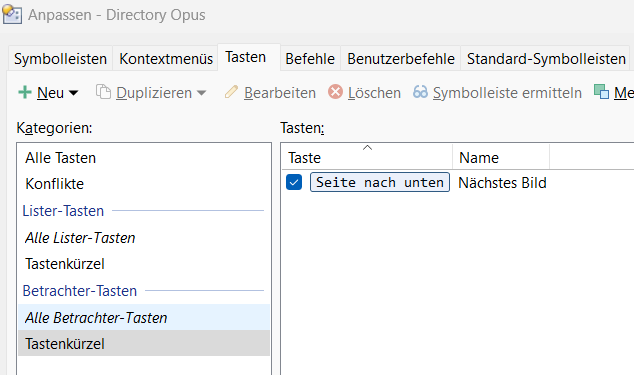
Here's my setting for the viewer's keys. Looks alright to me.
---
### Author:  [@abr](https://resource.dopus.com/u/abr)
#### Post date: [November 21, 2023, 2:03pm UTC](https://resource.dopus.com/t/strange-effect-when-browsing-images-in-a-collection/47067/7 "2023-11-21T14:03:50Z")
Please! I would like to read 'this will be fixed in the next beta'. It's a serious bug, when i can't use my image collections correctly.
---
### Author:  [@lxp](https://resource.dopus.com/u/lxp)
#### Post date: [November 21, 2023, 2:32pm UTC](https://resource.dopus.com/t/strange-effect-when-browsing-images-in-a-collection/47067/8 "2023-11-21T14:32:46Z")
Sounds like the wrong path gets passed to the Image Viewer. No idea why.
But there is hope: works fine here 🙂
---
### Author:  [@abr](https://resource.dopus.com/u/abr)
#### Post date: [November 21, 2023, 2:46pm UTC](https://resource.dopus.com/t/strange-effect-when-browsing-images-in-a-collection/47067/9 "2023-11-21T14:46:40Z")
Sorry, i can't test it. I have no 'next image' button in my viewer, and have no idea, what the command is. I also want to use Space oder PgUp/PgDn to navigate, as i did for many years, because i want to view the images in full screen mode.
To reconstruct the bug, drag images from different sources into a collection, no subfolders inside, then go full screen, and use PgDn. At least on my installation i can't just browse through the collection's content the way it used to be. I also wondered, if i have changed the keys in a way, that would cause it, but i did not change any keys recently. Anyway, thanks for looking into it. I guess, if i would make a 'go next image' key in the viewer's top menu, it would work. But not with my old default keys, for some strange reason.
🤔
---
### Author:  [@lxp](https://resource.dopus.com/u/lxp)
#### Post date: [November 21, 2023, 3:09pm UTC](https://resource.dopus.com/t/strange-effect-when-browsing-images-in-a-collection/47067/10 "2023-11-21T15:09:01Z")
> [@abr](#):
>
> I have no 'next image' button in my viewer, and have no idea, what the command is.
No idea? Not even the faintest?

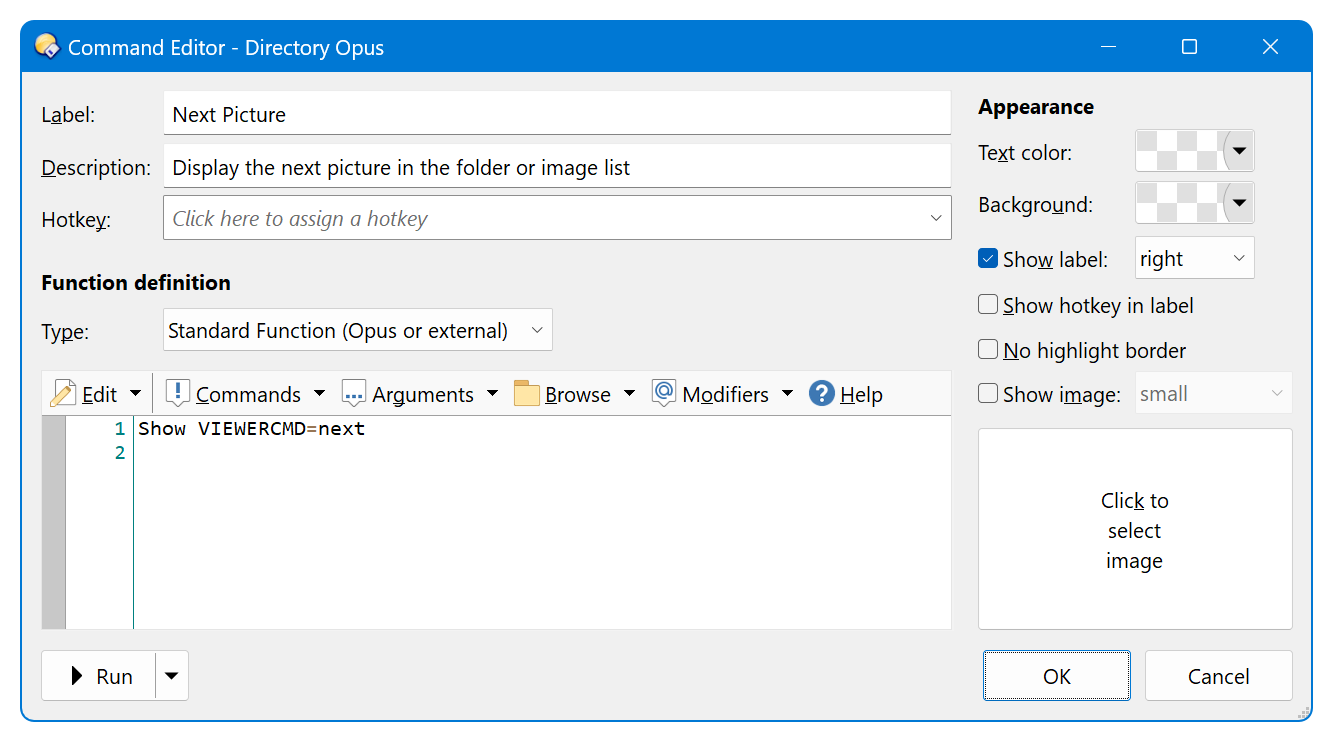
The standard looks like this
Maybe there are some leftovers from scripts like [Viewer Select - Make file display track standalone viewer](https://resource.dopus.com/t/viewer-select-make-file-display-track-standalone-viewer/23320) on your system/in your buttons/hotkeys? I vaguely remember it causing some trouble, but that was years ago, so don't ask for details 😉
---
### Author:  [@abr](https://resource.dopus.com/u/abr)
#### Post date: [November 21, 2023, 3:24pm UTC](https://resource.dopus.com/t/strange-effect-when-browsing-images-in-a-collection/47067/11 "2023-11-21T15:24:56Z")
Like i expected, the Show command works as a button. But the other thing still doesn't. And i have no Viewer Select script installed. Even if i had, it all worked well in V12 (or older 13 Betas, not sure). The reason has to lie someplace else.
Did you try the full screen/PgDn variant? If it would work for you, then something in my setup has to be messed up. But, like i said, i didn't change those keys in question. And i also don't see any suspicious scripts, only those i have been useing for years. As an aside, a function to temporarily toggle off all scripts for purposes like this would be very handy.
---
### Author:  [@lxp](https://resource.dopus.com/u/lxp)
#### Post date: [November 21, 2023, 3:30pm UTC](https://resource.dopus.com/t/strange-effect-when-browsing-images-in-a-collection/47067/12 "2023-11-21T15:30:04Z")
> [@abr](#):
>
> Did you try the full screen/PgDn variant?
Yes. I tried everything I could think of to make it fail. It's just a bit difficult to demo in a video 🙂
> [@abr](#):
>
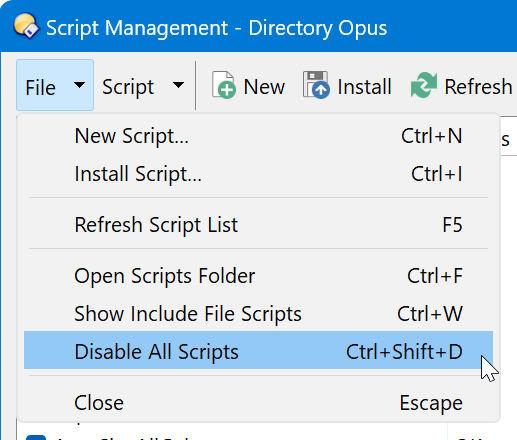
> a function to temporarily toggle off all scripts for purposes like this would be very handy.
---
### Author:  [@abr](https://resource.dopus.com/u/abr)
#### Post date: [November 21, 2023, 3:40pm UTC](https://resource.dopus.com/t/strange-effect-when-browsing-images-in-a-collection/47067/13 "2023-11-21T15:40:53Z")
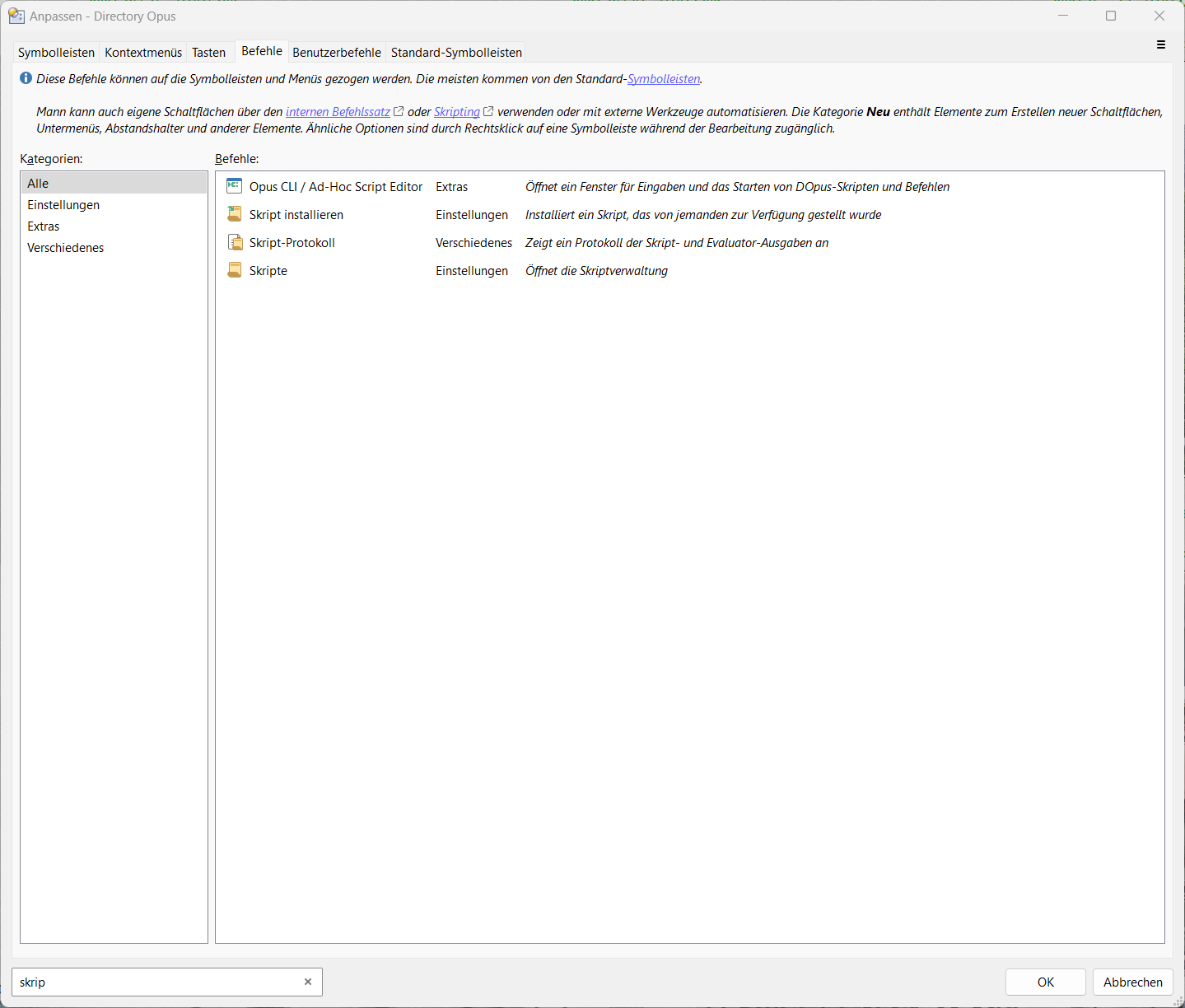
I don't have that button, and do not plan to use the default toolbars, since i have customized my Opus heavily and don't want to turn everything upside down.
Tried to find it in the list, it's not there.
---
### Author:  [@abr](https://resource.dopus.com/u/abr)
#### Post date: [November 21, 2023, 3:49pm UTC](https://resource.dopus.com/t/strange-effect-when-browsing-images-in-a-collection/47067/14 "2023-11-21T15:49:36Z")
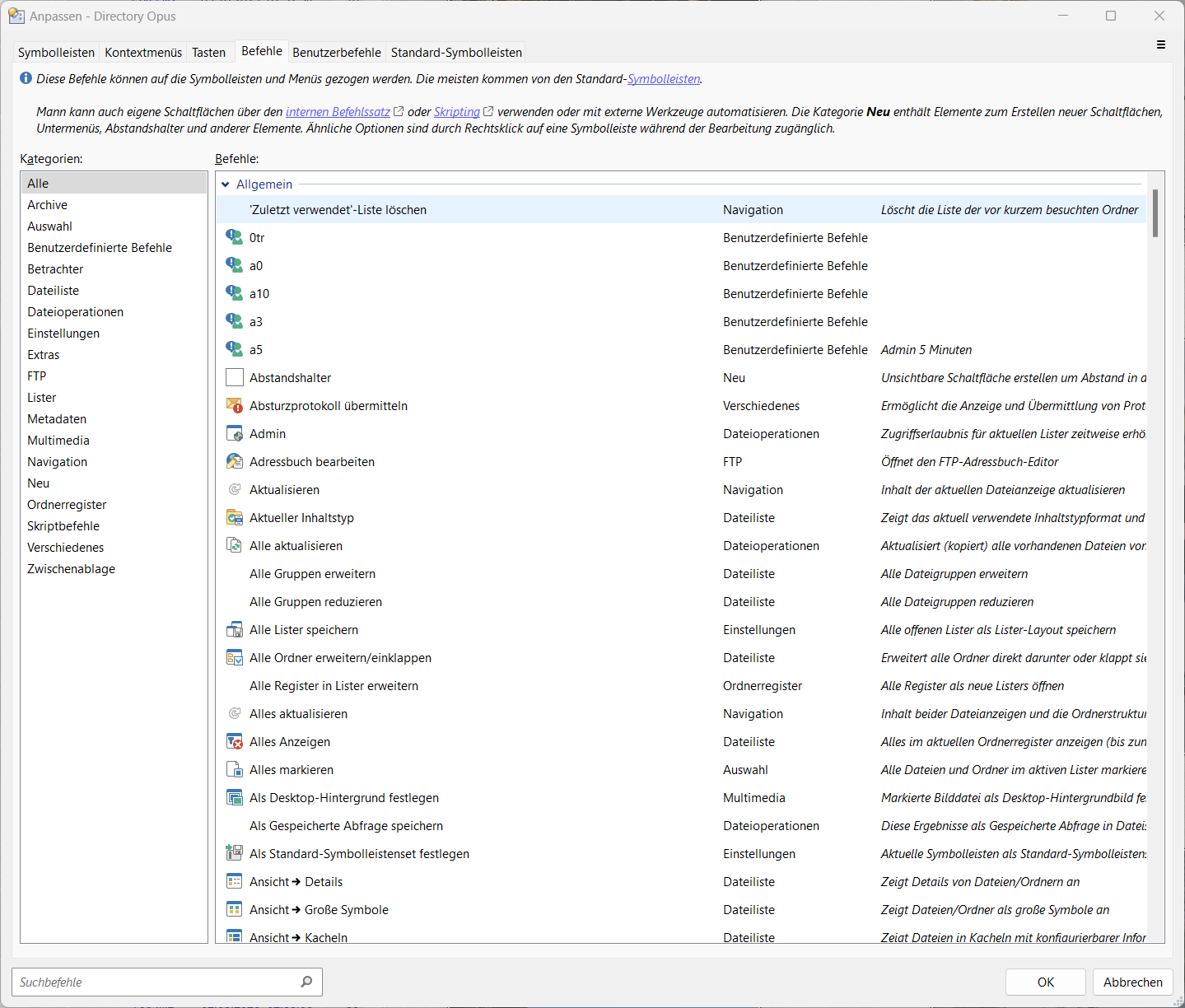
Why can't i find 'Disable All Scripts' in this list? It should be there, like every default toolbar command there is.
---
### Author:  [@lxp](https://resource.dopus.com/u/lxp)
#### Post date: [November 21, 2023, 4:38pm UTC](https://resource.dopus.com/t/strange-effect-when-browsing-images-in-a-collection/47067/15 "2023-11-21T16:38:43Z")
The screenshot was from
```plaintext
Prefs SCRIPTS
```
For a button, use
```plaintext
Prefs SCRIPTDISABLE=toggle
```
---
### Author:  [@abr](https://resource.dopus.com/u/abr)
#### Post date: [November 21, 2023, 4:53pm UTC](https://resource.dopus.com/t/strange-effect-when-browsing-images-in-a-collection/47067/16 "2023-11-21T16:53:56Z")
Thanks, lxp. That does it. Now i can rule out, that a script is causing the issue.
Wouldn't it be convenient, @Devs, to add this to the top row functions (or the 'Script' submenu, along with a shortcut)? There is still some space left. 🙂

---
### Author:  [@Jon](https://resource.dopus.com/u/Jon)
#### Post date: [November 21, 2023, 7:10pm UTC](https://resource.dopus.com/t/strange-effect-when-browsing-images-in-a-collection/47067/17 "2023-11-21T19:10:59Z")
It's in the File menu...
---
### Author:  [@abr](https://resource.dopus.com/u/abr)
#### Post date: [November 21, 2023, 8:08pm UTC](https://resource.dopus.com/t/strange-effect-when-browsing-images-in-a-collection/47067/18 "2023-11-21T20:08:40Z")
Ctrl-Shift-D, thanks Jon.
---
### Author:  [@abr](https://resource.dopus.com/u/abr)
#### Post date: [November 22, 2023, 12:36am UTC](https://resource.dopus.com/t/strange-effect-when-browsing-images-in-a-collection/47067/19 "2023-11-22T00:36:52Z")
I would like to give an update. Here's what i found:
All works like intended, if, and **only if** , i initiate the browsing session by a mouse click! From then on it doesn't matter, if i continue by mouse/mousewheel , or per PgDn.
But i f i use my old routine, just using Enter to open the image viewer, and Enter a second time, to go into full screen viewer mode, the issue happens.
I was testing around for an hour straight, to see 'it' sometimes happen, and sometimes not 🤪, until i finally found out, what the exact reason was. Furthermore, i found a conflict with the **Enter** key, which wasn't indicated by the usual red 'conflict' message in the **customize/keys** tab.
Anyway, i have deactivated the other **Enter** function (which by the way ran _Show VIEWERCMD=fullscreen,scroll,center_), and now it almost works as before. I can't double enter to get into full screen mode now, but i can work with that. I hope this helps to clarify things, if someone should run into similar effects. I've also changed the topic, since this was not a bug, but some side effect due to the complexity of Opus. Thanks!