Here are a few examples.
Backup Management
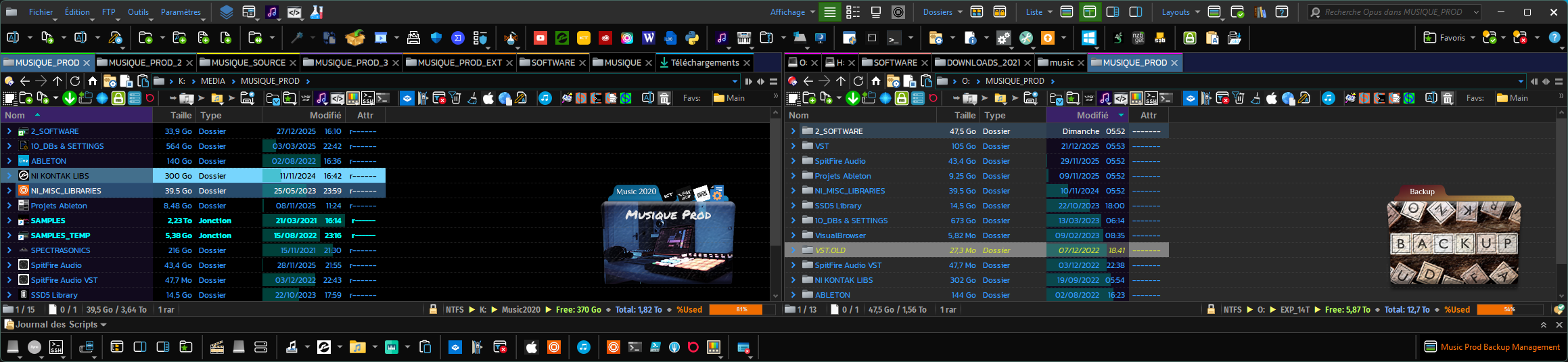
Left pane has my source folders, right pane has the destination folders.
I use another tool to do the backups, but it is configured to only backup one way (meaning if I delete something from a source, it's not deleted from the backup). So sometimes, if I do some reorganization in my source folders, it's better to replicate this in the destination (backups) folder.
Music production management
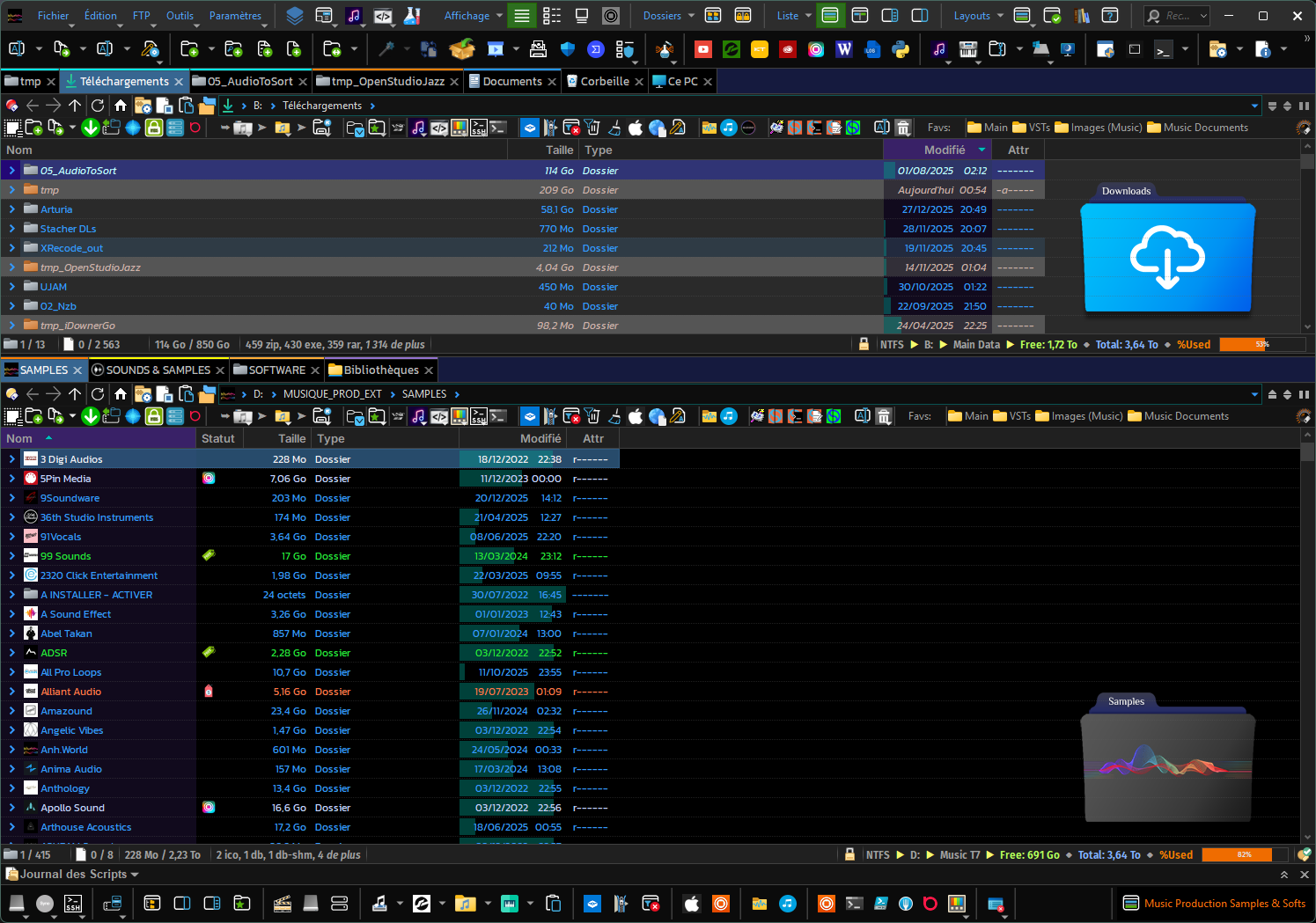
Whenever I download a new sample pack, I unzip the samples in my "SAMPLES" folder (1st tab in the bottom pane), in a subfolder named from the pack inside the folder named from the pack Provider. The second bottom tab is to backup the source pack (an archive file). For the software (plugins), "setup.exe" files end-up in the third tab, each in a folder named from the plugin provider.
In the upper pane, I have my main "downloads" folder, another tab with a temp folder which my "smart unpack" script automatically unzips to, some other frequently used folder in this context.
Loupedeck management
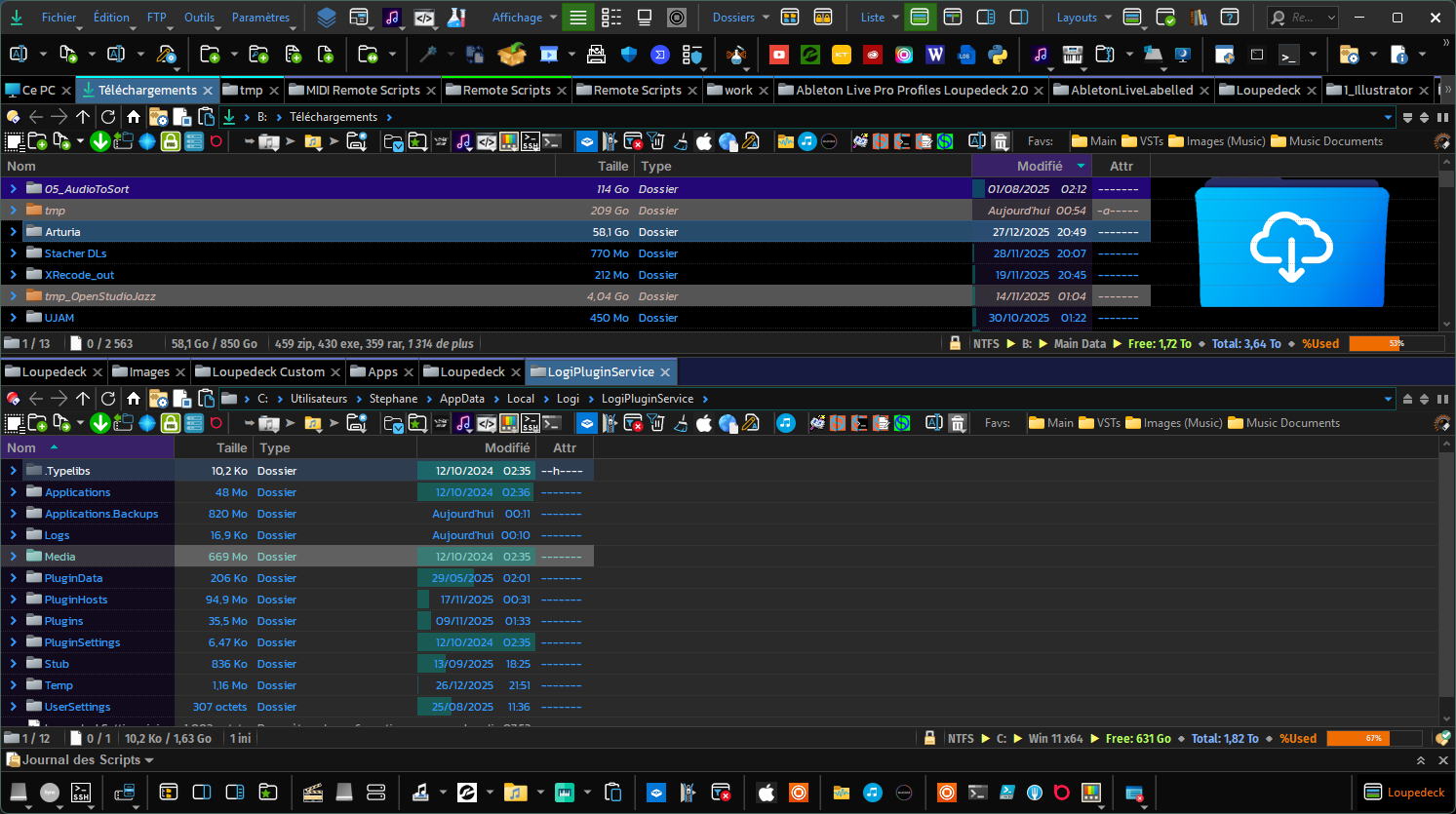
This one I'm using to manage things related to my Loupedeck console: config files, icons/artwork, Ableton Live remote scripts to link the Loupedeck to Ableton Live, ...
Bonus 1
ActivateOrCreateLister.opusscriptinstall (18.1 KB)
This script add-in creates a new command you can use in a button to search for a lister based on its initial layout and bring it to front or create it if none is found.
Basic usage: ActivateOrCreateLister TARGET=CUSTOM_TARGET CUSTOM_NAME="Folder\layout name"
With this, you can create a menu with the layouts you can launch:
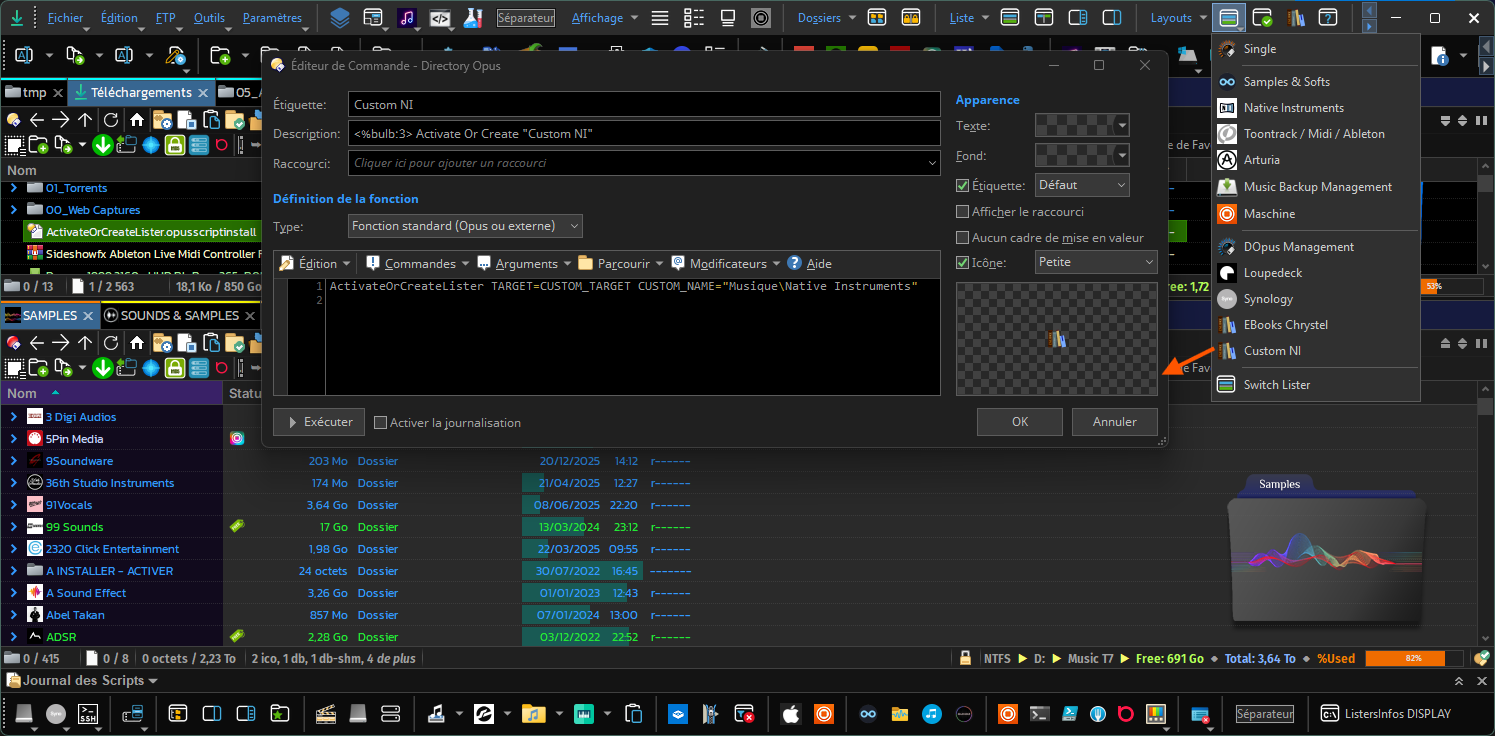
Note: Holding CTRL while executing the command (e.g. clicking on the button in the toolbar or menu), will force launching a new lister instead of reusing an existing one if any.
Bonus 2
If you happen to have workflows:
- Involving a somewhat restricted set of tabs
- But requiring to use some other tab sets (in addition) depending on "sub-workflows"
Then, I would recommend using TabGroups: one tab group per sub-set of folders, and with this FAYT/Dynamic buttons script you'll be able to add/remove tab groups to your current set easily.
Hope all this clarifies what I meant !