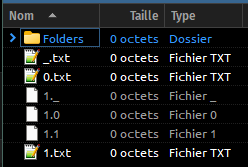
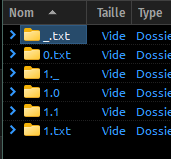
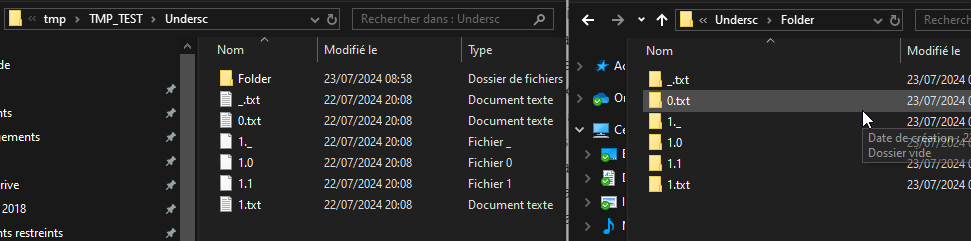
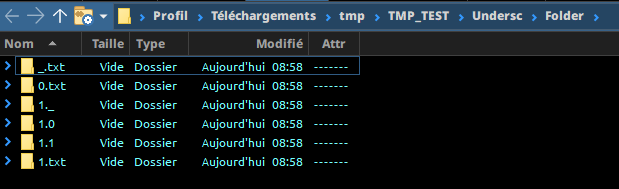
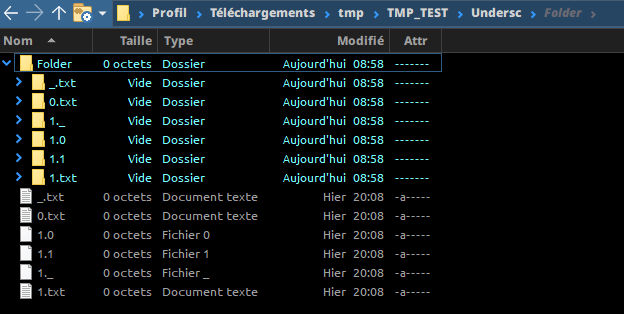
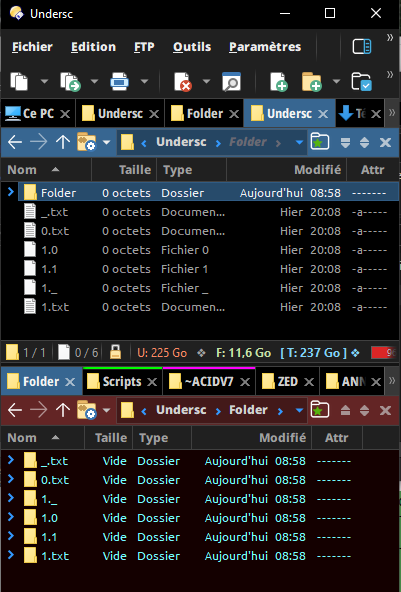
Very weird : I just came back home, and I can't reproduce on home computer what I had on my work laptop with the previous screenshot ... here it works the same between stem & extension (and with or without the advanced parameter mentionned by Leo).
And it works the same with files and folders ...
Here on 13.7.8 with Windows11, at work on an early 13.something (update is much harder due to company policy) with Windows10.
But I doubt this is related to the DOpus release, unless @Leo confirms any recent change that could affect this. Root cause is probably somewhere else in the settings. I'll try and see if I can spot the difference between the two configurations. Might be OS ... (windows explorer sorting as DOpus on this W11 computer).
Can't get my head around it ... sorry @tbone I'm not sure I'm gonna dig too much more here.
Just to let you know, back on my work computer :
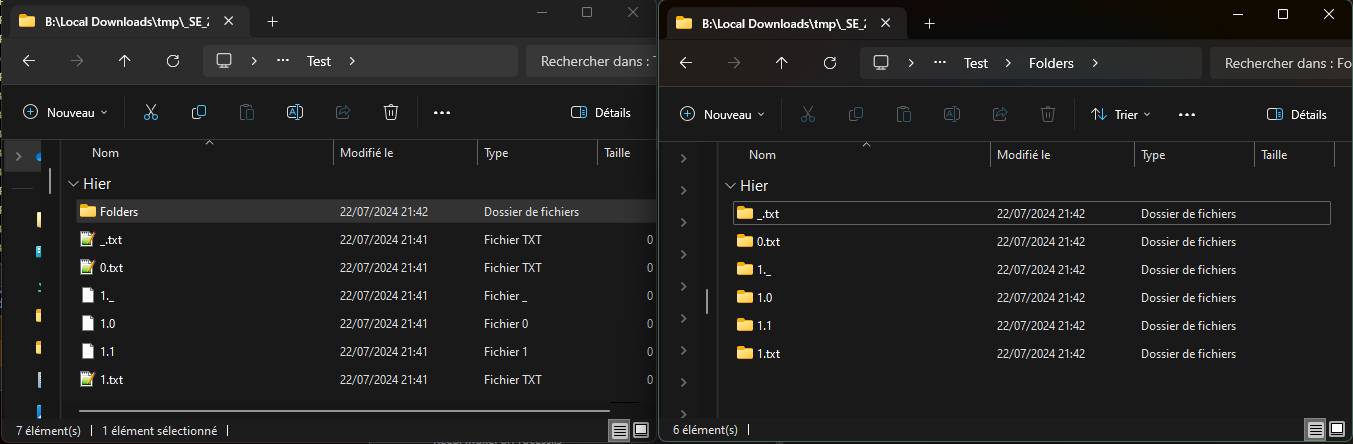
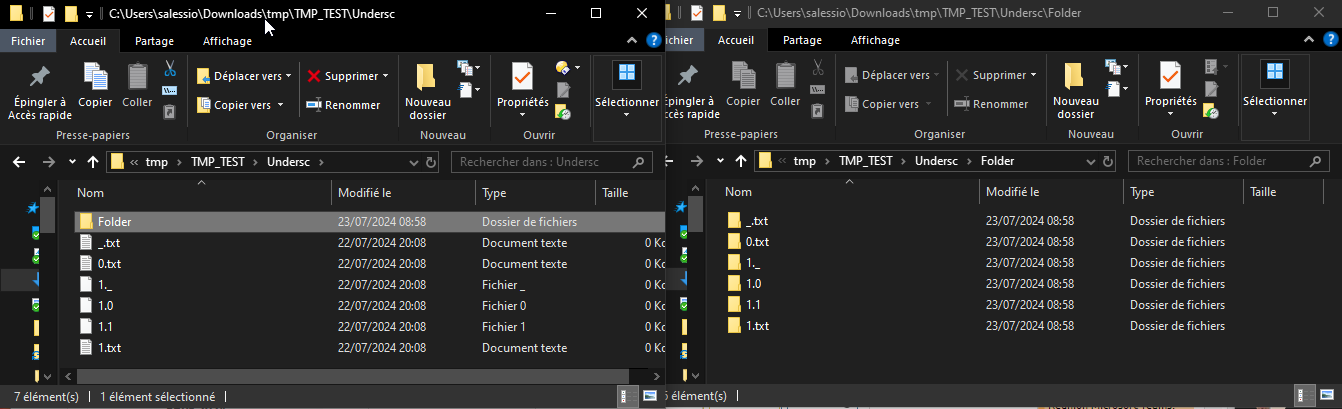
Windows explorer displays 'as expected' both files and folder here
And this is different on your two computers? Probably not?!
I guess my folders sort unexpected as shown, because..
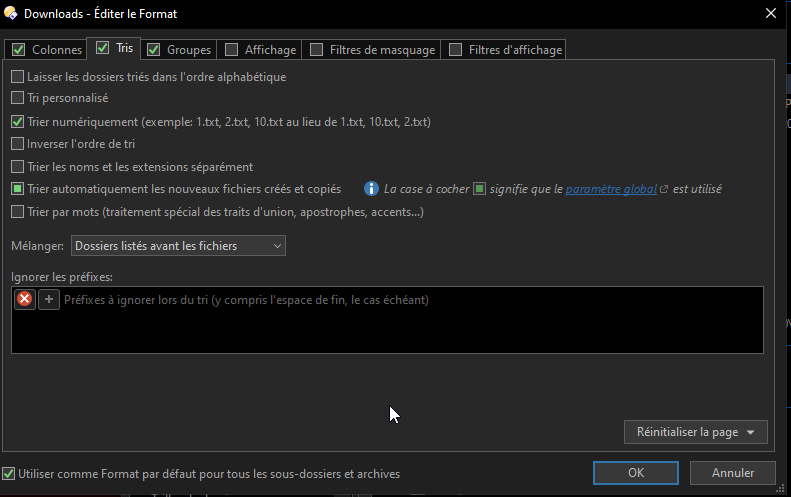
Thank you, yes, that is turned on! o) I think I leave it turned on and just remember to disable the option "Sort name and extension separately" in the folder format in use.
What is still unclear (I guess), is why the extensions get sorted so differently, but it is not a big issue for me, since you can revert to less sophisticated sorting via the option, it does the job.
It would be nice to understand the sorting order in the extension column though and whether this is a bug or not or what idea is behind - low priority I guess, which is ok! o)
And the folder format sorting options? Same?.. There must be a difference somewhere! o)
I'm curious why you have this difference, it could mean, I maybe can have the extensions sorted like the filenames as well (means _ < number), just a theory of course.. o)
The "problem" is not how _.txt and 1.txt are sorted. This looks fine to me.
What's strange (and different) is how the different 1.* are sorted.
Win 11 Opus & Win 11 Explorer & Win 10 Explorer go : 1._ then 1.0 then 1.1 then 1.txt for both files & folders
Win 10 Opus 13.1 does the same with folders (see last screenshot) but not with the files which are sorted this way : 1.0 then 1.1 then 1._ then 1.txt
EDIT: I unfortunately can not update easily (not at all at the moment to be precise) the version of Opus installed on Win10 computer.