Combining this screenshot of Opus, with the screenshot of Explorer in your other thread -- Viewer Pane Word and Excel -- it looks like different viewers are being used in the two programs.
Explorer is using the Word preview handler, which is the one you want to use.
Opus is using Word itself, the application, and not the preview handler, for some reason.
Please go to Preferences / Viewer / Plugins, select ActiveX + Preview + Office + Web and click Configure:
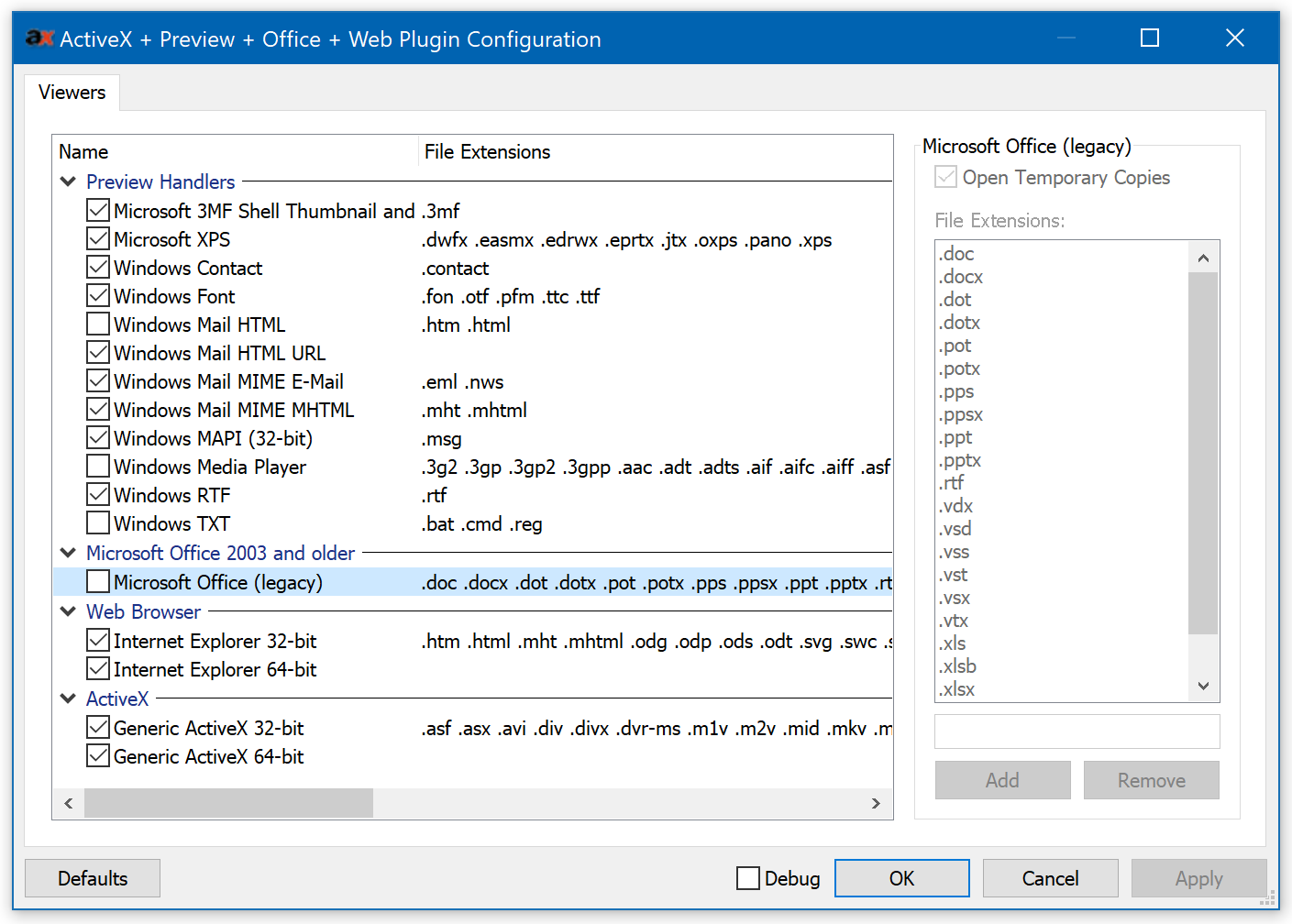
The Microsoft Office (Legacy) line should be turned off by default in newer versions of Opus. Is it the same for you?
Do you have a Microsoft Word (or similar) viewer in the Preview Handlers section at the top of the list? (The section is shown in my screenshot but not the viewer, since I don't have Word installed on this machine currently.) Make sure that is turned on if it is there.
Please also check that you're on the latest version of Opus 12.