# Word .doc viewer freezes constantly
**URL:** https://resource.dopus.com/t/word-doc-viewer-freezes-constantly/57066
**Category:** Help & Support
**Tags:** viewer, 3rd-party-issue
**Created:** [September 4, 2025, 1:38pm UTC](https://resource.dopus.com/t/word-doc-viewer-freezes-constantly/57066 "2025-09-04T13:38:02Z")
**Posts on this page:** 12
**Page:** 1
### Author:  [@ntgof](https://resource.dopus.com/u/ntgof)
#### Post date: [September 4, 2025, 1:38pm UTC](https://resource.dopus.com/t/word-doc-viewer-freezes-constantly/57066/1 "2025-09-04T13:38:02Z")
Hi
if i tab spacebar to preview eg a jpg and deletes the file before i tab spacebar again to go back from preview opus freezes
its becoming a huge problem that this version (13)cinstantlly locks up and freeze for a plethora of reasons.
Its almost useless now. I have filed several hundred MB data on different scernarios where the app freeze,
its not good
reg Jorn
---
### Author:  [@Leo](https://resource.dopus.com/u/Leo)
#### Post date: [September 4, 2025, 1:41pm UTC](https://resource.dopus.com/t/word-doc-viewer-freezes-constantly/57066/2 "2025-09-04T13:41:27Z")
We don't have any similar reports from other users, for what it's worth.
Send us some process snapshots during the freezes and they may reveal what's going wrong:
> [@Manually generating process snapshots](https://resource.dopus.com/t/manually-generating-process-snapshots/34071):
>
> If you find Directory Opus is hanging, using a lot of CPU, or otherwise exhibiting unexplained behaviour, one important diagnostic tool is the generation of manual process snapshots (often called "dumps"). These snapshots capture the state of the Op…
It's also worth trying similar actions in another program in case the cause is external to Opus (e.g. a failing drive can cause what you describe).
Edit: Thinking back to your recent thread, the freezes you were seeing then were caused by drag & drop on to a CD Burning tool. We can look at more snapshots if that's no longer being used, to see if something else is shown by them, but if you're still using that tool (via drag & drop) then the cause is probably going to be the same.
---
### Author:  [@Leo](https://resource.dopus.com/u/Leo)
#### Post date: [September 4, 2025, 5:44pm UTC](https://resource.dopus.com/t/word-doc-viewer-freezes-constantly/57066/3 "2025-09-04T17:44:05Z")
The snapshots you sent show a 3rd party viewer for .doc files is freezing.
If it's the MS Office viewer, updating Office may help.
They also show a BitDefender DLL in the callstack of the hung threads. It may be innocent, but could also be involved. May be worth a try seeing if you still get the problem with it temporarily uninstalled.
---
### Author:  [@ntgof](https://resource.dopus.com/u/ntgof)
#### Post date: [September 5, 2025, 2:14pm UTC](https://resource.dopus.com/t/word-doc-viewer-freezes-constantly/57066/4 "2025-09-05T14:14:56Z")
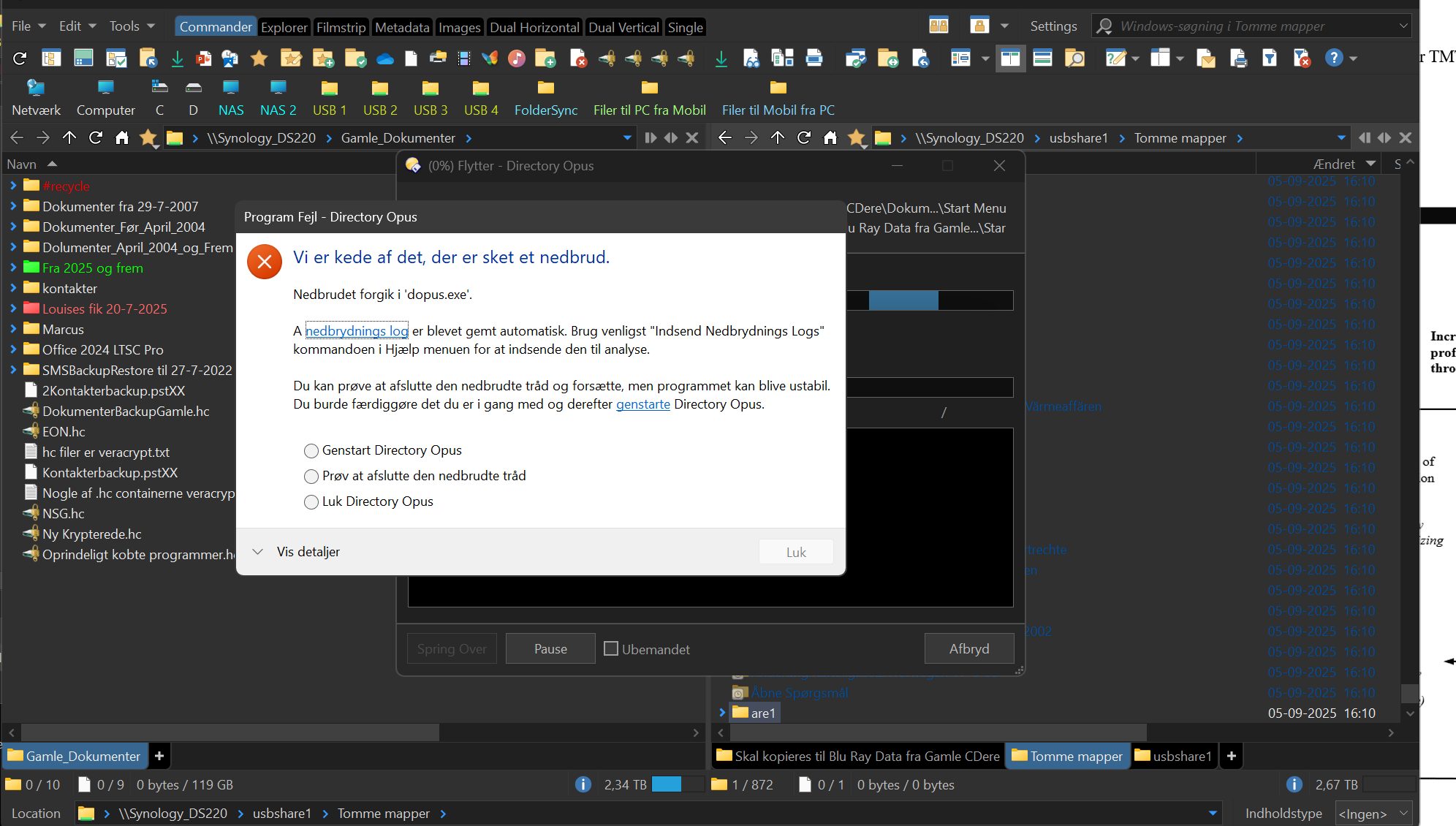
Its becoming a total disaster this version of opus. i jusst tried to move some empty folders and got this: I have send the log but its not safe nor trustworthy anymore using opus like this. Can you fix these massive ongoing flaws and breakdowns?
---
### Author:  [@Leo](https://resource.dopus.com/u/Leo)
#### Post date: [September 5, 2025, 2:21pm UTC](https://resource.dopus.com/t/word-doc-viewer-freezes-constantly/57066/5 "2025-09-05T14:21:37Z")
If you submit the crash log and tell us the ID we can look at it. Details on what was done when the crash happened will also help.
Are you seeing freezes or crashes with any other software on your system?
---
### Author:  [@ntgof](https://resource.dopus.com/u/ntgof)
#### Post date: [September 5, 2025, 2:55pm UTC](https://resource.dopus.com/t/word-doc-viewer-freezes-constantly/57066/6 "2025-09-05T14:55:44Z")
No its just opus everything else runs as supposed. I have send the log from within the app
---
### Author:  [@Leo](https://resource.dopus.com/u/Leo)
#### Post date: [September 6, 2025, 1:00pm UTC](https://resource.dopus.com/t/word-doc-viewer-freezes-constantly/57066/7 "2025-09-06T13:00:04Z")
I can't see the submissions. What was the submission ID?
---
### Author:  [@Leo](https://resource.dopus.com/u/Leo)
#### Post date: [September 8, 2025, 2:13pm UTC](https://resource.dopus.com/t/word-doc-viewer-freezes-constantly/57066/8 "2025-09-08T14:13:38Z")
I think we have found the submission. (The name/email were different and didn't connect it to your account right away.)
That looks like a separate issue to the other ones. We're looking at the code to try and find any possible issues, and it looks like operations on zip archives may be involved, but more detail on how to reproduce the problem and what steps were done before it happened would help greatly.
---
### Author:  [@ntgof](https://resource.dopus.com/u/ntgof)
#### Post date: [September 8, 2025, 6:03pm UTC](https://resource.dopus.com/t/word-doc-viewer-freezes-constantly/57066/9 "2025-09-08T18:03:50Z")
I just zipped a lot of files thats it
---
### Author:  [@ntgof](https://resource.dopus.com/u/ntgof)
#### Post date: [September 10, 2025, 11:11am UTC](https://resource.dopus.com/t/word-doc-viewer-freezes-constantly/57066/10 "2025-09-10T11:11:41Z")
Try to search files in a folder all these found files, try to zip them that crashed opus several times. app a few hundreds files
---
### Author:  [@Jon](https://resource.dopus.com/u/Jon)
#### Post date: [September 13, 2025, 5:11am UTC](https://resource.dopus.com/t/word-doc-viewer-freezes-constantly/57066/11 "2025-09-13T05:11:02Z")
The dump files you submitted suggested an area to look at, where we've made some changes in [13.18.3](https://resource.dopus.com/t/directory-opus-13-18-3-beta/57158). Although without knowing how to reproduce it it's hard to be sure it's fixed so please let us know if you still experience this issue after updating.
---
### Author:  [@ntgof](https://resource.dopus.com/u/ntgof)
#### Post date: [September 14, 2025, 7:57pm UTC](https://resource.dopus.com/t/word-doc-viewer-freezes-constantly/57066/12 "2025-09-14T19:57:33Z")
thanks ill test