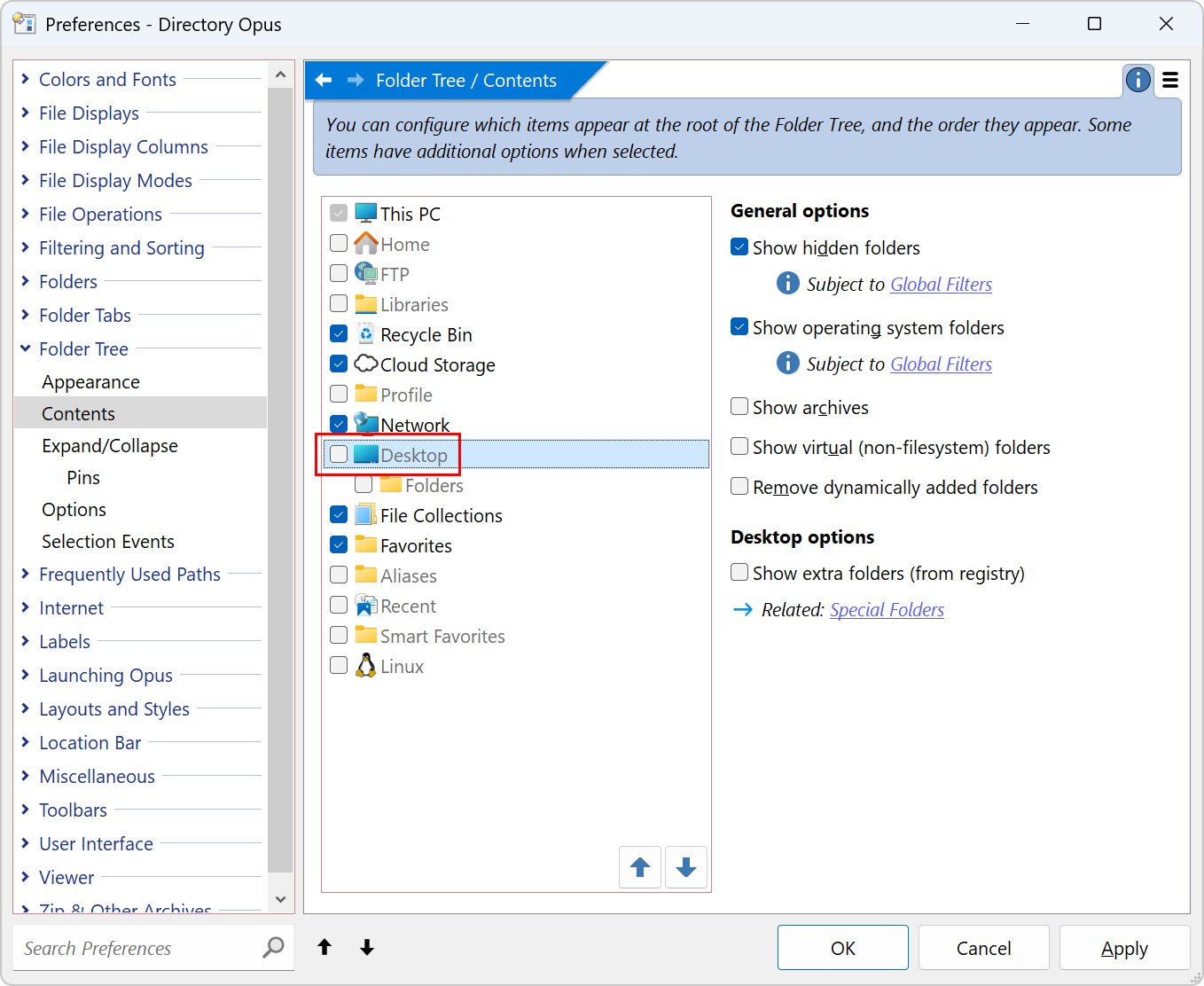
Hello guys,
I am brand new to DO and I have two questions:
How can mask the Desktop in the Tree Structure (left) knowing that I have already unticked it in the settings but it still appears?!
I would like to see the folder contents like on Mac OS meaning first column I have the folder contents (selected from the Tree Structure) and when select a folder from it I see its contents in a second column and so on...
Thank you very much for your help!!
Are you in/under the Desktop branch when it appears?
If you hide it but then navigate into it, it’ll be added to the tree so the tree can show your current location. Once you go outside of that branch, it’ll be hidden again.
(If you want something like what File Explorer does these days, you can disconnect the tree from your current location and use it more like a Favorites list, but Opus has better ways of doing that kind of thing.)
@lxp
Dear Ixp,
Thank you for your reply.
For Q1, unfortunately, as specified, I have unticked Desktop but it still appears, and shows dynamically the path when I click on a folder or a file, but I am not interested by that so I would like it to be hidden.
@lxp@Chuck@Leo
Regarding Q2, thank you for the links on the two discussions. It is a bit sad to read because it is at the level of people preferring bananas over pears and some preferring pears over bananas and trying to convince the others that they are right. None of them are right or wrong, and never will be, it is just a matter on how their mind works and we are not all the same. Like to memorize things, some have visual memory others are more on auditory memory.
So behind it is just a decision from the developers, do they want to offer a feature that some people need and prefer, despite there own taste.
I have been on Mac for decades but I have left it 20 years ago, but still after all these years, seeing the amount of features offered by OD, I was sure that I could have had a column view... but no.
So for sure, I am a bit disappointed regarding such a powerful tool.
Dear Leo,
Thank you for your reply.
In fact it never hide.
But that is the point, I would like to avoid to have the full path presented (on the left) when I click on a folder or a file.
So yes, how do I disconnect the tree from current location?
Thank you,
Have to say the last two updates have slowed the software terribly, not an expert or a programmer just a consumer running 17-11 128 gb ram and it is like watching a television buffer, thought you should know we have reactivated Explorer.