The 13.22.1 Beta update report introduced the button_rect and click_pt properties. But I’m not sure how to acces them. In my dynamic buttons, the ButtonData object does not seem to recognize these properties (buttonobj.button_rect.left or whatever). And what about actual toolbar buttons - is it via @eval and @evalalways that we need to somehow access these properties?
A simple clarifying example would be appreciated. Thx.
My guess is that you need to use them in your button's instructions (obviously your commands must be Evaluator based, so you need to embed them there).
The simplest example would be to make them work in a normal button first, then use those instructions as a template for your dynamic buttons.
Breaking the "one question per post".
It seems that if you use names that are also used in functions in a map, you can't normally access those properties later.
Another issue I see is that you can't access their properties at times. E.g.
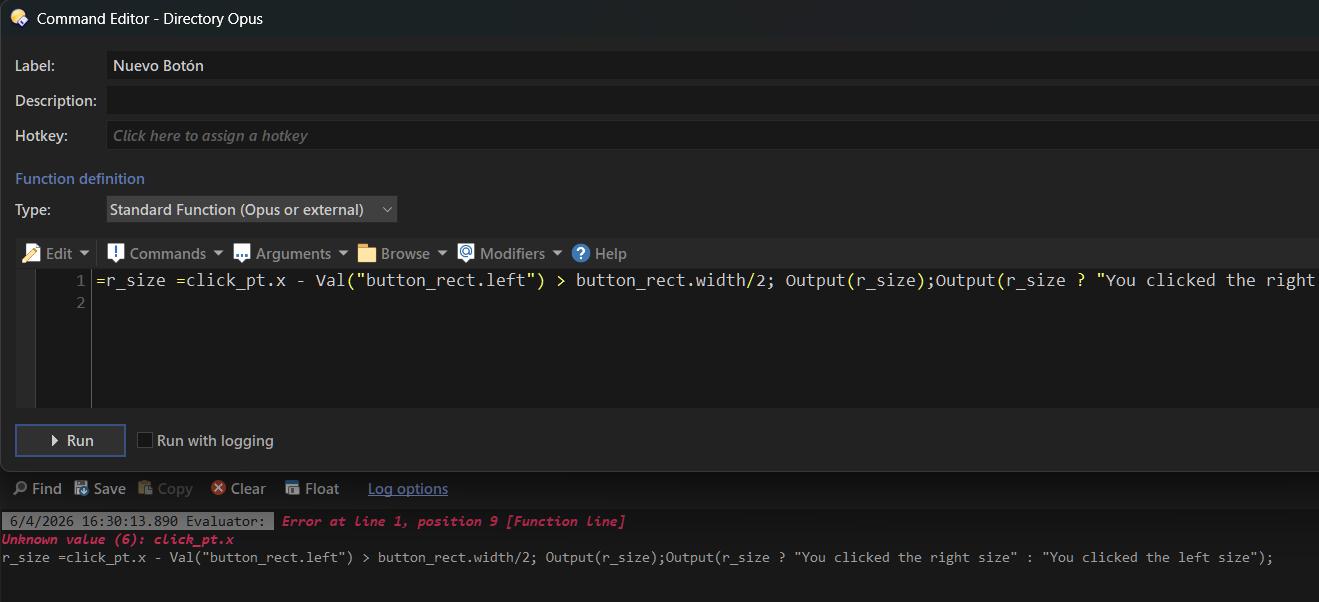
=r_size =click_pt.x - Val("button_rect.left") > button_rect.width/2; Output(r_size);Output(r_size ? "You clicked the right size" : "You clicked the left size");
However, it will work if you change it to something like: =c = click_pt; b = button_rect; r_size = click_pt.x - Val("button_rect.left") > button_rect.width/2; Output(r_size); Output(r_size ? "You clicked the right size" : "You clicked the left size");
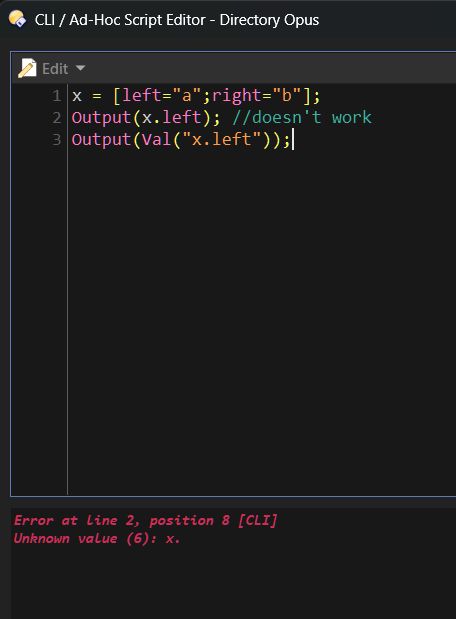
I think the answer is right and left are both Evaluator string functions as well.
The Evaluator parser doesn't have a bilingual brain.
Try x = [ l = "a" ; r = "b" ]; , then at least the first part works.
Edit 1: Thinking more about this perhaps that's what you really meant. But again that's the purpose of the function Val().
Edit 2: Does the second part error because there is not a space after the second = before click_pt.x ? I am only guessing now. I'll have to try this.
Edit 3 : I tried it.
You're right and I'm wrong.
The space doesn't help and your change to the code mysteriously works.
I should have stayed out of this. Sorry.
Apparently the problem is with the “left” and “right” properties of button_rect (strange enough: the two obviously most useful coordinates for making making a difference when using the location of a click on a big button). I was always testing with the .left or .right property and always got an error.
The output runs in error from the moment .right or .left is encountered - even while these values are clearly available in the map-output. But they can’t seem to be be accessed:
[x: 1080, y: 98\]
1080
98
------------------------
[bottom: 116, height: 24, left: 1070, right: 1088, top: 92, valid: true, width: 18\]
92
116
18
24
Error at line 1, position 1 \[Function insert: Userdesc\]
Unknown value (6): bmap.
bmap.right
Looks like a little bug to me, or maybe @Jon just thought it was the right time for an easter egg?
(My last message above was moved from its original place to this thread - so my remarks were unrelated to the discussion above it. Just saying). I confirm that the workaround proposed by errante and David works, but I’ll welcome the correction in next build.