I'm looking for a column type that will monitor the date and time's that I opened folders. When I need to go back to an area I was at before, I can filter by the chronological order that I was previously at. A type of breadcrumbs history for myself, if I forgot exactly where I was.
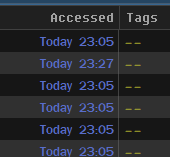
Tried out the 'Accessed (date and time)' column, but that seems to publish whenever a program accessed it. Like when a program cached or read the folder, so that doesn't help me with this.
For example, I definitely didn't go into all these folders today. But I did open a program that monitors these folders in its browser cache.
Can Dopus record the date and time's that I open folders, and put that in a column?
The accessed column is the closest thing, but basically useless in modern versions of Windows.
The operating system doesn’t track that information anymore (and it was pointless back when it did, because lots of things open files in passing, making the last accessed time meaningless).
The modified dates on shortcuts in the Recent folder are probably the best bet these days, but not everything updates those when opening files, and cross-referencing them in a script column would be required to get them to display next to the real files.
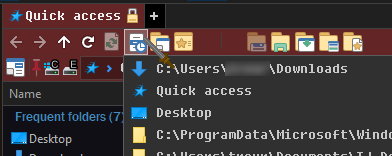
Ok. I still have the 'Recent Locations' drop down button
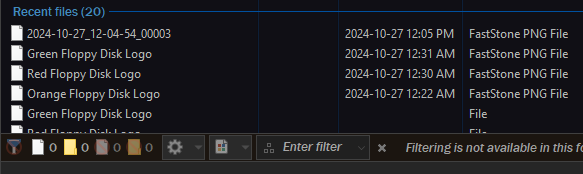
, the right click history on the back button, and the 'Quick Access' folder I locked as one half of my default lister, so I have it immediately when opening Dopus. It has recent files and frequent folders too.
That's close enough I guess. But would be cool to go to any folder, click the 'accessed' column and it would filter in order by when I was in those folders. Meh.
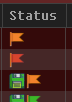
Actually what would be nice if Dopus could set a status based on if SYSTEM touched the modified date if if the user did (me). I would have a button that touches modified date but also sets the status. If an app later modifies it again, the status would be replaced with the 'computer modified' status, with a different icon.
I would probably make it the same icons with the 'computer modified' be hollow colors. 'User modified' be filled colors.
If that could even be done you would have the overhead of some script monitoring those files.
Just my humble first glance opinion.
That doesn't mean I'm right.
Good luck @ASUNDER !
You could sort by if you manually touched the modified or if the computer did.
You could see if something was changed, if it was you that did it.
The problem is if you save a file within an app. For example if I 'Save' a word doc while using MS Word, that is technically the SYSTEM owner making the change, but I'm the one that saved it. So manually going into the folder to manually tell it that it was me every time would be a waste of time.
Ya, think of the security implications. Besides it being useful for when you don't remember if you changed a file or folder, it would also be like a motion detector on your door.
Lights up when something changed your files, and it wasn't you.
Like Microsoft stating their OneDrive Personal Vault will protect me from (black hat) hacks.
Ok cool. So who's going to protect me from Microsoft?
There is no distinction between those two things in Windows. The timestamp doesn’t record how it was changed, and all changes are ultimately performed by the system, regardless of what or who initiated the action which triggered the change.