This is a trivial thing maybe of no use to anyone but me. I have folders with many (200+) subfolders. When looking at the subfolder list I often need to do a web search using the parent folder name. With one click I can go to the parent folder, right-click it, and copy the filename to the clipboard. Very helpful. It would save me a click if I could simply right-click the tab and copy the file name without having to go up a level to the parent folder. (Two clicks if I return to the subfolder tree.) At present, there is no option to copy the (parent folder) name when I right-click the tab. The is quite trivial and probably a waste of developers' time, but it would be quite helpful to me.
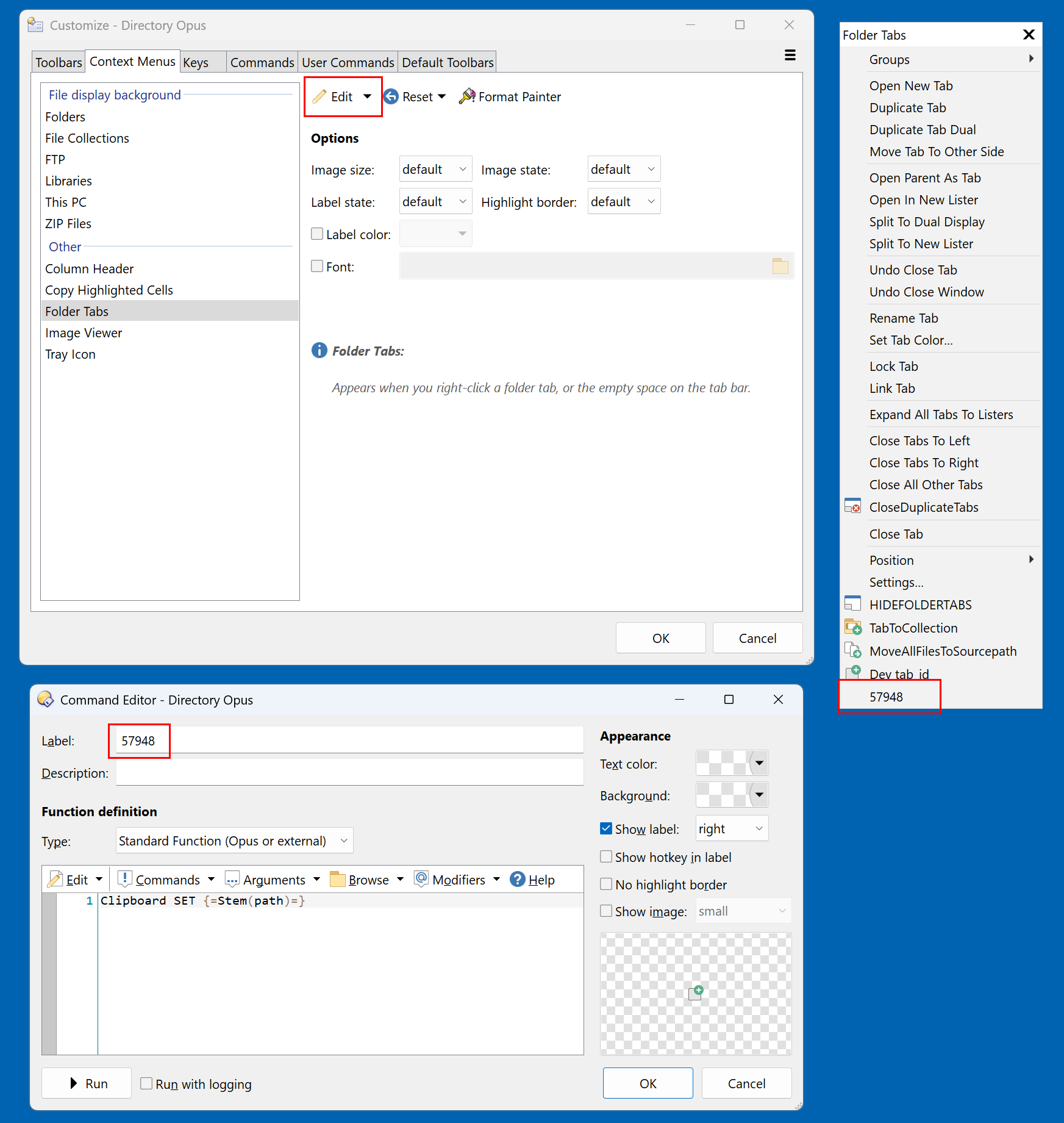
If you really want to save some extra clicking, you could take it a step further and have DOpus open your web browser for a given search engine with the results of the parent folder name.
"C:\path\to\web\browser.exe" "https://duckduckgo.com/&q={=Stem(source)=}"
URLEncode [Directory Opus Manual] could be useful with that. (Although it has a few modes and the best one to use may differ for each search engine.)
1 Like
When I click edit, there is no listing for 54798. There isn't anything listed after "Settings."
I can insert a new label, but when I click on it and can only edit the name.
Insert a button and give it a name you like. I just picked the thread number for lack of inspiration 
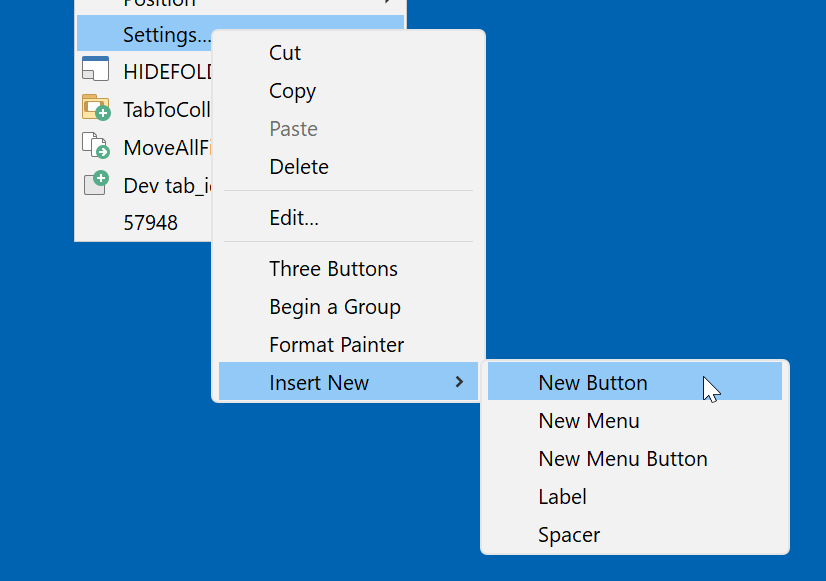
That worked. Thank you!