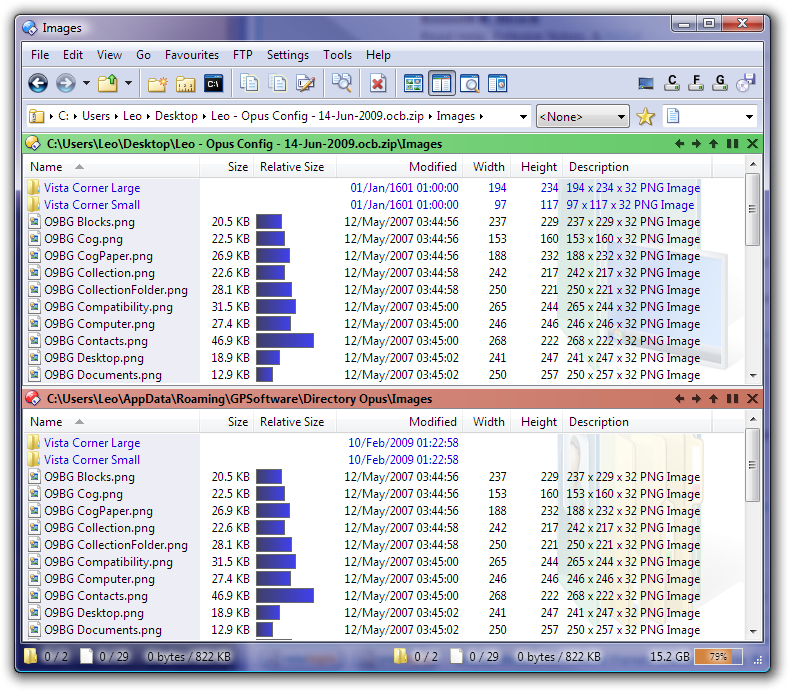
When I add an image, it appears in preferences/display/images and its original location path is stored (see preferences/display/images/explore) . But the disadvantage is images added are not automatically stored in /dopusdata/images as I would expect it. So if these images are accidentally moved or deleted or if I restore a backup on other machine, Opus loose them since it only registered their location path instead of making a copy in /dopusdata/images.
My questions are: is it normal Dopus doesn't make a backup of added images in /dopusdata/images
and if yes, there is a way to make a permanent copy of added images in /dopusdata/images that can be backup and can be restored on any profile
I think the Backup & Restore tool will pull images from wherever they are when creating the backup archive. When restoring it they'll be put into the Images folder.
If you want your images to always be in the Images folder, just copy them there before adding them to Preferences, but there shouldn't be any need to if you're just worried about the Backup & Restore tool.
You really need to create an Opus theme to add the image files to your /dopusdata\Images folder. Try this:[ol][li] Customize your Opus theme-like settings (colors, fonts, adding images, sounds, et cetera).
NOTE: At this step your added images do not yet reside under your /dopusdata folder. The added images still reside where ever you found them on your system.
[/li]
[li] Open Settings Menu - Lister Themes.
[/li]
[li] From the Lister Theme manager, save your theme. Do not worry if you aren't finished tweaking it yet.
NOTE: At this step all images you have added to Opus—that show up in the Preferences - Display - Images list—will be archived inside of the theme (.dlt) file you just saved, which now resides under the /dopusdata\Themes folder.
[/li]
[li] From the Lister Theme manager, select your newly saved theme and apply it. Opus will restart with your new theme applied. But since you just created this theme from your current theme-related settings, you will not see any visible changes when Opus restarts.
NOTE: At this step, all images you previously added to Opus and saved inside your theme, will be extracted from inside the theme (.dlt) file back to your /dopusdata\Images folder. Now the image you added will be there.[/li][/ol]
NOTE: I believe this behavior also applies to any custom Sounds you add to Opus as well.
However, I might as well talk about a lack in theme lister manager. I contact DOpus support a long time ago (more than a year).
Indeed, when I create a theme e.g. all toolbar images are stored in it but when I apply this theme, I got this I precise that before create it and after apply it, all the boxes are checked.
Therefore, I have to restore a config backup to get toolbar images back.
No, each toolbar is set to use a special image in customize/toolbars/image. I use 3 different images.
By "loading the theme", do you mean apply the theme? In this case DOpus applies standard toolbars image instead of what it was set in customize/toolbars/image when I created the theme
There is no issue with images in the /dopusdata/Images folder being backed up.
When a user adds a new Image to Opus via Preferences - Display - Images—that does not already reside under /dopusdata\Images—the added image file is not copied into /dopusdata\Images folder. Futhermore during a subsequent Backup, Opus does not back up the added image file, since it is not stored under /dopusdata/Images. Opus only backs up the things I discussed in the recent FAQ. All images located elsewhere on the system (but linked to Opus) are skipped. I presume the same behavior occurs for sound files as well (but I have not tested it).
What I believe most users would find more intuitive is if Opus copied added Images and Sounds to /dopusdata\Images and dopusdata\Sounds respectively, as the user adds each file to their configuration. This becomes especially important when running Opus from USB.
This is my understanding and recollection—I could very likely be wrong here.
I believe when you create a theme, the idea is to assign one image file as the Standard Toolbar Image. Then you use the standard toolbar image on all your toolbars. So if you had 5 different Opus themes installed, each would have their own Standard toolbar image defined. When you apply any of these themes, all toolbars change accordingly to use the applied theme's standard toolbar image.
By contrast, if you explicitly assign a specific image to one toolbar (rather than using the standard toolbar image), then that toolbar is not themed and its image will not be saved as part of an Opus theme.