Can we edit the "Directory Opus Archive" menu that shows up in the context menus?
Short of that, is there a list of equivalent script commands for each of the menu entries?
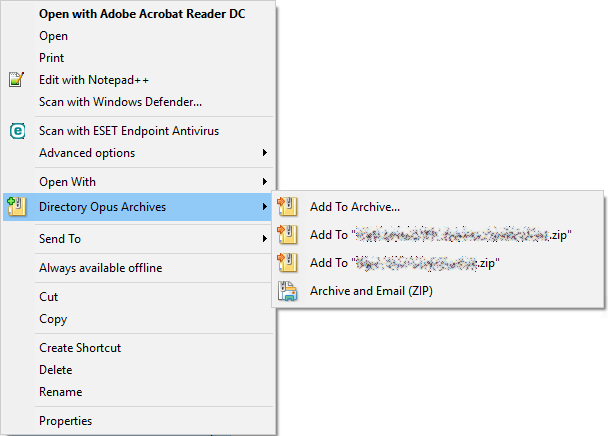
Can we edit the "Directory Opus Archive" menu that shows up in the context menus?
Short of that, is there a list of equivalent script commands for each of the menu entries?
Those are variations of the Copy ADDTOARCHIVE command, as described here:
You can change the menu under Preferences / Zip & Other Archives / Archive Context Menu, but I am not sure if that will do what you want as you haven't said how you want to edit it.
Hey I don't see the option to add more items in archive context menu.
Can you please elaborate?
I wanna add options like
Add to ZIP
Add to ZIP (Delete Original)
Add to RAR
Add to RAR (Delte Original)
while also having the default options
Preferences / Zip & Other Archives / Context Menu.
Or the similar commands in the default toolbar's Archive Files button/menu.
We don't have commands to delete files after archiving them in the defaults. You can make them, but we don't recommend it as you could lose data if something goes wrong with the archive and Opus doesn't realise (which can e.g. happen due to antivirus). IMO it is better to push Delete afterwards as a separate step, and the default context menu actions for archiving things leave them selected for that reason.
PS: As a general note, please start a new thread rather than necro one that's a decade+ old and send notifications to everyone in it.