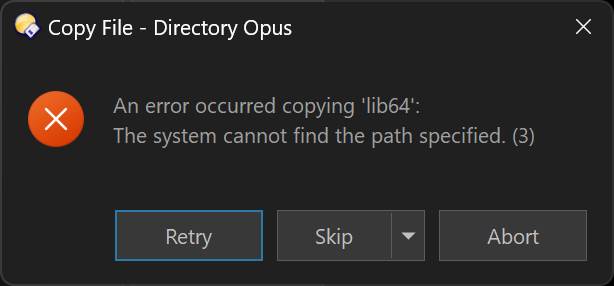
I browse WSL directories in Opus (e.g. \\wsl.localhost\Ubuntu\home\lider\kod\).
When I copy files from WSL to Windows Desktop using Opus's normal copy, it sometimes silently skips files. Copying via terminal (cp/rsync inside WSL) works perfectly.
I want a toolbar button that reliably copies selected files from a WSL UNC path to C:\Users\lider\Desktop\.
Quick follow-up: The reason I was trying robocopy instead of Opus's built-in Copy is that Opus's normal copy sometimes silently skips files when copying from WSL UNC paths. Is this a known issue? Would using the Copy command in a button behave differently than a regular drag-and-drop copy from WSL paths?
That isn't a known issue. If you can give us reproducable steps we can investigate.
Please check if any Copy Filter is turned on in Opus (visible inside the Copy Files button's menu part), and also if the same happens when doing the same copy using File Explorer, or if there is any pattern to which files are skipped (e.g. do they have names that aren't allowed on the Windows side?).
I'll check the Copy Filter setting and test with File Explorer as well.
The skipped files don't seem to follow a pattern - no special characters in names, regular .rs and .toml files. It happens inconsistently, sometimes all files copy fine, sometimes a few are silently missing. I'll try to reproduce it and report back with specific steps.
Regarding the button: I'll use your {sourcepath$|noterm} tip with robocopy for now. Should I also try Opus's built-in Copy TO command as an alternative?
Does the same syntax work (replacing the {...} codes with what they'd insert) from a command-line? My guess is the Robocopy command is incorrect, but it's not a tool I have used in years so I'm not sure.
I would use Opus's copy command if you can. You'll get a better interface from it and simplify things.
Copy TO /desktop should be all you need to copy all selected items to the desktop.