I have tried many times and many ways to have a Folder Format sort by a column other than 'Name' and I get get it to work:

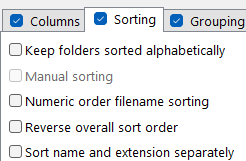
I also unchecked any name-related option in the Sorting tab, but that didn't help:
The format is not locked in the lister:

How can I get the files to sort as I want them to?
Also, even with this set, larger (512) Thumbs are displayed:
