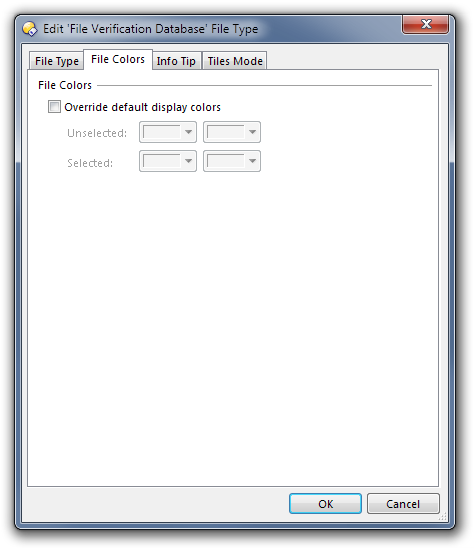
Sounds like you're looking in the right place if the .md5 type itself is coloured red. (Screenshot below of the File Colors tab.)
If you turn on the Attr (attributes) column, do the .md5 files have the 's' attribute set?
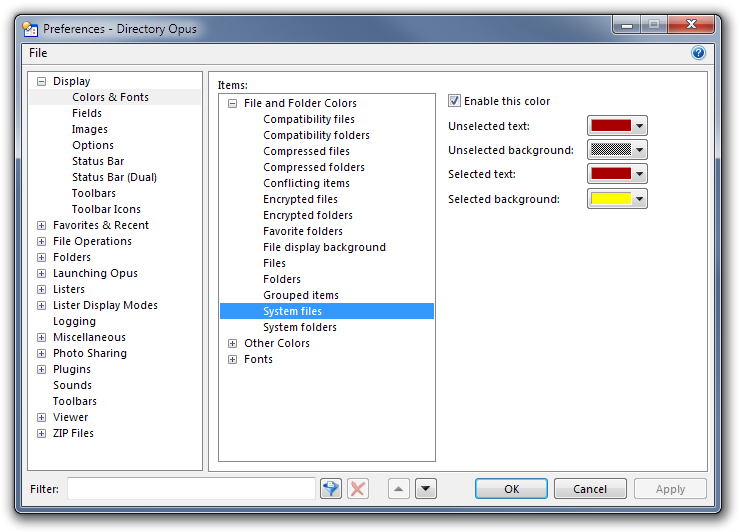
If so they are red because the attribute says they are 'system' files, not because they are .md5 files. You can turn off colouring of system files under Preferences - Display - Colors & Fonts (screenshot of that below as well).
Yes, I also thought maybe they are system files and turned off coloring of system files. But this didn't help and they are also not system files. They don't have S in the Attr.
Your question prompted me to go set some colours for files. But rather than do it by the extension in System File Types I messed around in File Type Groups and set the colours for "Music".
Any chance that you did something similar in the distant past?
Might be a stupid suggestion, but you said you were going crazy. Sounds dangerous.
Go to /dopusdata/FileTypes and do a search of the files to see if any of them contain the string MD5. The only places it could be coming from are the FileTypes, or the attribute-specific colour settings via Preferences.
You could safely delete that file since there's nothing important in it, but that's obviously not where the colour is coming from.
If you want to do an export of your config and send it to me via PM i'll have a look and try to work it out.
Ah, I see what's happening. The file colors are coming from the file /dopusdata/ConfigFiles/filecolors.oxc. Your MD5 filetype class has obviously been changed by something since the colours were set which means they don't appear in Filetypes, but the file extensions are still configured in the filecolors.oxc file. If you delete that file and restart Opus the problem should be fixed.
Correct, they're effectively "orphaned" settings because the registry key that links the extension (.md5) to the file class has been changed. I do consider this a bug of sorts so we'll fix it in a future version.