I cannot remove unwanted Titles, Image Descriptions, or Comments with DOpus for some images. But I can remove that metadata from the same files with Adobe Bridge or File Explorer or Photo Mechanic!
I also tried removing the unwanted metadata using the ‘Meta Wizard’ script, and that did not work either.
Can anyone figure out why DOpus cannot remove the metadata?
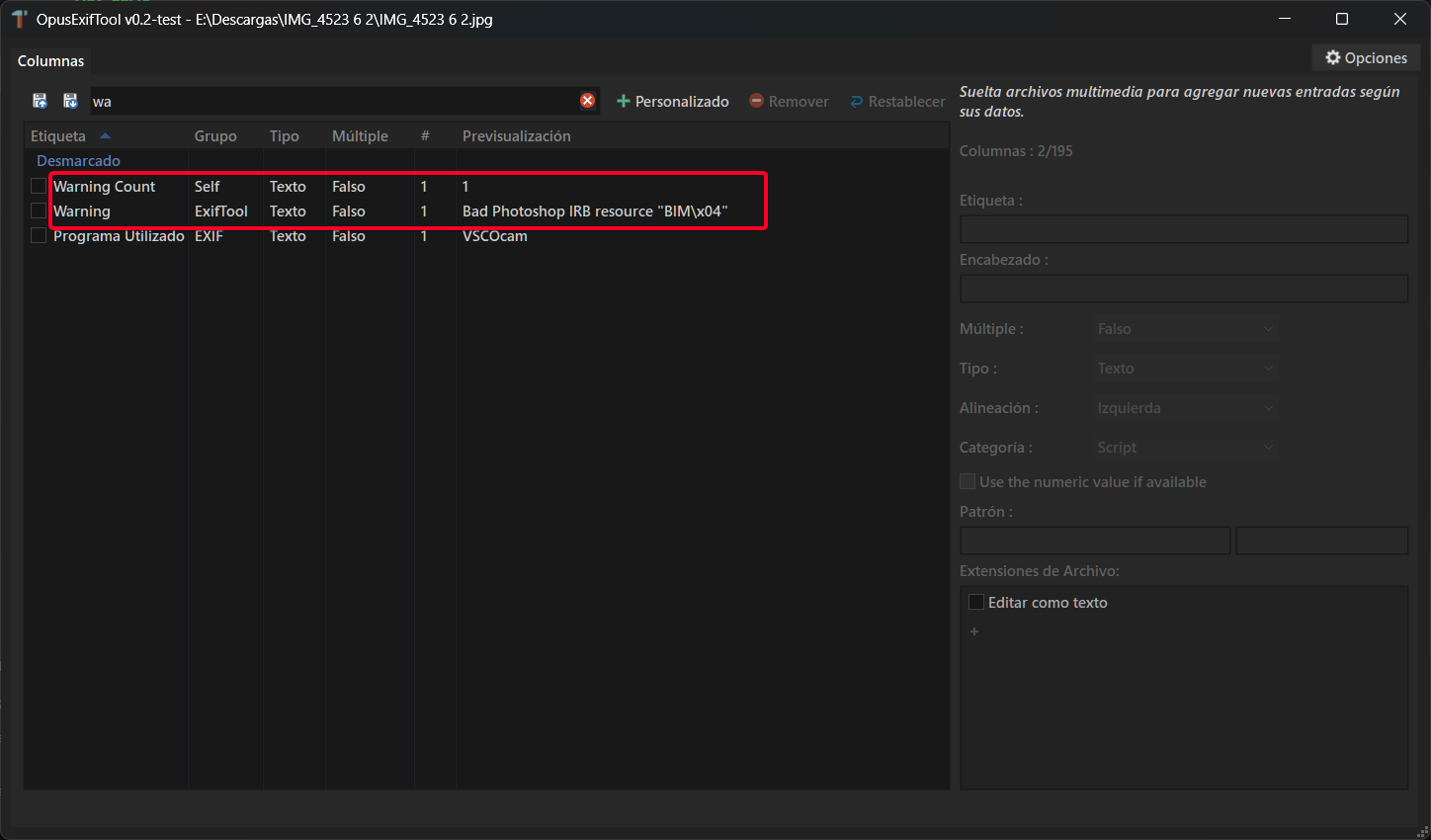
Whatever wrote that file out wrote an invalid metadata chunk (it's not correctly aligned), so our metadata library rejects it to avoid corrupting the data.
I have hundreds of ‘problem’ files in the collection I’m organizing.
Please don’t have DOpus reject them! I just tried editing the metadata in Lightroom Classic, ACDsee, and Mylio. No problems. So, it’s reasonable that I should be able to edit the metadata in DOpus.
Also, to convert the files, I’d have to identify them first.
If I select files with Descriptions or Tags or Comments I don’t want, I get an error message for every problem file. The message has to be dismissed for each one. Then I have to click ‘Cancel’ at the top right corner of the metadata pane.
Even ExifTool refuses to remove any field related to the malformed Photoshop IRB block.
If you restore all metadata with ExifTool using -P -all= "-tagsfromfile" "@" -all:all, then you can remove any metadata you want afterward.
Do Lightroom Classic, ACDsee, and Mylio not let you batch edit? Then I suggest going for it. Because the other methods involve more steps.
Most other application do allow batch editing, BUT only with DOpus can I see all fields I edit in columns, which allows me to easily select the files with unwanted metadata.
Leo and Jon, please don’t haveDopus reject them! If I can edit this metadata in any other photo-related application I have tried to edit them with (about 6 applications) I think DOpus should be able to edit them.
In the meantime, this lets you tell which files have the malformed Photoshop IRB block error (the warning count value should be greater than 0). From there, you can use the tool of your choice to remove the necessary metadata.
FWIW, it also works if you convert the image with DOpus to a copy, and after that you should be able to remove the metadata in that copy.
I imagine that with the mentioned column properly defined (specific extensions, as a unsigned integer,.etc) and used in an Opus search with 340000 files, it would take around 10 minutes at most.
Now, if you already know there are 340000 files with that specific issue, you can skip the first step and go straight to removing them with another tool (which is the most recommended option in this case) or do the convert-then-remove process with DOpus.
DOpus is gaining popularity amongst professional photo organizers. Allowing this metadata to be edited with DOpus will improve its appeal. Not allowing editing of that metadata is a deterrent.
They are not MY images. They are a client’s files from old hard drives, cloud storage, an old iMac, Apple Photos, CDs, camera cards….and it seems someone else has the same problem: Weird files unable to update metadata - #4 by SilvMoon