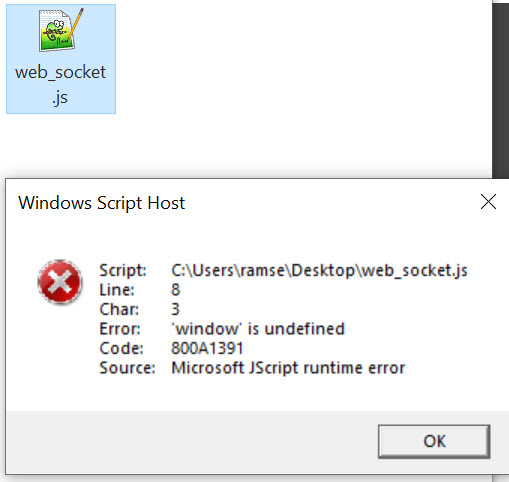
See screenshot. This is what I get when I try to open some of those .js files. I then tried with Windows Explorer and no problem, it opens it.
Are you trying to open (edit) them, or run them?
Are they supposed to be run under the Windows Script Host, or something else?
I'm just double clicking to open in Notepad++. Same as with Windows Explorer and same as when I want to open .txt files and such.
Are you saying double-click does something different in Opus to Explorer?
What version of Opus are you running?
Latest. I just bought it a few weeks ago. 13.15.
Double click opens that JS file in Windows Explorer in my notepad++, as normal.
In DOpus, right click edit gives another error that the app doesn't exist, so I went to Windows Explorer and opened it with Notepad, then DOpus was able to open it with right click > Edit in Notepad (normal).
But, it still gives the same error when double clicking to open notepad++.
What seems to be going on?
Please try the 13.15.3 beta version.
Do I need to try 13.15.3 if I tried the new 13.16?
It doesn't fix the issue.
No.
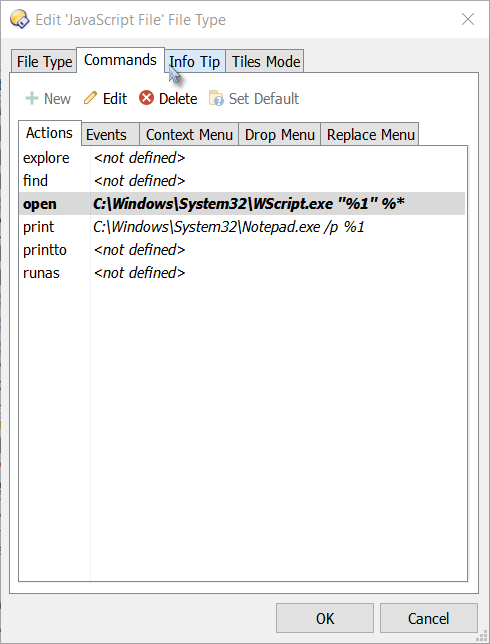
If you change Windows itself to make double-clicks on .js files open them in editors, you may break some things that try to run the scripts via the double-click or Open action. Not recommended.
Instead, override the Double-Click Event for the .js file type within Opus's File Types dialog. That only changes what happens in Opus itself, and won't break running scripts outside of Opus.
Thanks. I don't understand how a few days ago the .js file was opening with Windows Explorer but today it is not. I won't touch this. I can just right click and edit with an editor. It seems it's trying to run it when double clicking. No worries then, your solution is a good one, though I don't really know how to achieve that but I don't need to since I'm leaving it as is.
Thanks again.