Change wording of Rename Old when copying file?

Hi All,

Is there any way to change the wording used when selecting 'Rename Old' when copying a file using drag&drop over the top of an existing version in another directory?

Currently it tags the existing file with "filename (Original).txt". I'd prefer to see something like the original file being renamed to "filename_backup_20090917_140137.txt", where "_20090917_140137" is generated automatically from the current datetime.

Anyone know if that's possible, particularly with drag&drop? If not with drag&drop, how else would you achieve this?

Many thanks,

pt

Some variation of this might do what you want...

Copy HERE FILE {file$} AS "{file$|noext} - {date|yyyy-MM-dd} {time|HH-mm-ss}{file$|ext}"
Regards, AB

This is an interesting problem and something like AB's suggestion is about as close to a solution as I can come up with too (short of using an external script that is).

But that's not quite what planetthoughtful seems to be asking for, and I think it would be a useful enhancement to Opus if custom renaming could be performed whenever a name clash occurs during a copy operation.

So in addition to:

Copy WhenExists Ask
Copy WhenExists Skip
Copy WhenExists Replace
Copy WhenExists Rename
Copy WhenExists RenameOld
Copy WhenExists Resume

If "Copy WhenExists RenameNewAs" (and/or RenameOldAs) were also available, we would have much greater flexibility when encountering name clashes during copy operations.
I think I'll submit this as a feature request.

Did this issue ever get a 'better' fix (was the feature request ever made?)? I would like to do the same thing with a MOVE. Would be very useful.

I don't think anything changed here.

You could always do the rename in a second pass.

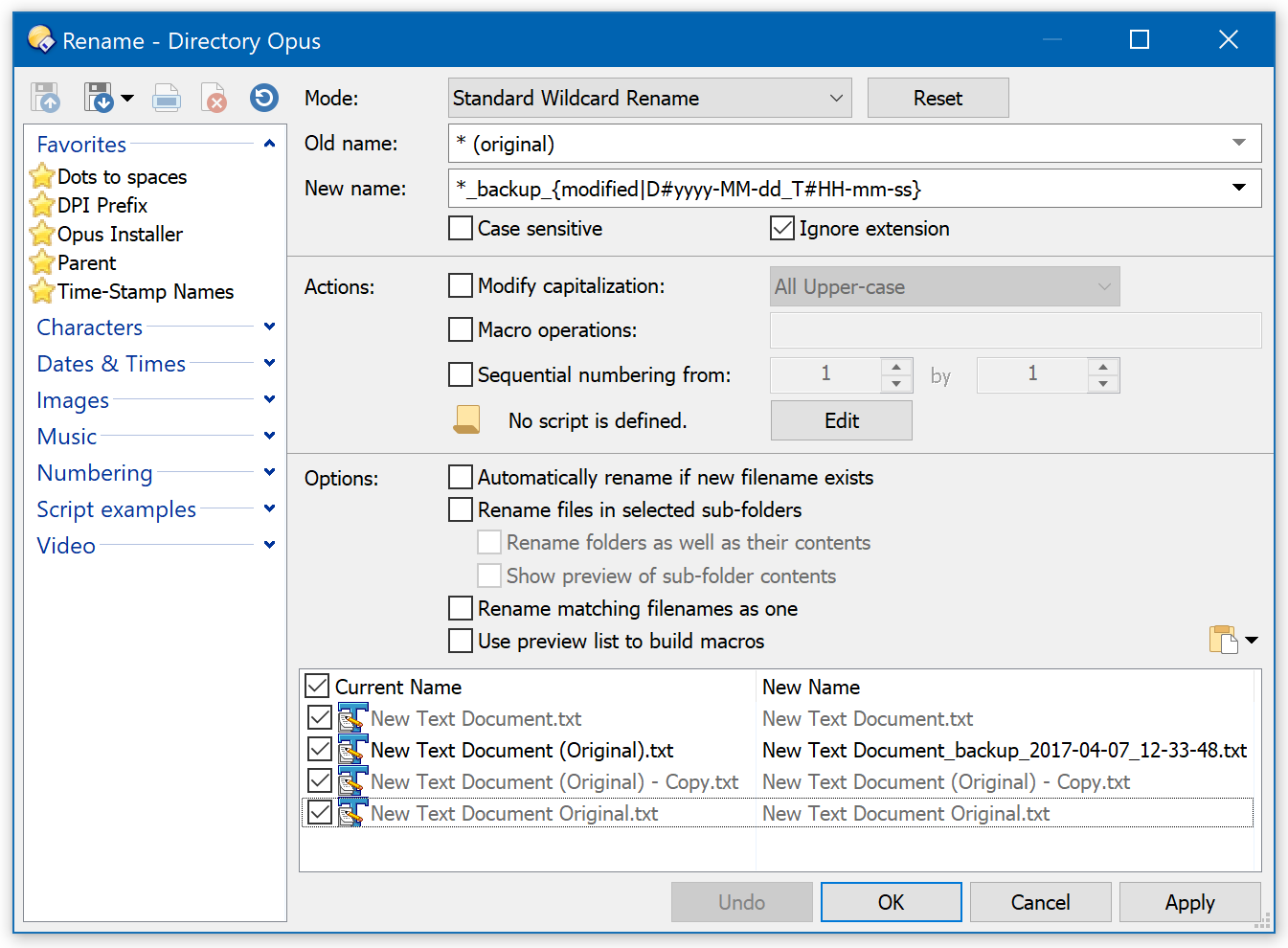
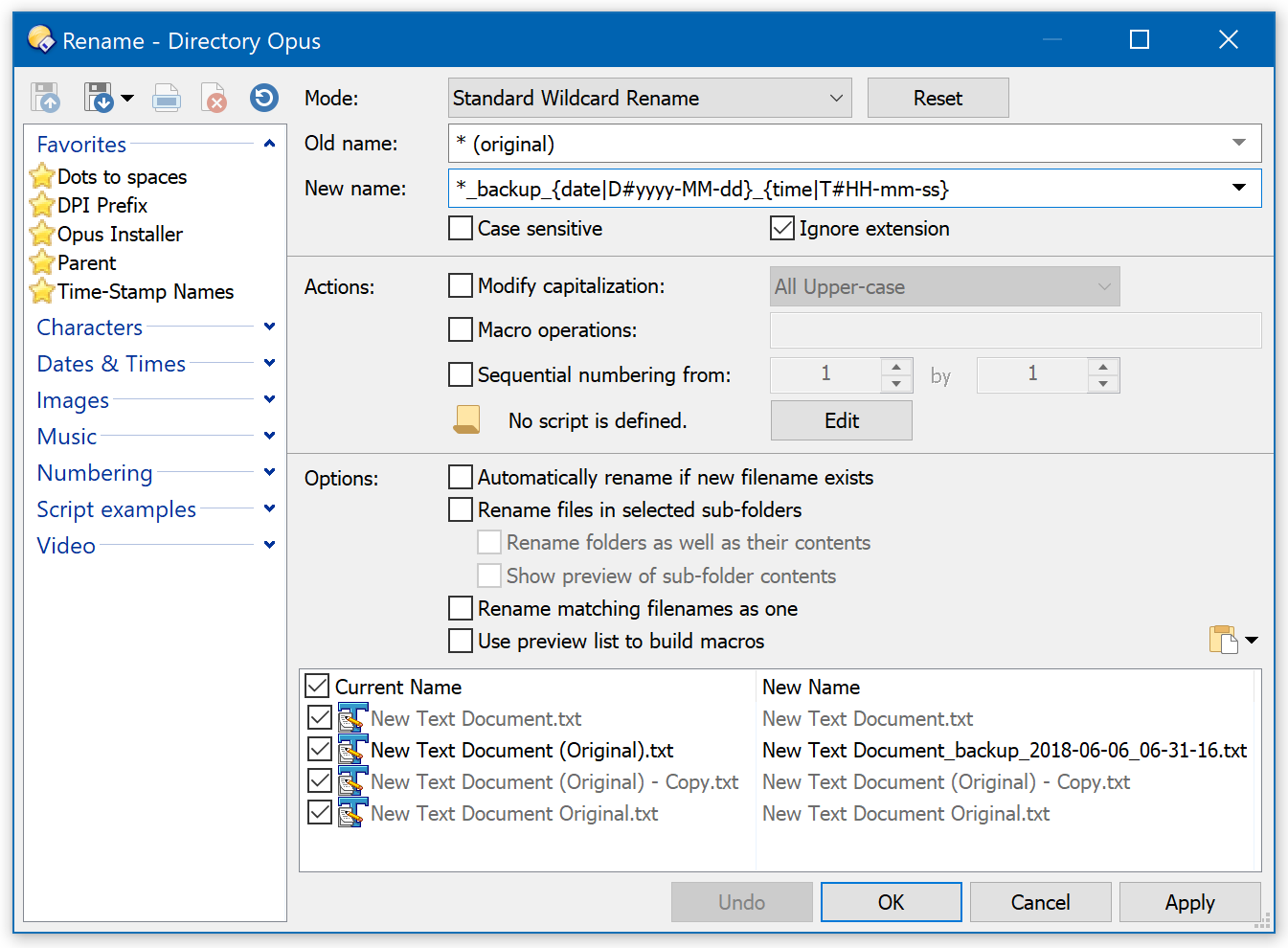
Using the examples in the first post...

Standard Wildcard Rename
From * (original)
To *_backup_{modified|D#yyyy-MM-dd_T#HH-mm-ss}

(to use the old file's modified date/time)

Or to *_backup_{date|D#yyyy-MM-dd}_{time|T#HH-mm-ss}

(to use the current date/time).

I guess my main concern would be for the case where the original filename already ends with " (Original)" (rare, yes, but it could happen).

That's already handled. You get (Original) (1), (Original) (2), etc.

(The rename example above would need editing slightly to include those, of course.)