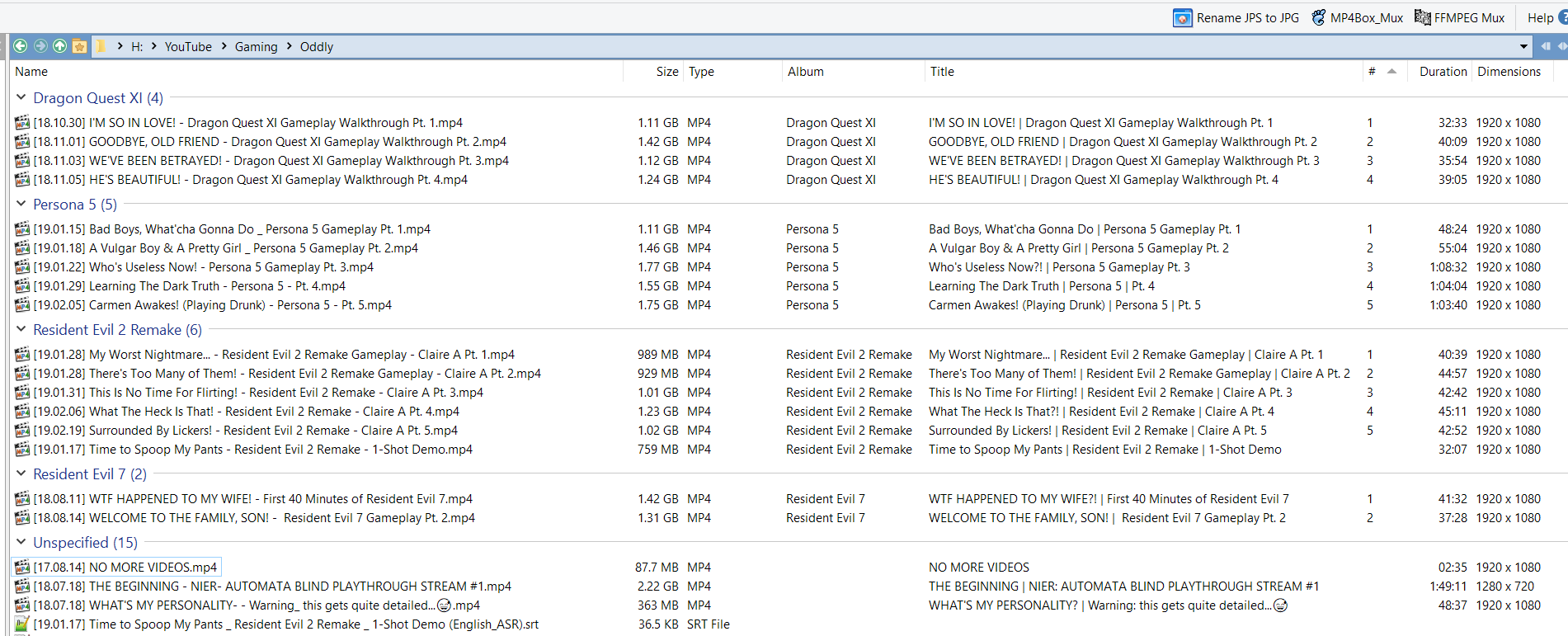
I have read through several threads that are similar to the issue I want to describe here, but not quite the same. In this situation, Directory Opus has the ability to create and display columns for my videos' metadata that I want, but inconsistent behavior prevents it from working properly.
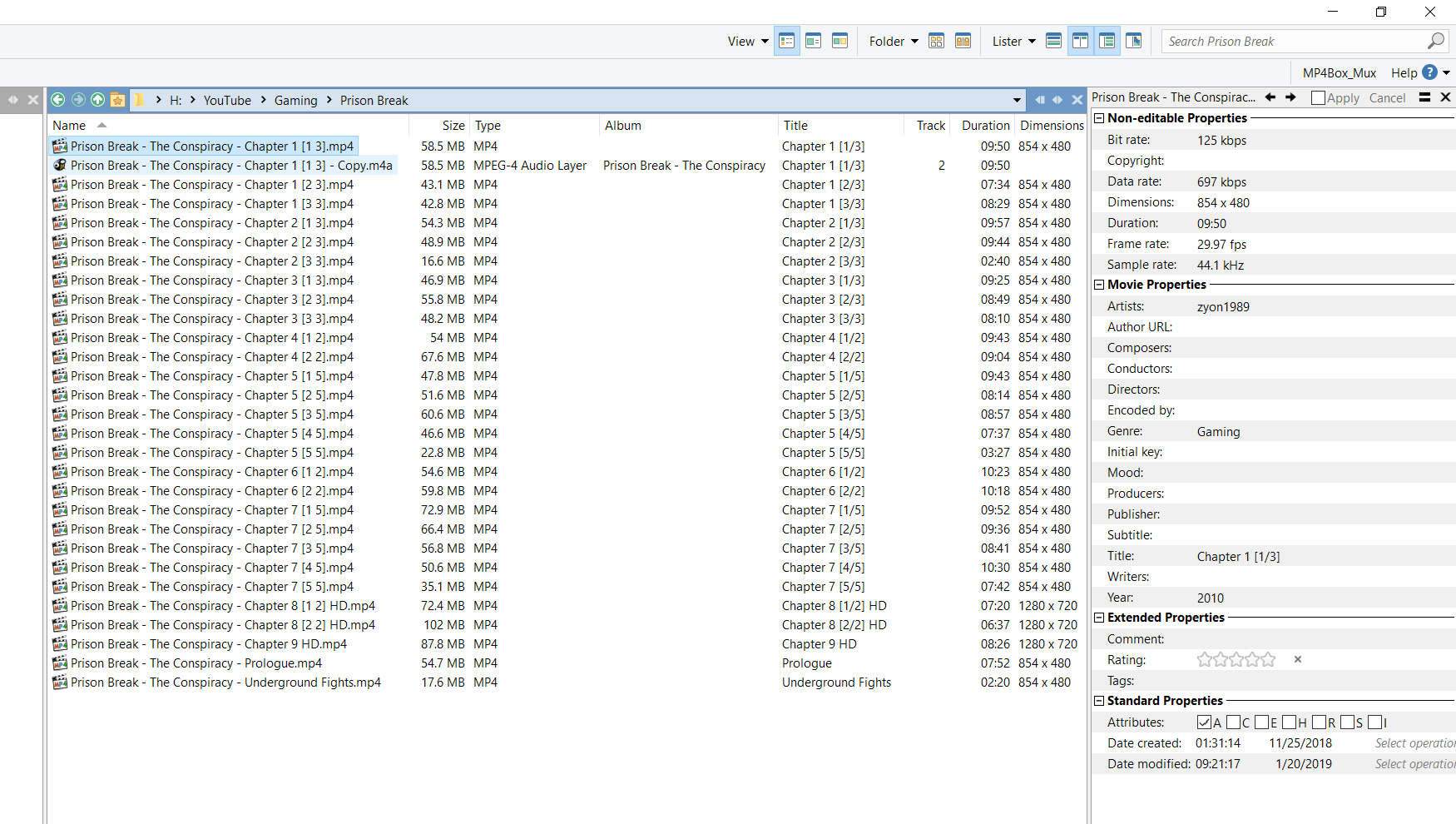
These images are from a folder with some MP4 files (and one M4A file I'll get to later) where I would like to display metadata from fields for the active columns. The columns display the metadata correctly for title, artist, duration and dimensions, but display nothing for album and track number.
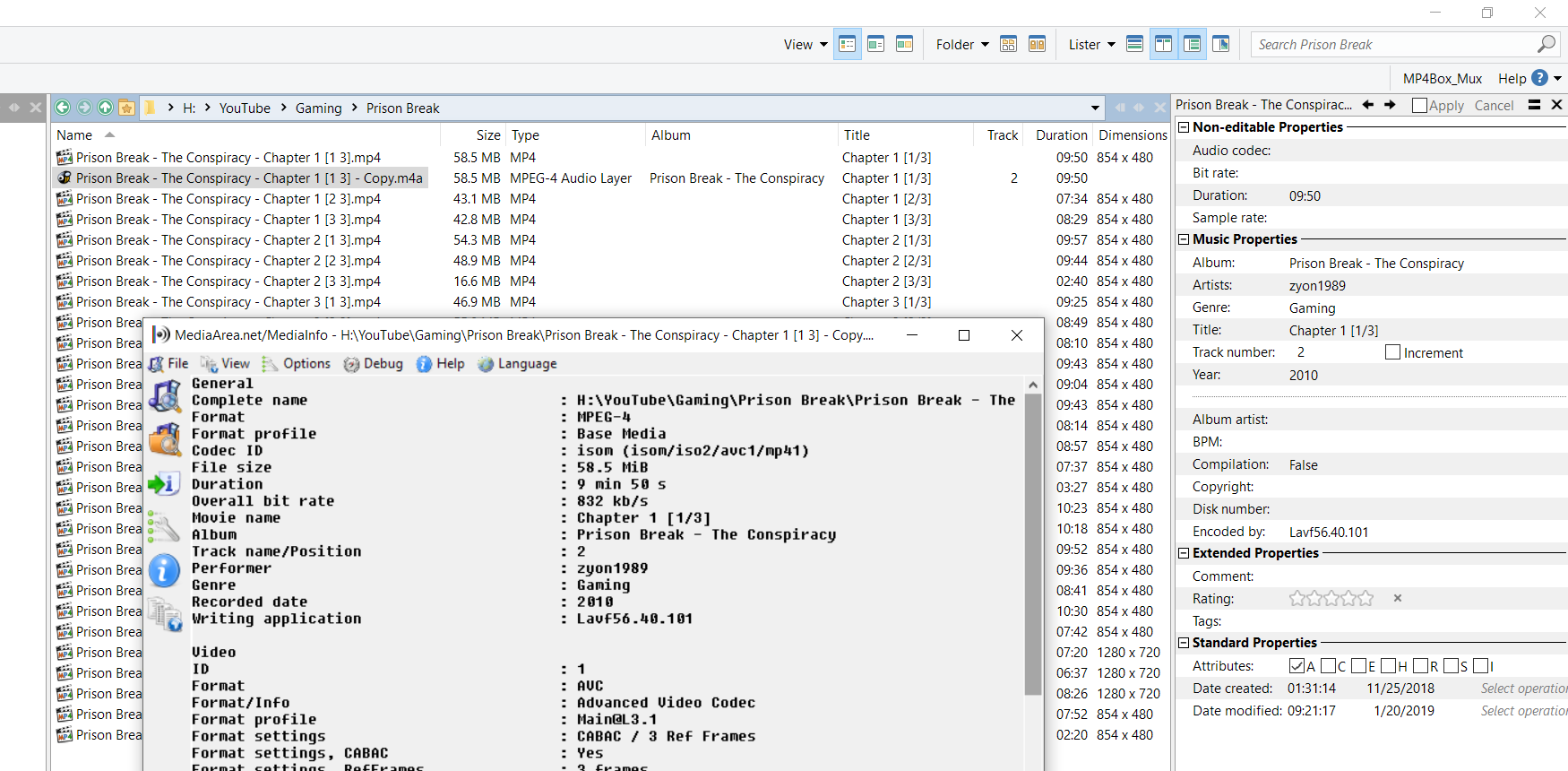
The lone M4A file is an identical copy of the first MP4 file, with only the file extension changed. For this file, the columns correctly display metadata for all except dimensions.
I think it's pretty clear what is going on here. If a column displays metadata that isn't part of a predetermined set of fields considered appropriate for a video type, such as album or track number, then this data will not be displayed for an MP4 file. The Directory Opus Metadata Pane displays grouped properties, called Movie properties or Music properties, depending on the file's extension. As far as I can tell, if the metadata pane doesn't display a field as part of those grouped properties for its media type, then that field's column doesn't get any metadata.
The fact that the missing metadata for columns associated with Audio files display correctly when a file is simply renamed to .M4A (which is the same MPEG-4 container as an MP4, just with a different extension to indicate it probably contains only an audio stream) proves that it is fully within Directory Opus' capabilities to do what I want - it's just a matter of getting the configuration right.
Directory Opus 11 gave me access to metadata for creating columns without this limitation. I've gone without it for a long time since upgrading to 12, but after digging in and trying to figure out how I might restore this freedom to my folder formats, I haven't found a solution.
Album and Track metadata are not normal for video files AFAIK.
If File Explorer has a column which shows that information for video files, an easy solution is to import that column in to Opus: Adding a new column from Shell Properties
(I don't know whether Explorer treats those tags in video files the same as Opus or not, though.)
Thanks for the reply. I'll try the method you suggested.
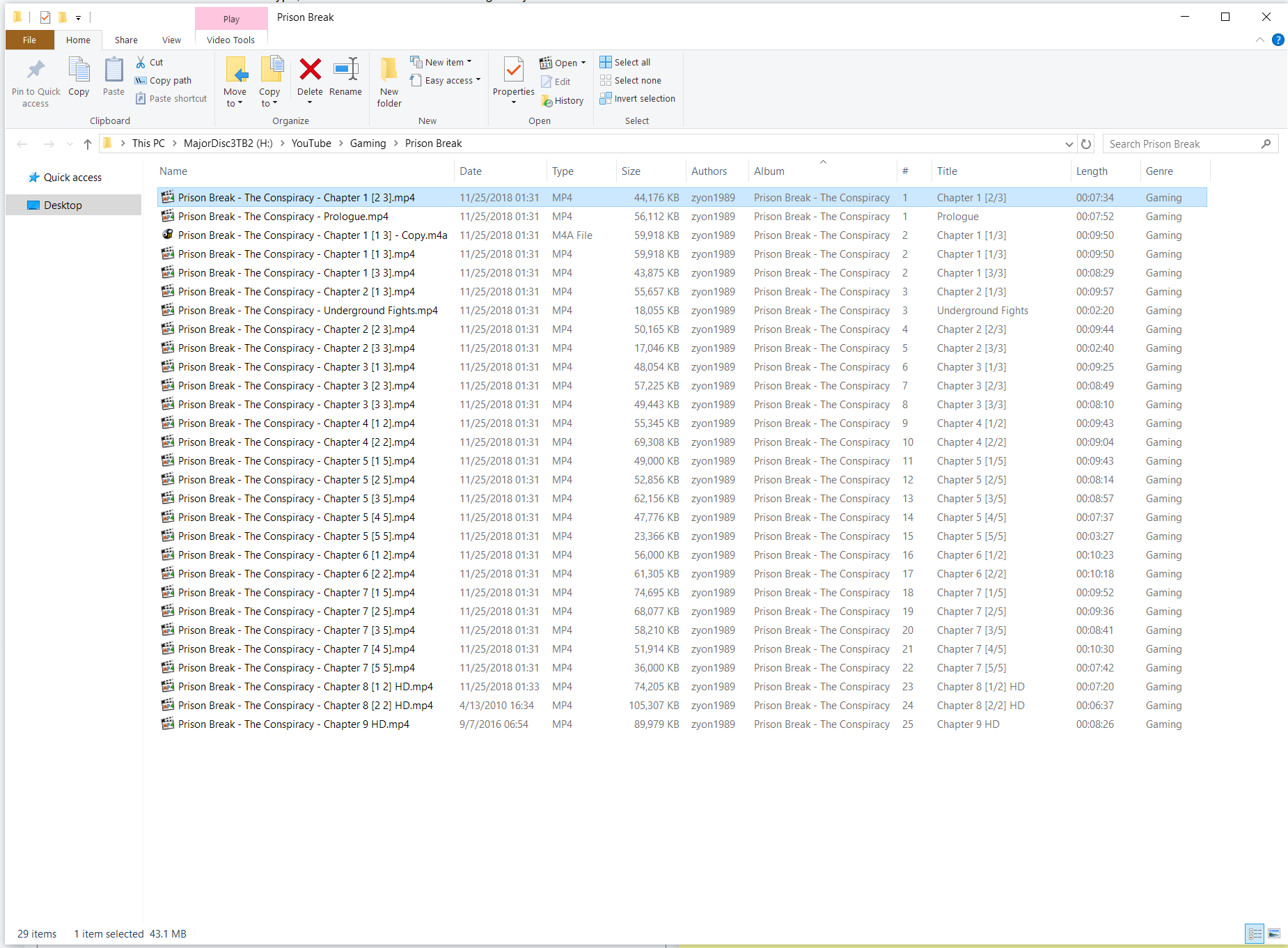
I had prepared a 3rd image for my post, but I forgot about it: the same folder but displayed in File Explorer. File Explorer correctly displays all metadata that has been correctly mapped to the associated field for each column, without prejudice based on the file type or extension. This is the behavior I'd like to have with Directory Opus.
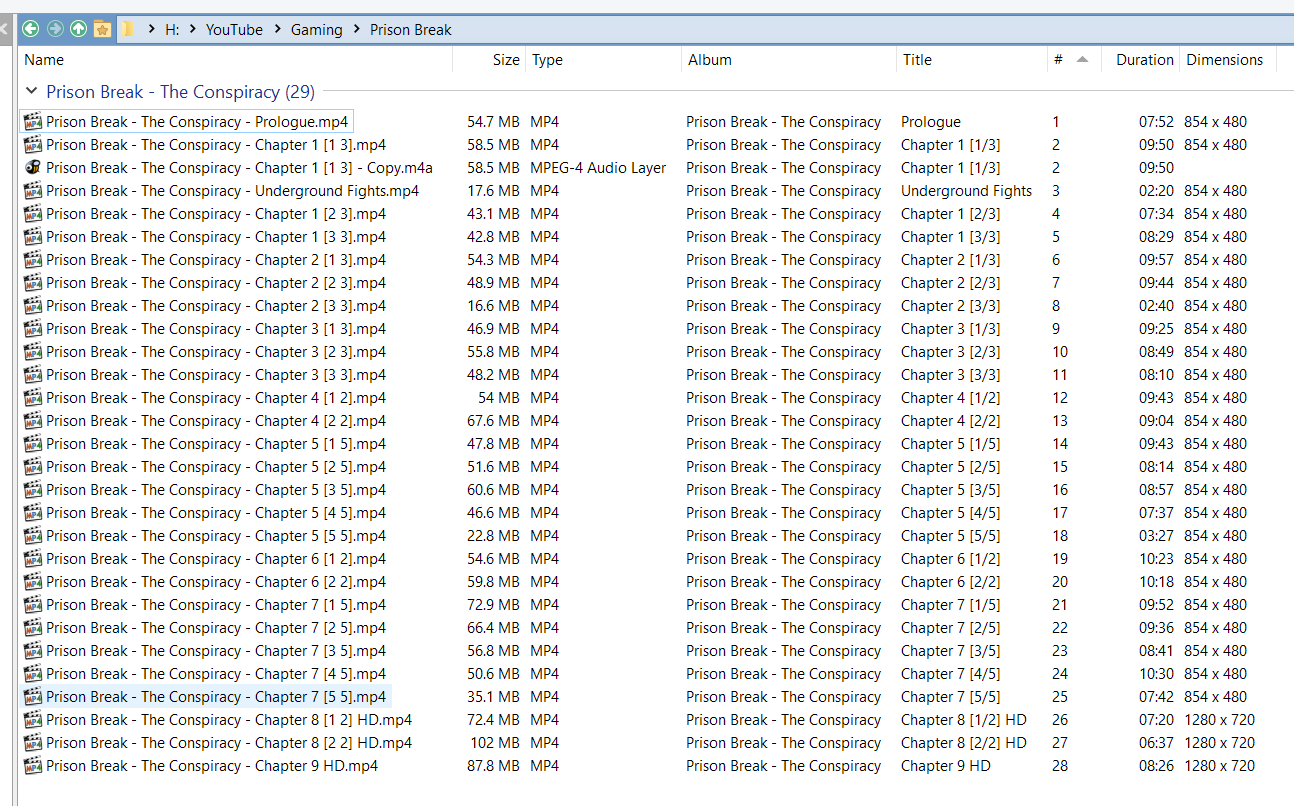
I finally got back to work on this issue, and have used Leo's suggestion to pull the metadata I want from Windows Shell and display it in Directory Opus.
I am now able to group videos by their series in a folder for a YouTube channel, which was the main reason I wanted columns for track number and album title.
This is the JavaScript script add-in I created to add track number and album columns to Directory Opus.
function OnInit(initData)
{
    initData.name = "Video Metadata Columns";
    initData.desc = "Adds columns for video files based on metadata fields DOpus does not read for 'movie files.'";
    initData.copyright = "(c) 2019 Eincrou";
    initData.version = "1.0";
    initData.default_enable = true;
    initData.min_version = "12.0";

	var props = DOpus.FSUtil.GetShellPropertyList("System.Music.(TrackNumber|AlbumTitle)", "r");
	//DOpus.Output("Properties found: " + props.count); //DEBUG

	for (i = 0; i < props.count; i++){
		var prop = props(i);
		//DOpus.Output("Display name: " + prop.display_name + " Raw name: " + prop.raw_name); //DEBUG
		var col = initData.AddColumn;
		col.name = prop.raw_name;
		col.method = "OnVideoColumn";
		col.label = prop.display_name;
		col.justify = "left";
		col.autogroup = true;
		col.userdata = prop.pkey;

	};
}
function OnVideoColumn(scriptColData)
{
	scriptColData.value = scriptColData.item.shellprop(scriptColData.userdata);
}
This will work just fine for me, but I do hope that one day the behavior of Directory Opus 11 will return, which didn't limit the metadata fields it would read and display in columns based on file extension and predefined, non-configurable presets for media types.