I’ve encountered a bug in Directory Opus when using Expand for one column and Auto for others. With cloud storage folders (in my case, OneDrive), the column width is always slightly wider than the window, causing a small horizontal scrollbar to appear. This doesn't happen with local drives or other folders, which work fine.
It seems like the issue might be related to how DO handles cloud storage folders. Since OneDrive is the only cloud storage folder on my computer, I suspect it might be causing the problem. Just wanted to bring this up in case it’s a known issue.
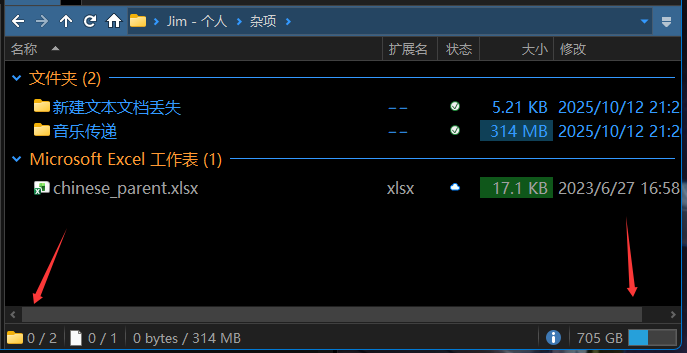
I started using DO today and updated to the latest 13.20.1 beta version.