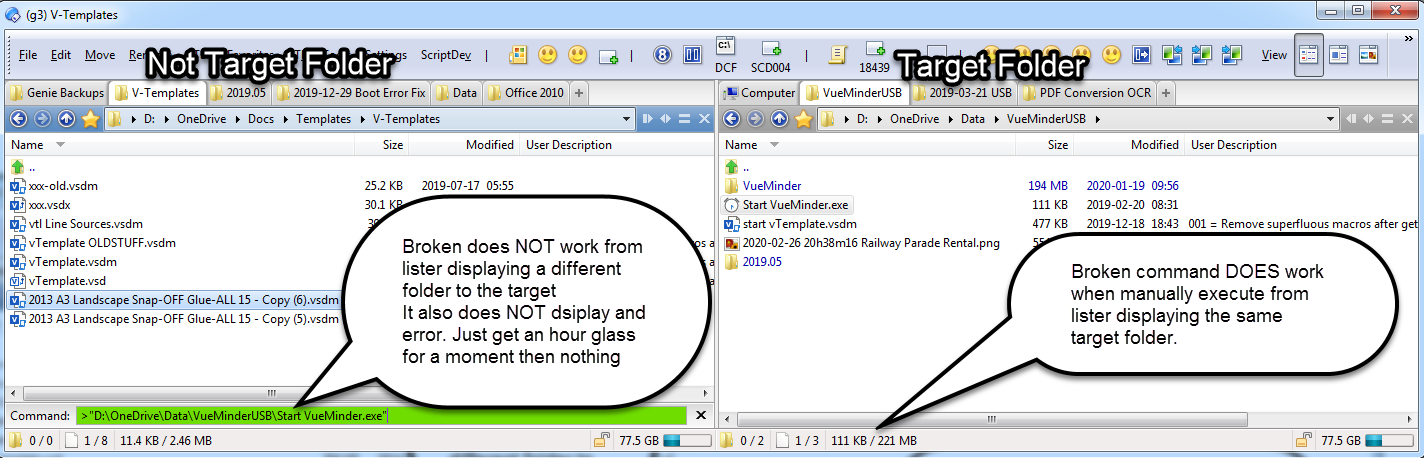
This command will not have the desired affect namely run the executable in question.
If I run the command from the CLI it also does not work i.e. below
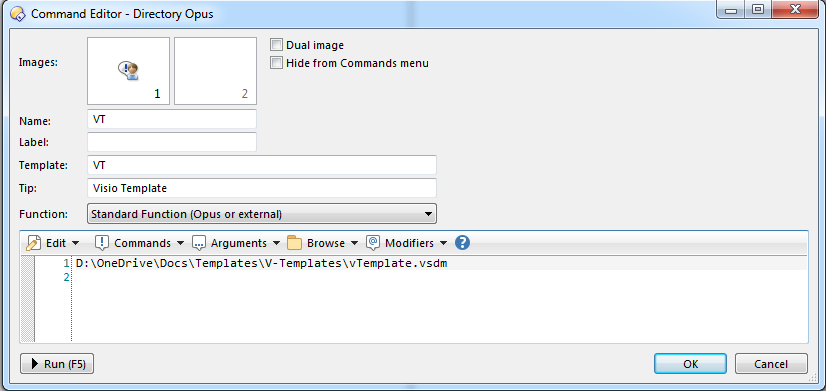
I have a working and a broken command setup to compare. Control Command Elements
Control folder = D:\OneDrive\Docs\Templates\V-Templates
Control file = vTemplate.vsdm Broken Command Elements:
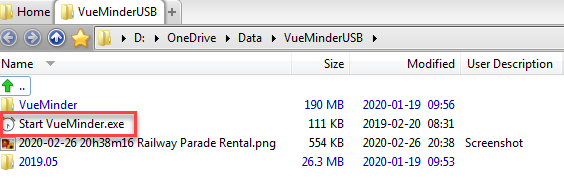
Broken Folder = D:\OneDrive\Data\VueMinderUSB
Broken file = Start VueMinder.exe
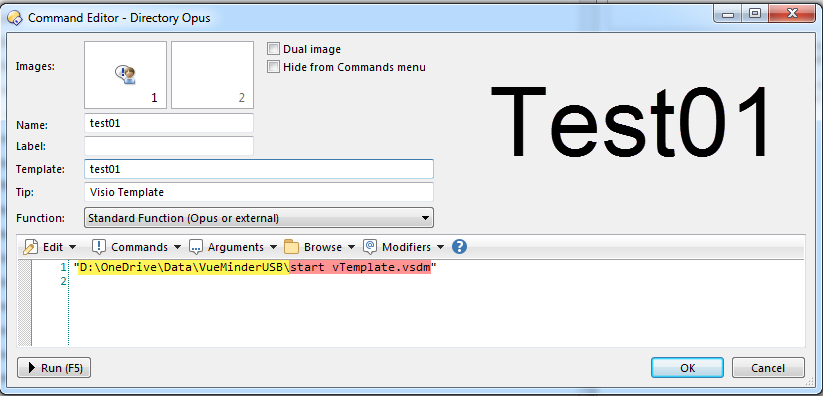
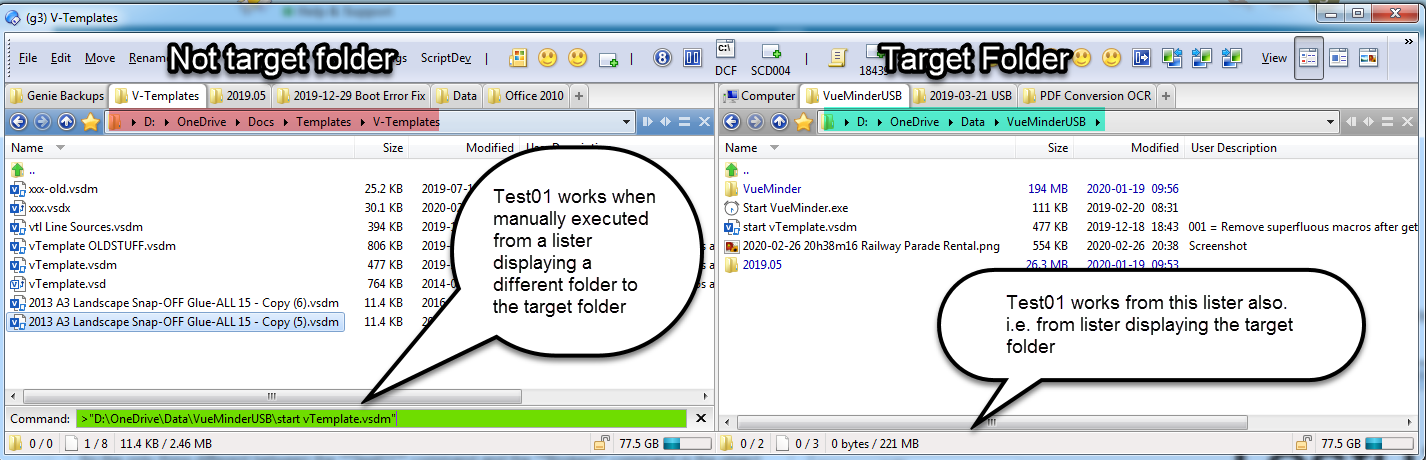
Test01 (This test works)
I made a copy of the control file so the file name has a space in it just like the broken file.
Call this file part of test01 command
I put a test01 file into the broken location.
So the only thing different between the Test01 command and the Broken command is the object file itself.
As mentioned Test01 works fine
Actually I am thinking there is not much anyone can do about this.
I have a calendar app (Vueminder) running from a portable installation and I a now thinking that the "Start Vueminder.exe" looks in a subfolder and runs the executable proper for whatever reason.
Unless the command is run from the target lister the "Start Vueminder.exe" cannot find the subfolder to run whatever else it needs to run.
I cannot find anything in the opus command setup dialog to tell opus to launch the executable within a certain target folder.
I would have thought the FQN would have taken care of that.
No....?
Any command much appreciated as always.....
If the program needs its current directory to be set to the folder it's in, then you can do that by adding a cd command before the line that launches the program. e.g.
cd C:\Users\slouw\OneDrive\Data\VueMinderUSB
C:\Users\slouw\OneDrive\Data\VueMinderUSB\Start VueMinder.exe