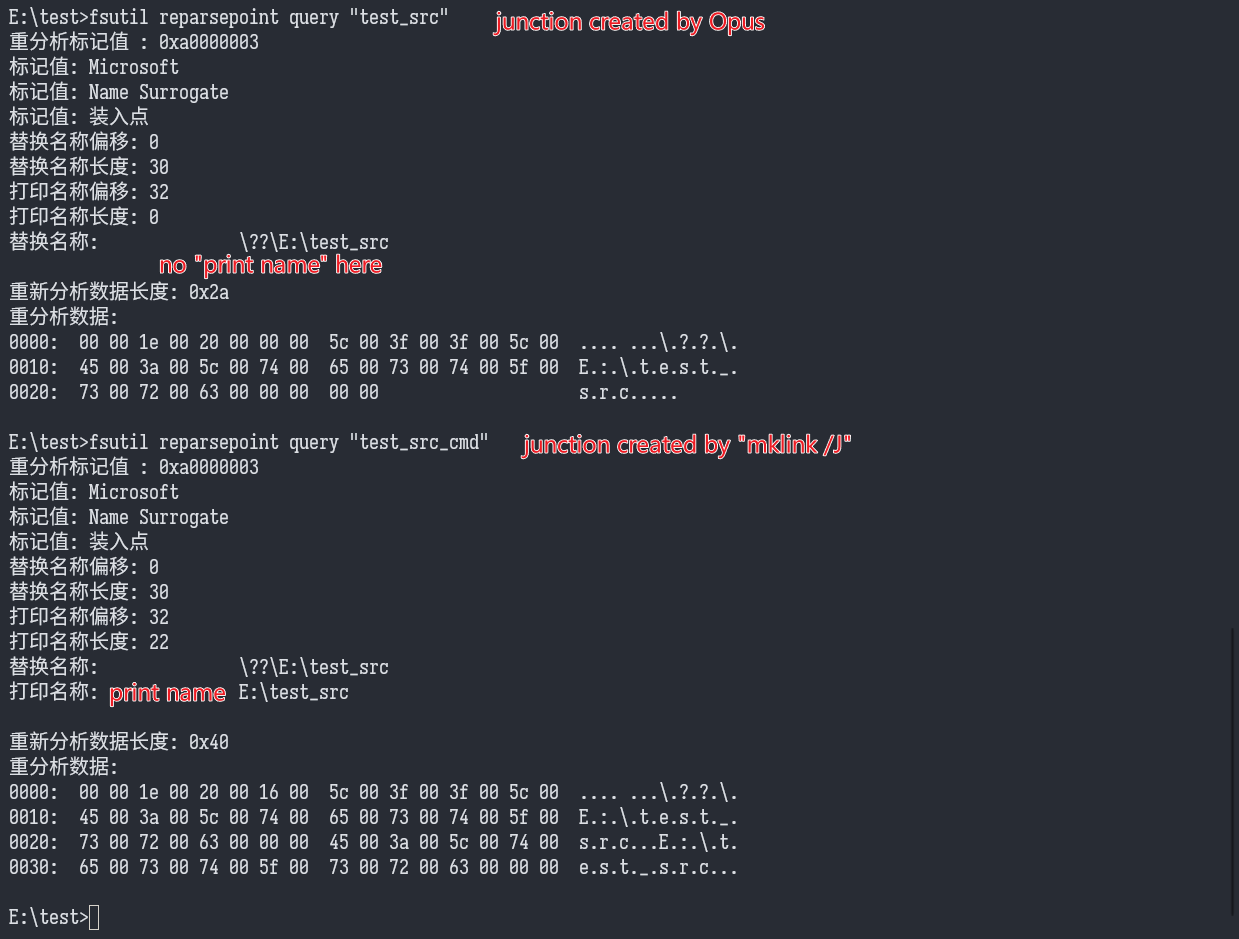
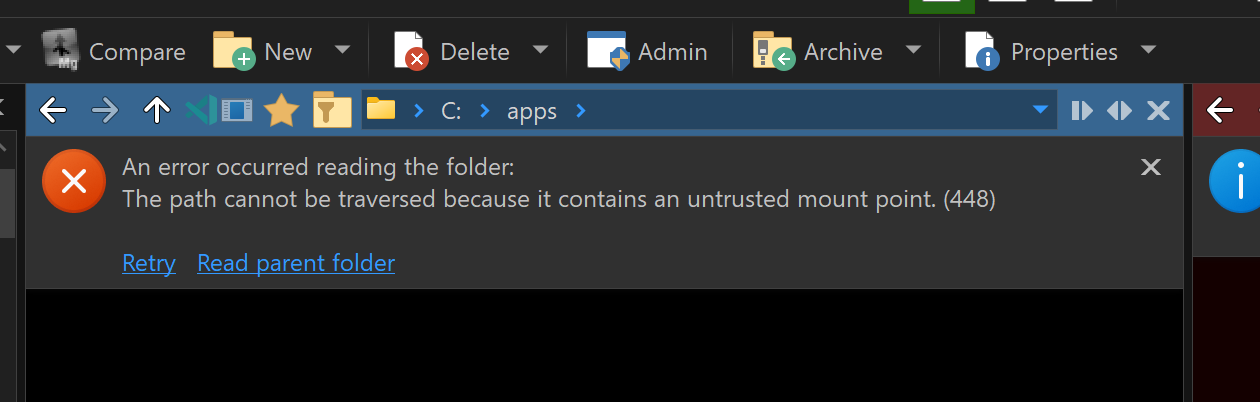
I would like to report a possible compatibility issue with junctions created by Directory Opus.
In my environment, junctions created by Directory Opus always have a \??\ prefix in their target path. For example, dir /al shows:
<JUNCTION> 计算机组成原理 [\??\F:\book\计算机\计算机组成原理]
This junction used to work normally, but recently it can no longer be accessed by a reading application running with normal user privileges. The same application can access it when running as administrator.
The error message is:
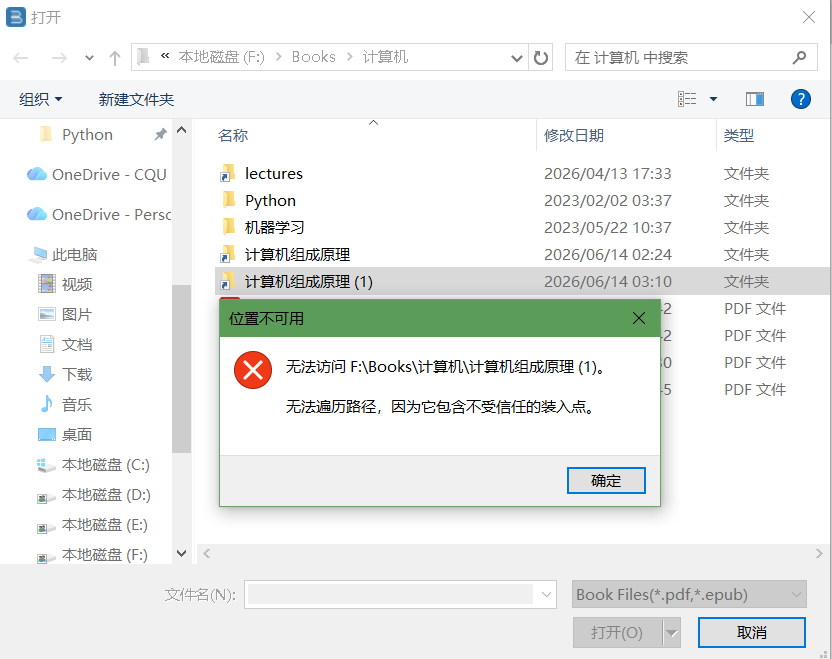
The meaning of the Chinese error text in the screenshot is:
Cannot access F:\Books\计算机\计算机组成原理.

The path cannot be traversed because it contains an untrusted mount point.
For comparison, if I manually create the junction from the command line:
mklink /J "F:\Books\计算机\计算机组成原理" "F:\book\计算机\计算机组成原理"
then dir /al shows the target as:
<JUNCTION> 计算机组成原理 [F:\book\计算机\计算机组成原理]
This command-line-created junction does not have the \??\ prefix, and the same reading application can access it normally without administrator privileges.
I also noticed that directory symbolic links created by Directory Opus do not show this \??\ prefix. The prefix appears only on junctions created by Directory Opus.
Therefore, this issue seems to be related to the target path format used by Directory Opus when creating junctions. Junctions with the \??\ prefix may now be treated by some normal-privilege applications or Windows security checks as “untrusted mount points”.
I am not sure whether this started happening after a recent Windows update, because these junctions used to work normally before.
My environment:
latest updated Windows 10 22H2 x64, zh-CN
Directory Opus 13.22.11 (Beta) Build 9476 x64
OS 10.0 (B:19045 P:2 T:1) SP 0.0
Could you please check the way Directory Opus creates junctions, especially the difference compared with junctions created by mklink /J?