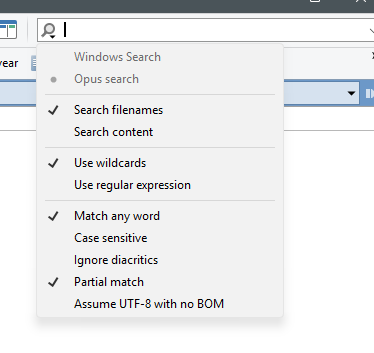
I'm new to Directory Opus (still trialling). I need to search in large folders, ideally returning results in order of relevance (as Windows Explorer does quite well). I've tried lots of different options, but I either get too many results or none, both in Windows and Opus search. The drop-down in Opus allows for more functionality, and I can search in filenames only, but when I tried to search for 2 separate words in a filename (which may not be adjacent), even though I think I'm ticking the required boxes, the results I'm getting aren't correct. For example, in Opus search if I search for two words in the file name (these may not be adjacent), if I tick only Search filename and 'match any word', I don't get only results with both words in the name (and too many files in the result). And if I untick 'match any word', I don't get anything (0 results), even though there are several files in the folder that include both words in the filename. What I ideally need is a search that returns results in filenames only, including only files that include all the terms, but not necessarily adjacently, and ideally prioritised for relevance as in Windows Explorer searches. Any solutions?
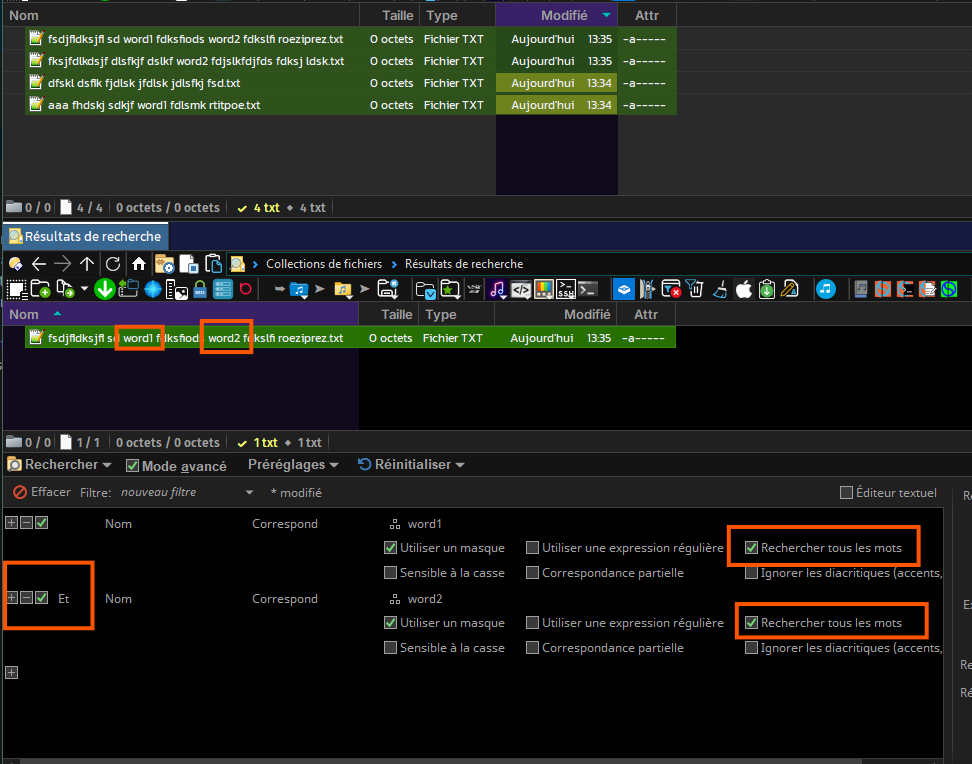
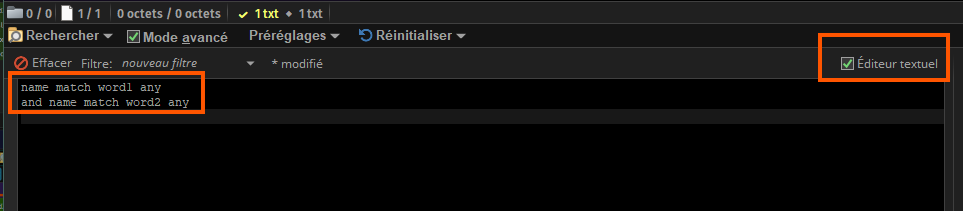
Tools - Find Files or Ctrl+F.

OK. I've found the 'find' function, and I can see it's programmable via the 'advanced mode', but I need to do this multiple times a day, quickly and instantly. In Windows Explorer the search bar just worked. It automatically prioritised file names, automatically understood that if I search for 2 words both needed to be present but didn't need to be adjacent. It was intuitive, and what you're suggesting will take several minutes and is not accessible via a quick click n type option.
Try the Windows Search mode if that's what you're used to. From your screenshot, you have it set to Opus Search instead.
Opus Search can also do what you want, but the syntax will be slightly different.
Thanks again. But if I use the Windows search, I don't get the Windows Explorer functionality (esp. the ranking). It just returns all or nothing as discussed in my original post. So this is definitely a 'wish' from me - for DO to include ranking in search results.
Results are sorted by whichever column(s) you sort them by.
If you want them sorted differently, you’ll need to explain how you want them sorted. “By relevance” or “by rank” doesn’t actually tell us what you want. How is relevance defined?
This is a very good question, one that WE does well (despite all its other, multiple limitations). First of all (I think) it looks to see whether the terms are in the title or content, prioritising title, and prioritises those results where frequencies are higher (either in title - first, or content - second). But even here, just something that automatically searches for all terms entered but not as a string (unless in quotes) would improve on the current, rather clunky defaults on both Opus and Explorer (when it is the search choice in Opus). This would, if implemented, make Opus even more perfect! 
I believe he may be referring to this: Understanding relevance values - Win32 apps | Microsoft Learn
We'll surface the relevance value for Windows Search results in the next beta (it's been on the list for a long time and the work was actually half done already).