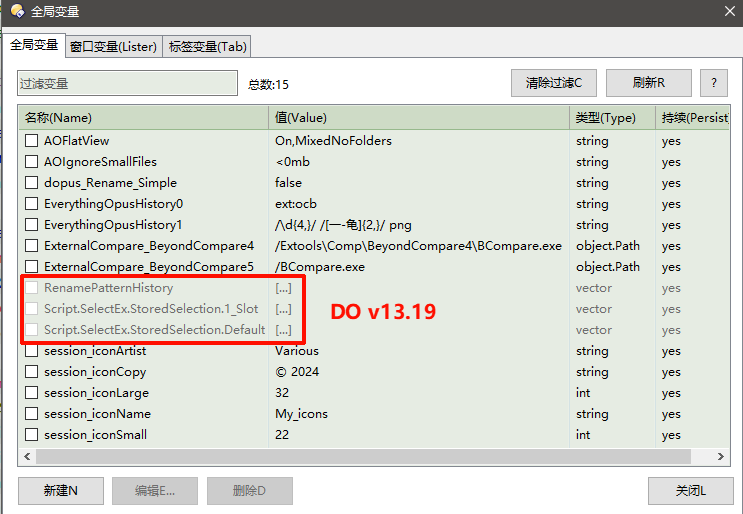
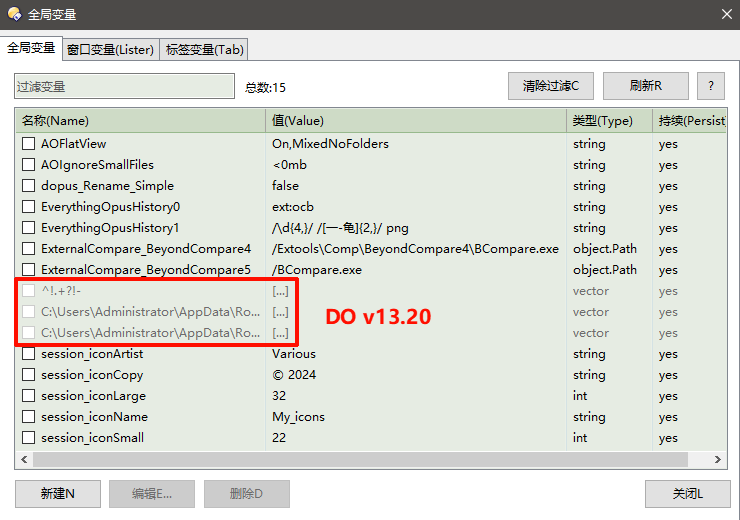
var i= listVarCtrl.AddItem(strName);
        var dlgListItem = listVarCtrl.GetItemAt(i);
then, dlgListItem.name is not Script.SelectEx.StoredSelection.1_Slot,
dlgListItem.name is the fiist item in the object.Vector (as I guess).
so we can not use listVarCtrl.GetItemByName(strName)
I think the bug is more on your script/code than on Opus. It is kind of a gray area, but I lean more toward your script.
(I have not seen your fix code, but based on the example here)
That is because when you enumerate your object.Vars,eVars.item() is an object of type object.Var.
Since a certain Opus version, Control.AddItem() accepts vectors as parameters to fill multiple columns at once.
When you use Control.AddItem(eVars.item()), and eVars.item() translates to a Vector, Opus interprets it as if you are passing a Vector (here you could argue whether this should behave like that or not). But the correct thing here is to ALWAYS send a string. In this case, eVars.item().name.
On a side note, as advice, since your data is only for display, the most practical thing would be to create an object (eg. a Vector) with all the values you are going to show in the ListView just once, instead of generating it every time you filter the list. This way you avoid these issues and your dialog becomes faster when filtering/filling data.
If we are talking about some quirks in the scripting API, the issue would be here, instead of in AddItem(). According the manual, when enumerating a Vars object, the default value for eVars.item() should be the variable name.