I am using Dopus v13.16. I would like to copy a folder and replace symlinks with their targets - just like the --copy-link option for rsync. Ultimately, what I would like is another entry on the "Copy Files" button. How can I do this?
Thanks!
Phil
Here is a small screenshot of my "Copy Files" button:
If you want to copy symlinks as symlinks, it gets a lot more complicated, as you might want them to be relative, or absolute (and if they started out as relative, they may need adjusting... unless you're also copying the thing they point to as part of the same operation, e.g. in a parallel sub-folder to the one with the symlinks).
That's too complex and esoteric for a GUI file manager, I think. Command line tools are probably best for the (exceptionally rare) cases where you need something like that.
You can set up Opus buttons to run those tools on the selected paths from within Opus, of course. I used to have a button which ran RoboCopy to do a special type of copy, although I got rid of it after not using it for about 15 years.
I do not have in mind all of the complexities you point out. I am thinking of something incredibly simple - that does the same thing that a linux cp command does, which is copy the links as they are.
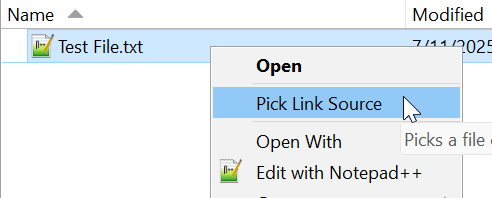
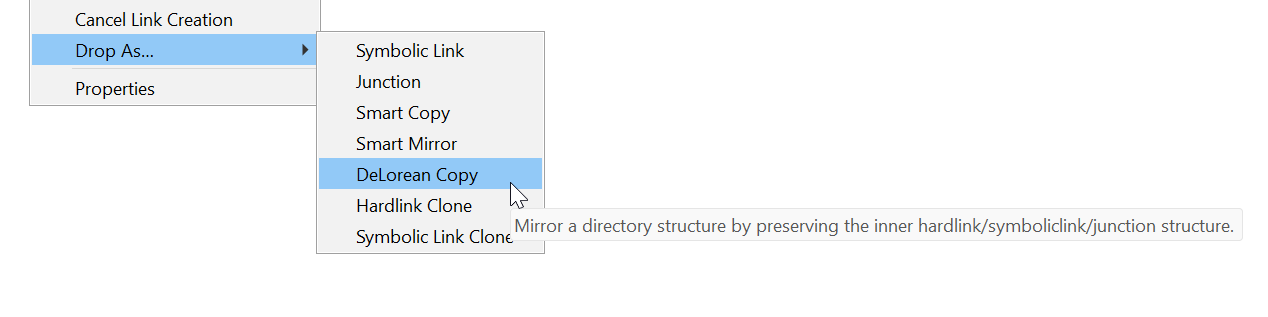
There is the "Link Shell Extension" which I've used for years, it seems to be able to do what you want. It lets you create symlinks and stuff via the context menu.
Thanks for the tip. It would be good if dopus included some of the capabilities - at least the one which is a straightforward copy of the links that are present.