Test 1 – the Copy button:
Command: Copy "E:\New Folder\Book1.xlsx" HERE COPYFILETIMES=none WHENEXISTS=rename
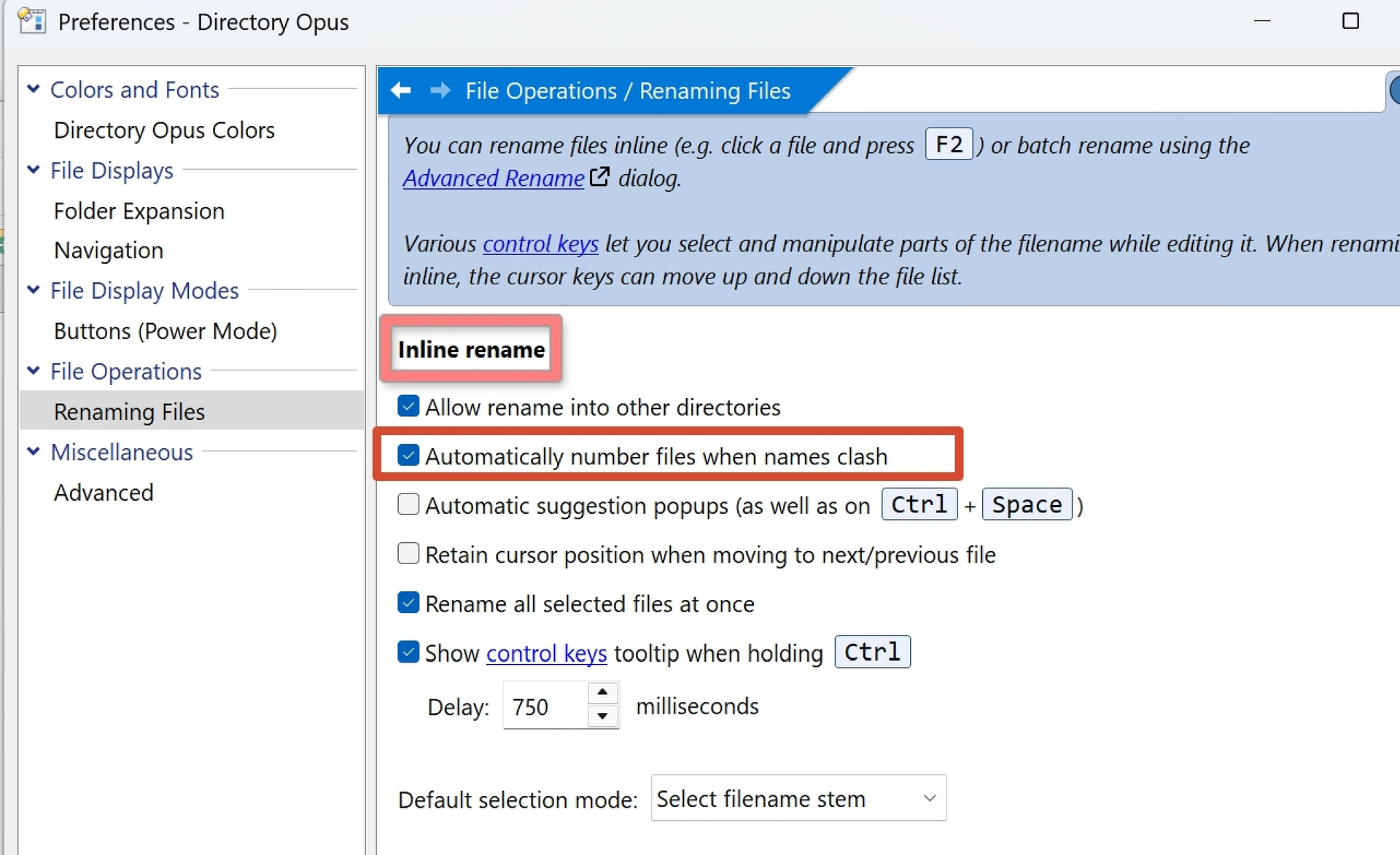
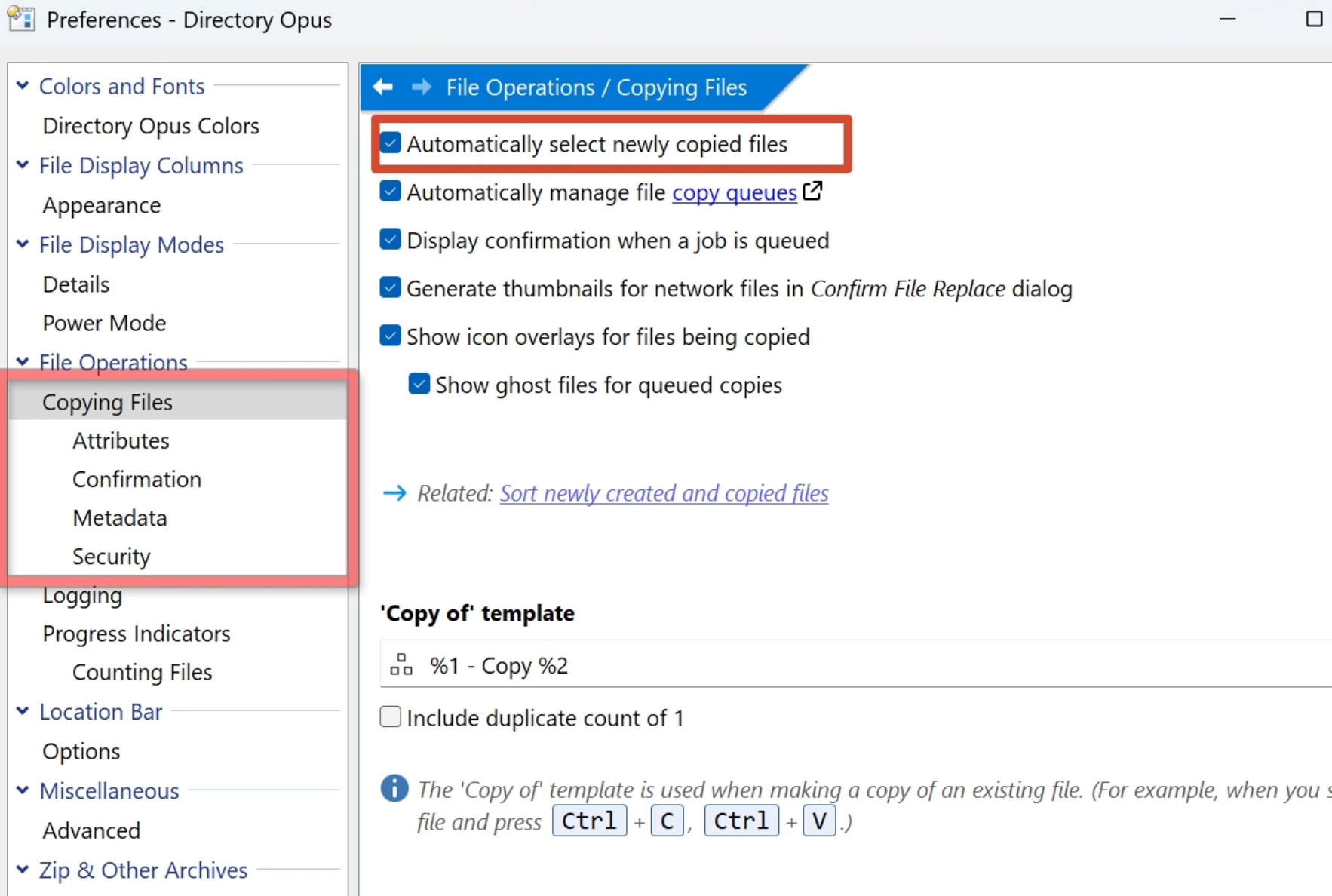
Result: The newly copied file is correctly selected.
Test 2 – the Copy-Rename button:
Command:
Copy "E:\New Folder\Book1.xlsx" HERE COPYFILETIMES=none WHENEXISTS=rename
Rename INLINE
Result: Error – The command starts inline rename on the currently focused file (not the new one) , then copies the new file afterward and selects it. The order seems reversed.
Result: Works perfectly – the new file is selected and enters inline rename.
Test 4 – JScript button (Copy-Sleep-Rename)
function OnClick(clickData) {
    var cmd = clickData.func.command;
    cmd.RunCommand('Copy "E:\\New Folder\\Book1.xlsx" HERE COPYFILETIMES=none WHENEXISTS=rename');
    //DOpus.Delay(100);
    cmd.RunCommand('Rename INLINE');
}
Result: Works fine, even with the delay commented out.
The question:
Why does the direct two‑command button (Test 2) fail, while the script (Test 4) – which runs the same commands in the same order – succeeds?
Is Test 2 failing simply because inline rename executes faster than the copy operation? But if that's the case, why does inserting an explicit Select (Test 3) fix the issue?
Best guess is it's a race between the two commands.
FWIW, those two buttons do not do the exact same thing. The first has two commands run at the same time, when the script is running two command one after the other. EDIT: The RunCommand() method is synchronous, meaning, your script follows execution only when the first command is fully executed (which is why the Delay has no effect)
If you want to test what would be the script version of your button, code should look like:
function OnClick(clickData) {
    var cmd = clickData.func.command;
    cmd.AddLine('Copy "E:\\New Folder\\Book1.xlsx" HERE COPYFILETIMES=none WHENEXISTS=rename');
    cmd.AddLine('Rename INLINE');
    cmd.Run();

}
So I think it's a race between the first command that is launched (copy), and before it ends its execution, you move on to the next command which is a rename inline that occurs on what is still the selected files (the ones you initially selected before running the button).
For your use case, what I would do:
If you're always copying only 1 file, use your Test3 button (you can protect it so it only enables when exactly 1 file is selected).
If you know you might act on several files and/or folders:
Use a small script
First, with clickData.func.command, enable clickData.func.command.logchanges = true;
Do the copy (RunCommand as in your example)
Get clickData.func.command.results and parse it to look for the proper FileChange.action (you might need to test what's the content of that collection when you have files, folders, existing destination files/folders, etc ...)
Create a new command, and for everything that is a newly created file (or folder), add it to this new command (AddFile),
Then .RunCommand with your inline rename command
EDIT2: After a quick test, solution 2 might be overkill since Rename INLINE can only rename one item at a time, so button 3 should be the best solution.
If you really want to have multiple files/folders copied then selected to know which ones you want to rename, then, just use your script button with AUTOSELECT=yes at the end of the copy command, that should ensure every copied item is selected (whatever the preference settings).
Thanks. But let me explain what this button is actually for: I'm trying to use it as a replacement for the "New" button (without relying on the registry or any system templates),
So I want it to work like the normal "new file" behavior—triggering inline rename, not a pop-up dialog.
Anyway, thanks everyone—I've got a working solution now.