I have sent a crash report with the ID 632 that occurred in the latest (current) version 13.8.6 beta.
Thanks 
I have sent a crash report with the ID 632 that occurred in the latest (current) version 13.8.6 beta.
Thanks
It might help Opus devs if you give some context about what was going on/what you were doing when the crash occured.
This crash occurred on startup when loading all my tabs' metadata—specifically, MKV column information. I have noticed that, over time, Opus has struggled to populate all fields' data relating to bitrates, dimensions, etc. I have over 34,000 videos, which take ages (a few hours) to repopulate after a restart, but only repopulate fully if uninterrupted—i.e., not having any additional files added while the columns' metadata is being populated. I wish such information could appear almost instantly, as you get when searching for terms in Everything.
Opus is nothing like Everything. Everything has a service that monitors changes in files on NTFS drives in real-time and stores that information in a database to provide quick access when necessary (other file systems can be handled but not as much in real-time).
Opus is a file manager (consumer-grade) but it might not be the best suited tool for a workflow that requires scanning tens of thousands of files (or their metadata) everytime it starts up.
Such an operation will definitely take time and induce high load on the implicated drives.
IMHO, if you really need to access 34 000 video files metadata instantly, a file manager is not the best option and some dedicated tool or even "information system" would probably be better.
I would advise either to rethink file organization (or at least the way you access them, since they do not seem to live all in the same "place", as you're mentioning several tabs), or to look for third party tools that do store metadata information in a database for quick access (probably oriented to video files).
Since I don't know much about your context and workflow, this might be more or less easy to do ...
I'm no Everything expert, but the new alpha version seems to allow some metadata indexing. Maybe, when it's out of alpha, Opus will be able to integrate with that feature.
While I know it can be slow, what other application can display MKV video metadata in columns, including the correct date fields? I don’t of any. Do you? Can Everything?
1.5a can at least to some extent.
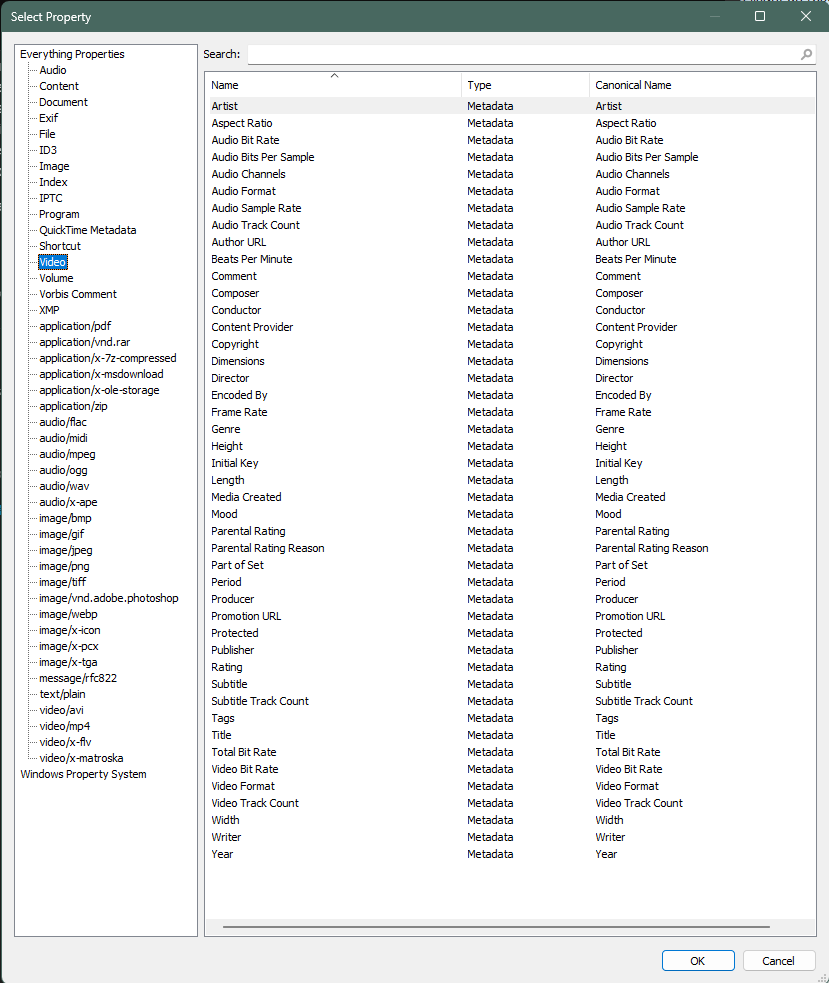
In the options, you can go to "Properties" and select amongst a bunch of them the ones you want to be indexed. I did use it to index tags as I use them in some places to tag folders, and I have a script that can request Everything to retrieve all tagged folders in a directory and apply labels accordingly.
Thanks. I checked that a while ago, and I know Everything does not include the most reliable date field for photos: EXIF DateTimeOriginal.
Because of that, I doubt Everything would include video date fields, except perhaps Encoded date (the most common one).
The whole point of a file manager is that it should be able to present the aforementioned metadata visually so I can see immediately key information I have selected without having to search in a database etc. requiring more steps. I am not aware of any other software that could remotely come close to how it's currently displayed in Opus. The only issue is how long it takes to populate the columns. The whole point of each file having such data stored within it means it should be able to be displayed quickly; otherwise, what's the point of having such metadata in the first place? This is just a current programming issue, I feel, that can be overcome in future to address my point.
???
I think you're talking about a DOM software rather than a proper file manager.
Without getting into pointless debates, the situation here is that with that particular need, using a database becomes a must-have (and that database has to be loaded into RAM for fast access, which also comes with a processing cost if the database is huge). There are some multimedia-focused programs that do exactly that to get quick access to data. A file manager doesn't need that, that's the difference.
When your needs are very specific, you have to rely on specialized solutions. A file manager is something much broader in scope, IMHO.
Perhaps. Thanks for the feedback.
This crash has been happening constantly on my system lately, with no further dumps being saved for upload. It occurs when disk space is very low (under 1GB) and, before I'm able to free up any, Opus force shuts down. Free space becomes reduced without me writing anything to disk for some unknown reason and I'm usually unable to free up further space to prevent force closures from happening unless I act swiftly. My operating system is Windows 11 Pro, Build 27971.1 (Canary Beta-Testing Channel). The problem seems to stop once free space is above a couple of GBs again.
Did your drive show in the drive tree (on the left) ?
I don't have my drive tree displayed in Opus because I want to use as much screen estate as possible. Now I have freed up some space, the crashes stop.