Yeah, if you adapt standard colors you definitely sometimes run into surprises. I had the same problem in another context recently. There's little we can do to anticipate this, except for a little warning not to make a panic-call to your optician, but rather check if you didn't adapt some default color scheme.
Both are drawn by Windows using system colors, which we let you override.
Grid lines are drawn in this color:
Preferences / Colors and Fonts / Windows Colors / [System Colors] Controls: Background
The listview background uses this color:
Preferences / Colors and Fonts / Windows Colors / [System Colors] Window contents: Background
Those should be slightly different or a few things won't look right.
We'll add a Listview (grid) example to the Theme Tester to help people check the grid lines are visible with their settings.
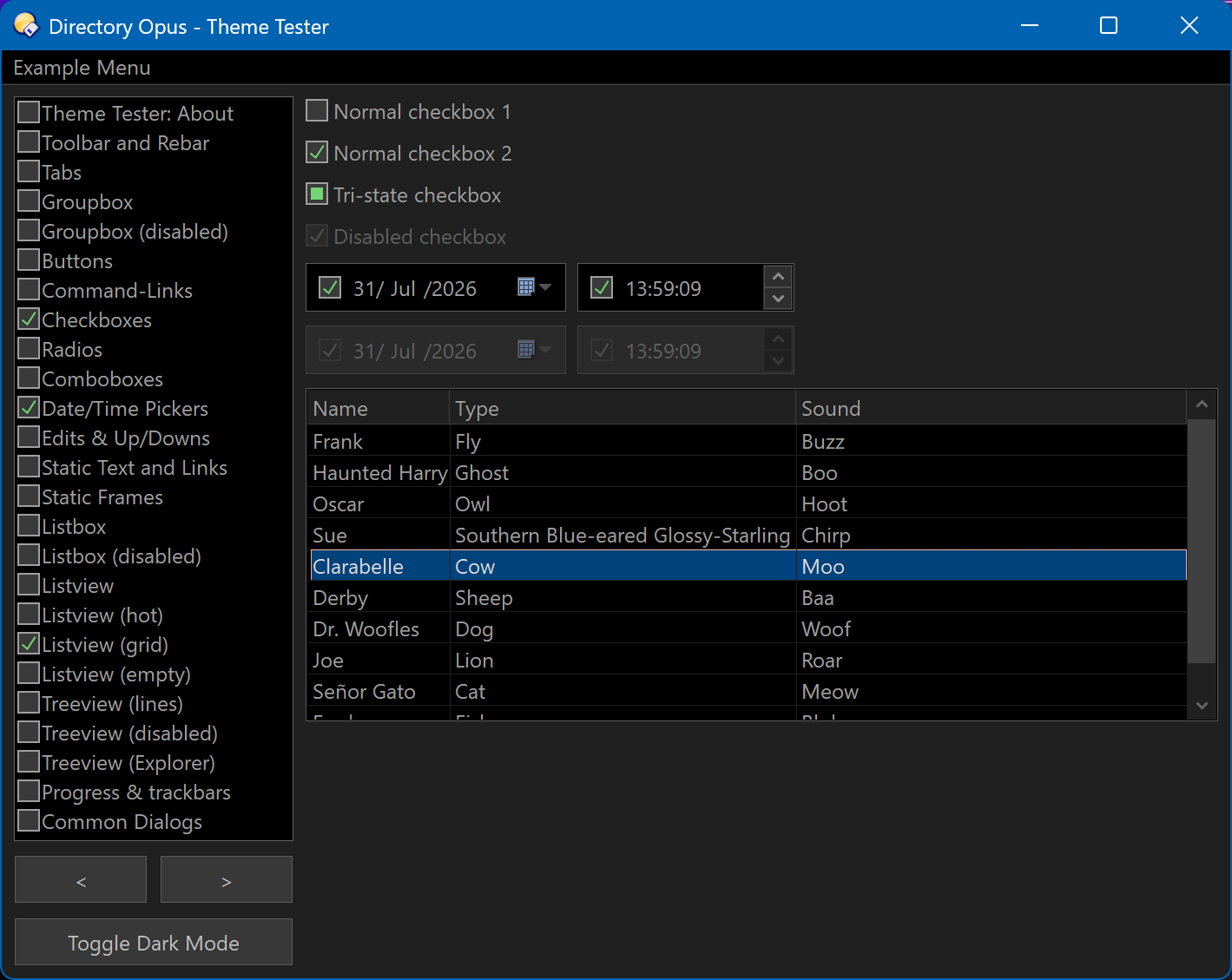
(They always look worse in screenshots due to the thin lines getting lost when browsers scale the image.)
1 Like
Trivia: Not necessarily. Solution is to keep the width of your screenshots within +- 625 pixels. Most screen capture tools have an option to show hight and width of your selection area while you're selecting.
My screen is high DPI. Every screenshot on the forum is either doubled in size or scaled to the width of a post (depending on if it's wider or not), no matter what I do. 
To view images with 1:1 pixels, I have to save them and open them in something else.
1 Like
How can I access this configuration?
EDIT: I found it! Sorry
1 Like
Is the plugin supposed to work on Windows 7?
I copied
DirectoryOpus-CSV-viewer-plugin.dll
to
C:\Program Files\GPSoftware\Directory Opus\Viewers
restarted DOpus, and there is no sign of its existence in program.
No entry in Preferences / Viewer / Plugins
and Viewer Pane displays CSV file using the Text Plugin.
Sorry, on Windows 7 it doesn't work. Reason: the latest Visual Studio toolchain no longer supports Windows 7.
I haven't specifically excluded Windows 7. I only test on the oldest Windows that is still supported by Microsoft (Windows 10 IOT).
1 Like