When using Windows 10 64-bit, the custom user command I created: "Create New RTF File" was working fine. N ow with Windows 11 for Workstations 64-bit it no longer functions. When I click on it, nothing at all happens.

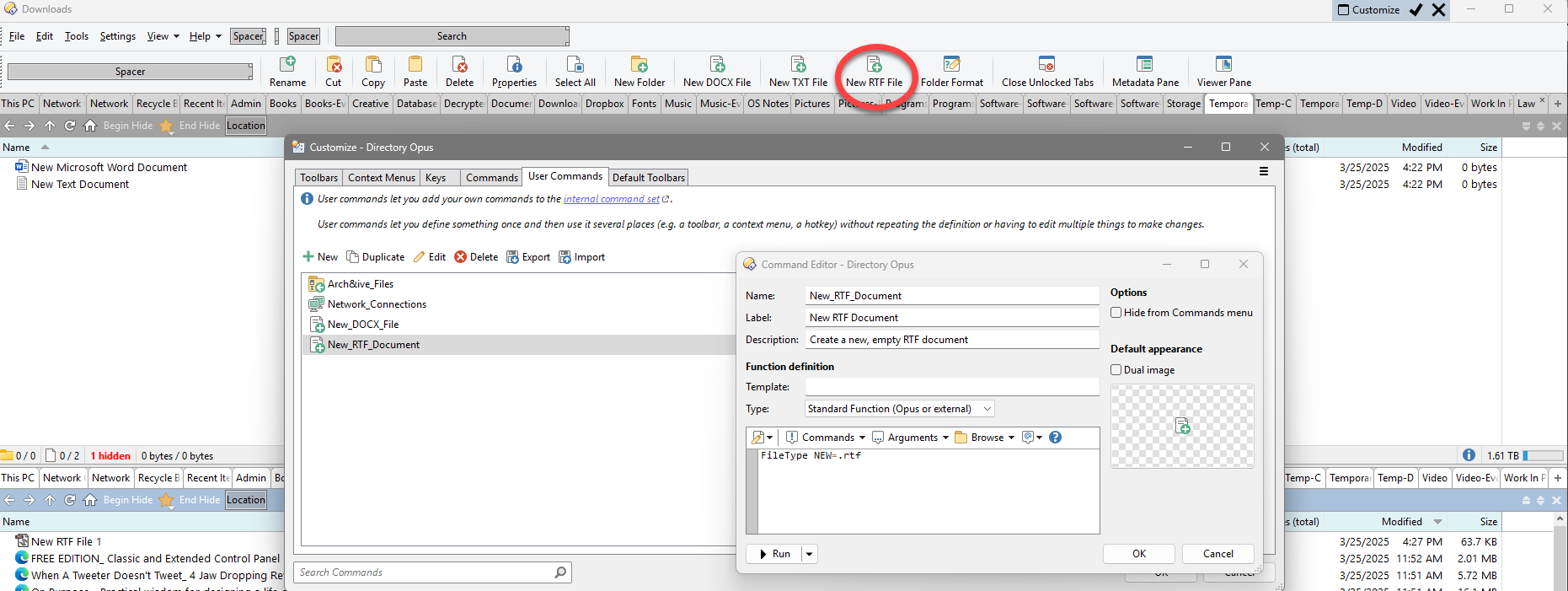
Does your machine have a .RTF file type registered? Have a look in Settings / File Types - if it's not shown there, there's no file type so Opus doesn't have any information to create the file with.
Yes it does have .RTF file type registered.
If you right-click the background of a folder and then on the "New" sub-menu, does the option for RTF exist there and work?
If that's missing or not working, is it the same in File Explorer? (If it's missing in both, we can probably still fix it, but that tells us where to look.)
I actually just made this post a few days ago about how to solve this sort of issue which might help 
1 Like
It looks like Office no longer registers a "ShellNew" handler for RTF files.
No, File > New > RTF is missing from Dopus and File Explorer as well.
So the question is does a new .rtf file need to contain any sort of structure or is an empty file OK?
If the latter, FileType NEW=.txt NEWNAME="New Rich Text Document.rtf" or similar should work.
Are you intending to open the rtf files with Word?
If so I'm pretty sure you can just create an empty file with a .rtf extension and that will work.
Like this:
@nofilenamequoting
Filetype NEW=.txt NEWNAME="New RTF Document.rtf"
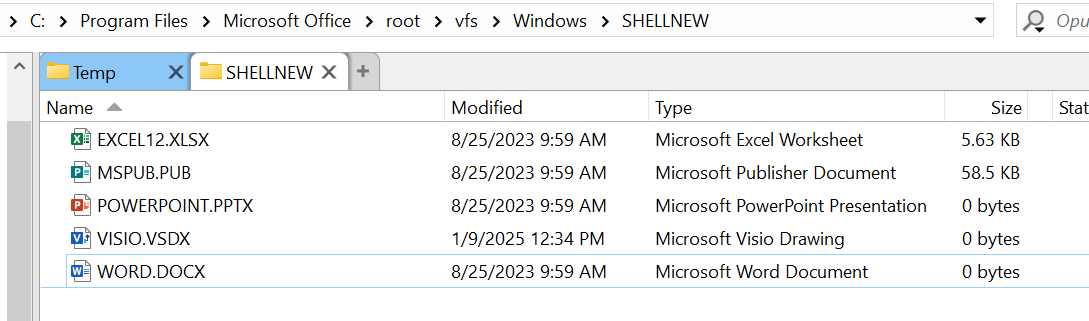
For documents like .docx and .pptx, MS Office just creates literally empty 0-byte files with those extensions, then if you open them up and actually save them then it writes all the actual stuff to it.
There's even a directory with what I think are the 'template' files for each type and you can see some of them are empty. And if you create a .docx file with right click new, it's 0 bytes as well.
A new .rtf made on Windows 10 is 7 bytes with these contents (ASCII): {\rtf1} (no end of line or other data after that).
If an empty file works with the editor you're using then the examples above are easier, and there's no reason not to use them.
But if you need a "proper" empty RTF file, you could make a button which copies the template over. Or even set up the registry details to add the New handler which Office no longer creates. (Presumably to encourage people to use .docx because they are shameless these days.  )
)
Yes it worked:
Filetype NEW=.txt NEWNAME="New RTF Document.rtf"
Creates an empty RTF file.
Thank you all for your help in this I appreciate it!
Ah I figured out why they took it out. I opened up a virtual machine running Windows 10 to see what the original registration was and it referenced Wordpad which they removed from Windows recently. And the default name of the rtf type in the registry was rtffile which also was opened by Wordpad.
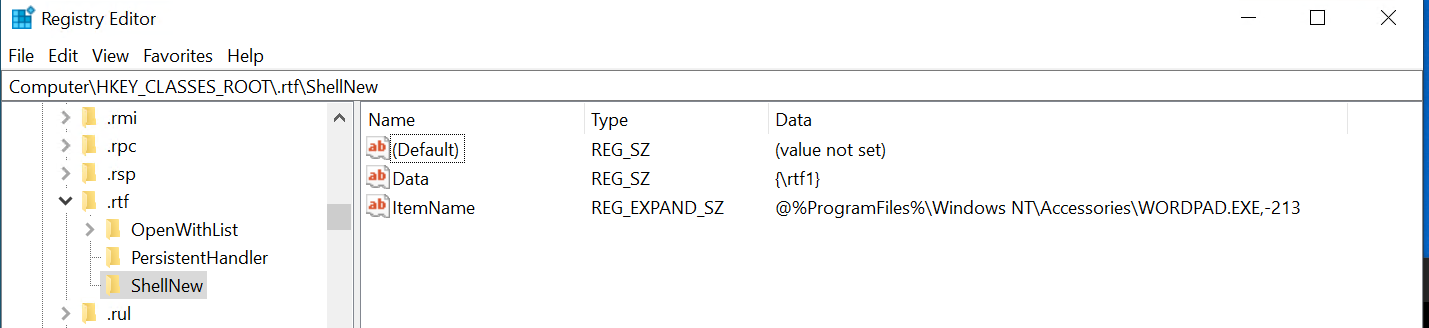
This reg file should put back the RTF filetype into the 'New' file context menu even in regular Windows explorer, and make the usual command work in Opus. It will make it so new Rtf files have the exact same raw contents as the default from Windows 10 (which you can see is just a few characters: {\rtf1}
Just remove the .txt extension and run it.
Add_RTF.reg.txt (268 Bytes)
2 Likes
Another good solution. Thanks!