@poletouche Did you also enable the "Show accent color on title bars..." option?
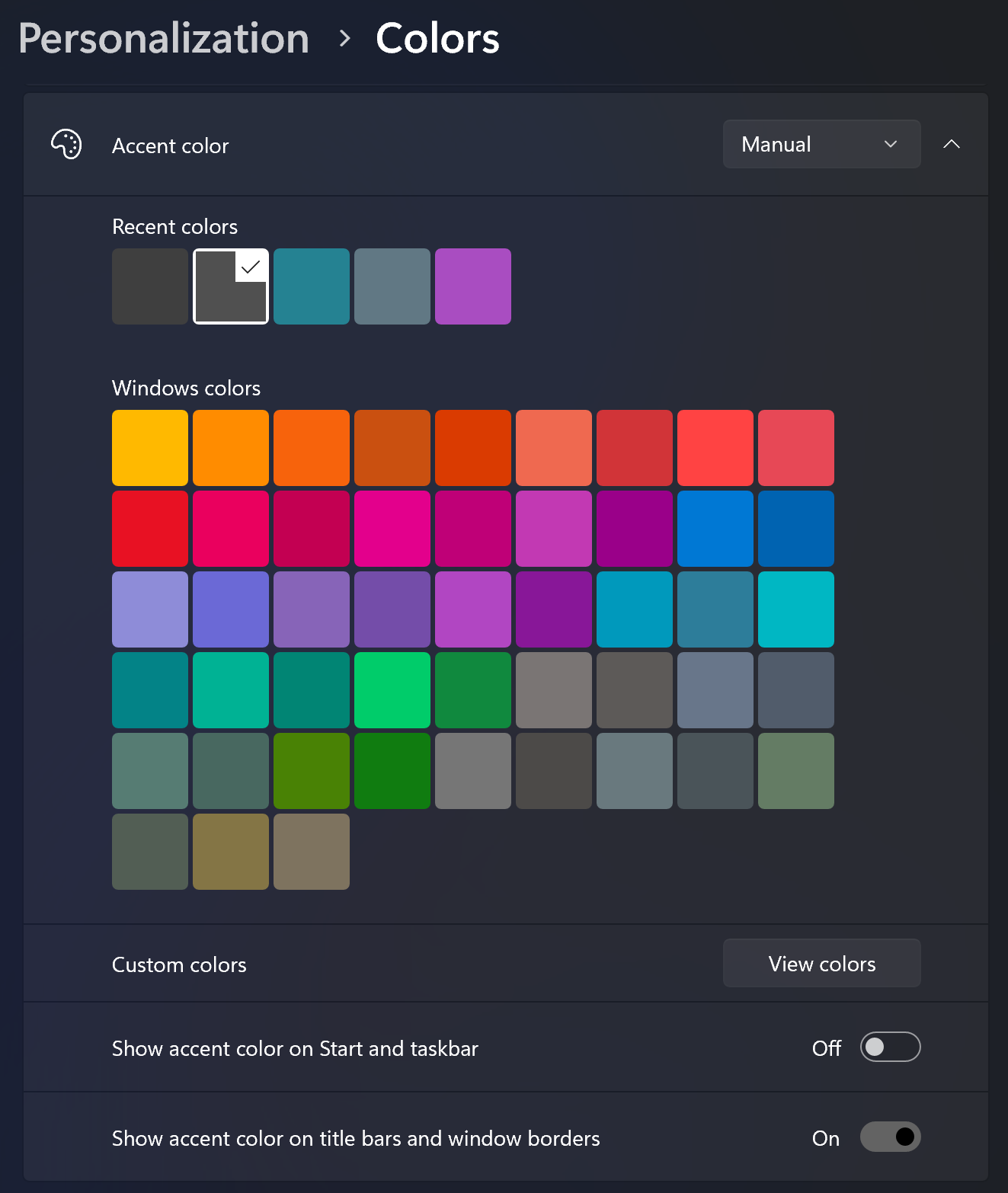
Also note that the selected color only applies to active windows. As far as I can tell, the inactive color is determined by Windows (i.e., the theme you choose).
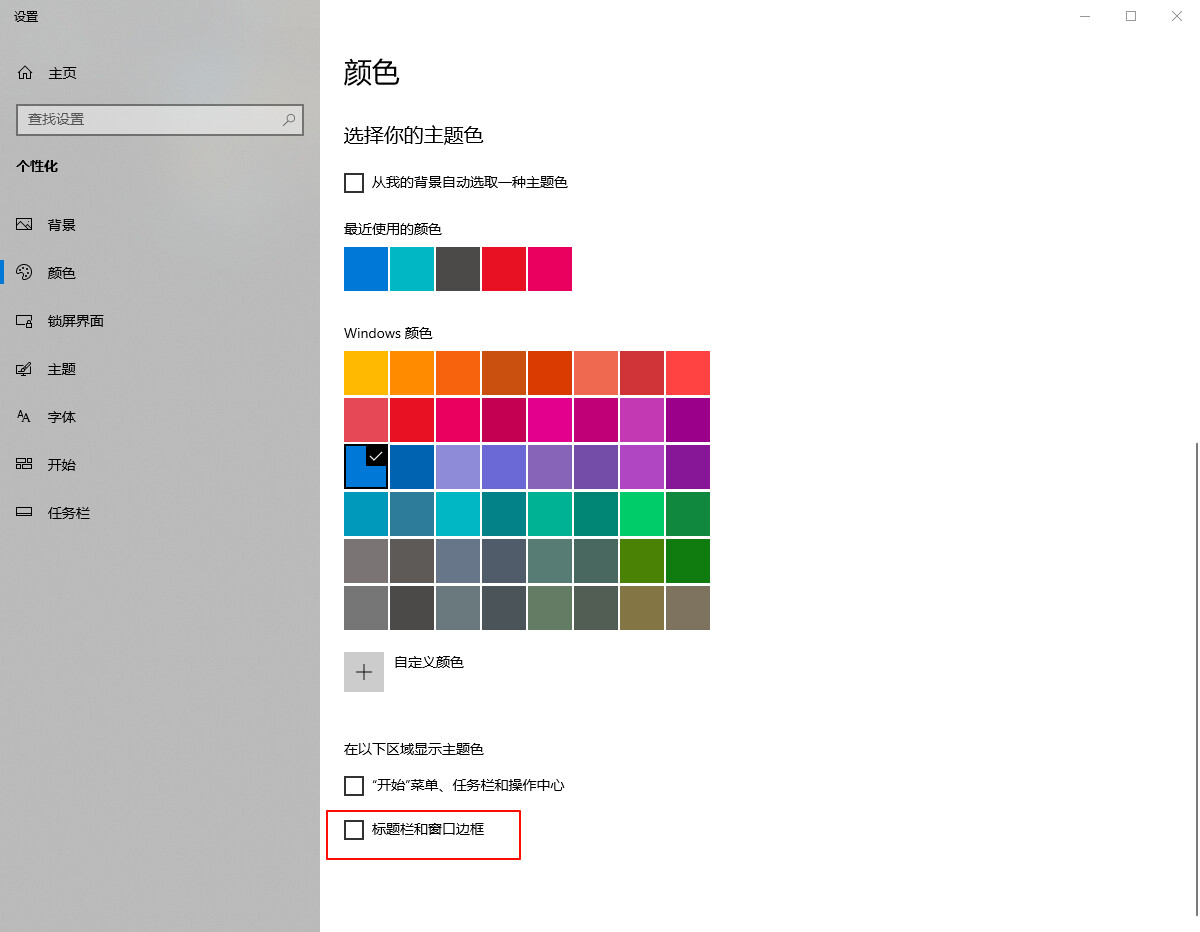
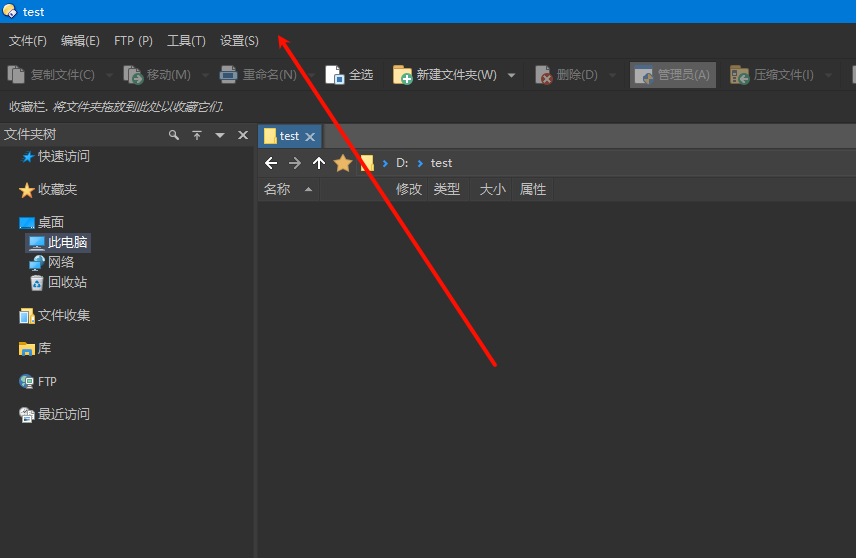
I'm sure it's not the color of Windows, because when I turn on this option, the titlebar will display blue, and when I turn it off, it will be black
1 Like
It's blue because you have blue selected above the checkbox in your screenshot.
1 Like
This is beautiful. This is my favorite. This should be the default lister that comes with the program. Wow.
1 Like
Thanks very much for the kind words. Glad you like the theme. You've inspired me to post an updated version — just minor tweaks here and there, plus a few additional colours (e.g., file labels).
Dark Blue.dlt (304.5 KB)
1 Like
Nice! Thanks again!
1 Like
Thank you for this amazing theme! This is also my favorite.
Please do keep working on it whenever you have the time.
Thanks again!
1 Like
Thanks very much, @Releno; I'm glad you like the theme. 
I just installed/updated my own theme on my laptop and it appears as though File Labels are not saved as part of a theme. Is that correct? Personally, I think they should be. Is there a reason why they're not? Thanks.
To be honest, despite the hundreds of hours spent trying to tweak things, I still don't know how to check if what you're saying is true. 
1 Like
Different users may have completely different labels defined in their configs. It wouldn't really make sense for them to be part of themes.
1 Like
@Leo Sounds good. Thanks so much for the response/confirmation.
Merry Christmas. 

1 Like
In case anyone is interested, here are the label colours I use with this theme:
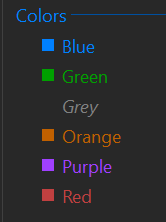
Extract the "colorgroups.oxc" file and copy to your "/dopusdata/ConfigFiles" folder:
colorgroups.zip (801 Bytes)
1 Like
Thanks!