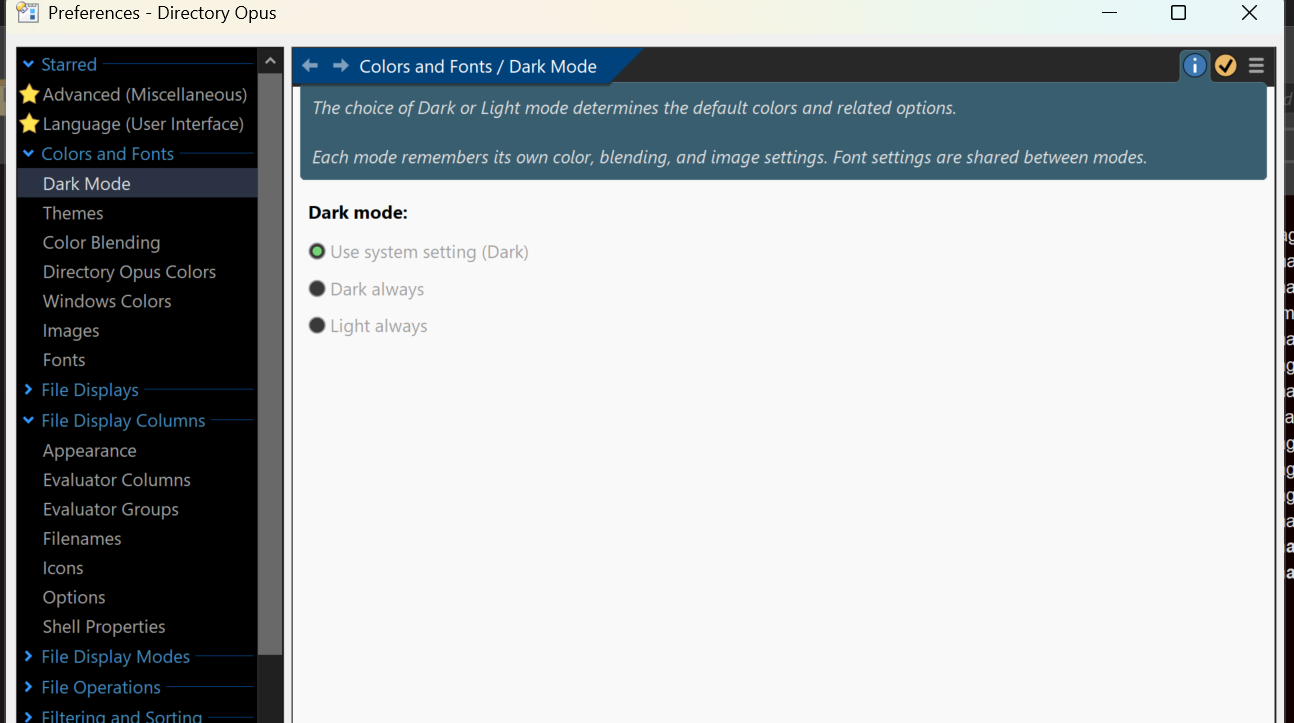
Dark mode is not working everywhere on Surface Pro. For instance Preferences looks like:
Directory Opus 13.13 Build 9161 x64
OS 10.0 (B:26120 P:2 T:1) SP 0.0
Dark mode is not working everywhere on Surface Pro. For instance Preferences looks like:
Directory Opus 13.13 Build 9161 x64
OS 10.0 (B:26120 P:2 T:1) SP 0.0
It's due to a deficiency in Microsoft's x64 emulation when running on ARM CPUs.
A native ARM build is probably required for it to work, but we don't have an ETA on that, largely due to lack of suitable hardware to test on.
I think I've called out on this before. Can I send you a Surface Pro to test this or is it really low on the req list?
The req list flaw is on the platform provider side (Windows on ARM), not on Directory Opus maker side (GPSoftware).
This also applies to the lack of suitable hardware.
To avoid irritation, I would suggest that GPSoftware change the system requirement statement in the Download section from
Supported on 64-bit versions of Windows 7, 8, 10 and 11.
to
Supported on 64-bit versions of Windows 7, 8, 10 and 11. ARM is not supported.
until the flaw is fixed (primarily by the platform provider!).
Note that doesn't say that it does not run on ARM (in emulation mode). It just says that it isn't supported on ARM, so it's on the risk of the user.
This is according to the statement in the Microsoft Visual Studio 2019 System Requirements:
Visual Studio 2019 will install and run on the following operating systems (64 bit recommended; ARM is not supported):
Visual Studio 2019 is not the latest version, but is still offered by Microsoft for Download (latest version with 32-bit and Windows 7 support).
Regards
Guido
JPEG developer
Done quickly! 
Supported on x64 versions of Windows 7, 8, 10 and 11.
Please note: ARM is not currently supported.
That would certainly make it happen sooner, but I also couldn't guarantee when we'd be able to return the device at the moment. There's some other work we need to finish first (the biggest thing being the new SFTP module), but once that's out of the way we'll probably look at a native ARM build and acquiring hardware to test it on.
My hope was we'd see some new, more varied and affordable (e.g. suitable for desktop use and monitors) Windows ARM hardware at CES this year, but that did not seem to happen. Not a great sign for Windows ARM which has already failed multiple times in the past. MS (and Qualcomm) seem to keep treating it as a boutique item with high-end prices, but none of the hardware they sell has the high-end performance or cooling/quietness that you'd expect in return for that kind of money, IMO, leaving it as a niche option.
thanks. I try to make a mental note. But I use the Surface Pro only when on longer absent leave and in between not at all. Sorry to have hit these forums with this question multiple times.
Can support Windows on ARM platform soon, here is how:
For x64 Windows platform there are two compatible processor options: Intel and AMD.
For Arm64 Windows platform it first seems there is only one processor option: Qualcomm.
We have seen there is lack of suitable hardware with Qualcomm processor.
But there is another option supported by Microsoft:
Options for using Windows 11 with Mac computers with Apple M1, M2, and M3 chips
Windows 11 runs best on a PC designed for Windows. When such an option isn't available, here are two different ways to use Windows with Mac.
The two different ways given by Microsoft have one disadvantage:
They are expensive.
But there are two other ways which Microsoft doesn't mention which are inexpensive:
VMware Fusion and UTM (Universal Turing Machine) Virtual Machines (GitHub).
They are virtualization based like the Parallels Desktop solution mentioned by Microsoft and are not authorized by Microsoft, but seem to work as shown by instructions found on the Web.
I will check it out soon on my MacBook Air and report the result.
The MacBook Air is the only suitable hardware option for me, so the virtual machine method seems like the only viable solution.
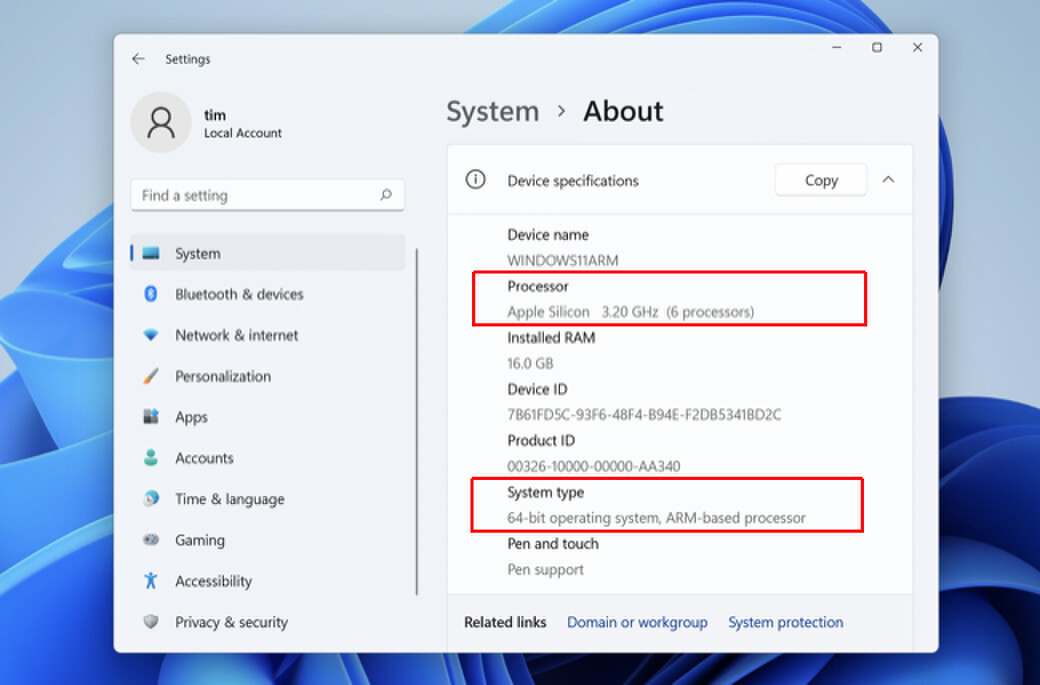
Following is a screenshot with the Parallels solution.
Perhaps I will choose this way.
Regards
Guido
JPEG developer
works splendidly on my Surface Pro X