When setting my folders default view in Folder Formats, i have Details or Thumbnails, i don't have access to "Details + Thumbnails" as I can do from the listener in View.
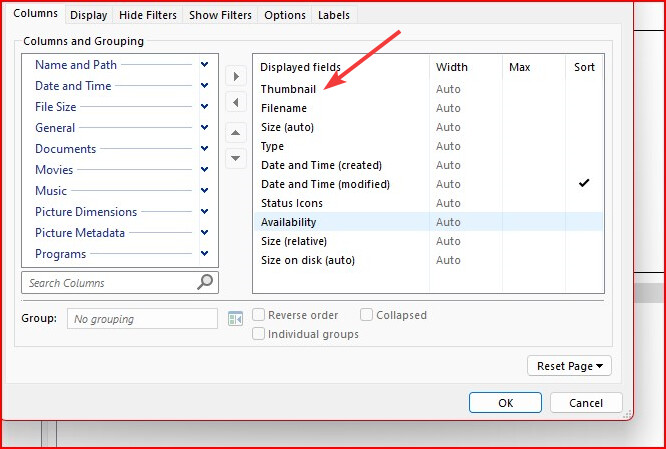
Details + Thumbnails is just Details with the thumbnails column turned on.
The column can be resized the same way as any other, either by resizing it in the lister (and then saving that via the Folder Options dialog) or by specifying the size in the Folder Options dialog (or Folder Formats, if editing via Preferences). In your screenshot you have it set to Width = Auto, but you can specify a pixel width if you wish.