Also, I think you can run things using the pure Evaluator, so that approach might be better since you can first check whether the alias actually exists.
Not tested, but this should work in an Evaluator Function type button.
Note that Resolve is not fully documented, so I just trust you and use the flags you provided.
alias = Resolve(source,"aef");
//Output(alias);
if (!alias) return;
id = Dialog("r","Really remove """ + alias + """ from Aliases?","Yes|No","Remove Alias");
if (!id) return;
//Output("Favorites ALIAS=delete NAME="+Mid(alias,1));
if (Run("Favorites ALIAS=delete NAME="""+Mid(alias,1)+""""))
	Dialog("r","""" + alias + """ removed!","OK","Remove Alias");
Just read the Evaluation insertion code link I posted above, and include in {=...=}the whole Resolve part as well as the Mid function. You'll figure it out.
Yeah, well, the info is there, but I get that it can be tricky to go from documentation to action.
Try with: Favorites ALIAS=delete NAME="{=Mid(Resolve(source,"aef"),1)=}"
(Assuming that you already know the alias target is correct and you don't want any confirmation dialog)
Note how we can invoke some Evaluator wizardry using the {=...=} part
Yes, the alias name does not include the preceding "/". The FilePart() function also works.
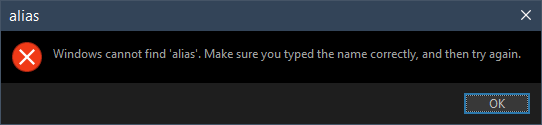
Just a reminder, if Resolve() returns false, Mid() and FilePart() will respectively return alse and false, your command will attempt to delete the alias with that name.
You can use the Evaluator-generated command line to avoid that situation. However, I don't think anyone would name an alias as "alse" or "false" .

 .
.